Understanding anonymous VPN for internet security: a deep dive
In a world where internet freedom is constantly challenged, understanding the mechanics of anonymous VPNs becomes crucial for users in restrictive regions. An anonymous VPN for internet access is not only a convenience tool for changing location. It is a privacy layer that can reduce exposure to network monitoring, hide your real IP address from websites, and help route traffic around censorship systems. This deep dive explains how anonymous VPN services work, where they help, where they fail, and how advanced users should evaluate them before relying on one.
Anonymous VPN technology sits at the intersection of cryptography, networking, jurisdiction, operational security, and trust. It can make your traffic unreadable to a local internet service provider, but it cannot magically erase every trace of your identity. Therefore, the right way to think about an anonymous VPN is as one part of a broader privacy strategy.

1. What Is an Anonymous VPN and Why Use It?
An anonymous VPN is a virtual private network designed to minimize the amount of identifiable information linked to your internet activity. Like any VPN, it creates an encrypted tunnel between your device and a remote VPN server. Your traffic exits to the public internet from that server, so websites and apps typically see the VPN server’s IP address instead of your real one.
The “anonymous” part depends on several factors:
- The provider does not require unnecessary personal data during sign-up.
- The service avoids storing activity logs that can identify what you do online.
- The VPN masks your real IP address from destination websites.
- The network uses strong encryption and secure tunnel protocols.
- The apps include leak protection for DNS, IPv6, and connection drops.
In practice, anonymity is a spectrum. A privacy-focused VPN can reduce linkability between your identity and your browsing activity. However, if you log into a personal account, reuse a browser fingerprint, or install tracking-heavy apps, your activity may still be tied back to you.
How Anonymous VPNs Differ From Traditional VPNs
Traditional VPNs were originally built for secure access to private networks. A company VPN, for example, lets employees connect to internal resources from outside the office. The goal is confidentiality and access control, not public anonymity.
Anonymous VPNs are different in intent and design. They focus on protecting users on the open internet. Compared with a basic VPN, an anonymous VPN usually emphasizes:
| Area | Traditional VPN | Anonymous VPN |
|---|---|---|
| Primary goal | Private network access | Privacy, censorship resistance, IP masking |
| User identity | Often tied to employee or account identity | Ideally minimized or optional |
| Logging | May log sessions for compliance | Should avoid activity logs and minimize metadata |
| Server design | Corporate gateways | Shared exit IPs and distributed public servers |
| Anti-censorship tools | Usually limited | May include obfuscation or stealth modes |
A shared exit IP is especially important. When many users share the same VPN server IP, it becomes harder for outside observers to associate a single activity with one individual. That said, anonymity still depends on the provider’s logging behavior, payment model, app security, and your own browsing habits.
Why Anonymity Matters for Privacy and Security
Anonymity matters because internet activity can expose sensitive patterns. Your IP address can reveal your approximate location, your ISP, and sometimes your institution or workplace. DNS queries can reveal the domains you visit. Unencrypted traffic can expose content. Even encrypted HTTPS traffic can leak metadata, such as destination IPs and timing patterns.
For users in restrictive regions, the stakes are higher. Accessing blocked news sources, contacting family, researching health information, or using secure communication tools may trigger attention from local network filters. An anonymous VPN can help by encrypting local traffic and making it harder for the network operator to inspect or selectively block specific requests.
However, VPN use should be paired with good operational security. Use secure browsers, avoid logging into identifying accounts when anonymity is required, update devices, and understand local laws before relying on any circumvention tool.
2. Key Features of Anonymous VPNs
Anonymous VPNs are defined less by marketing language and more by verifiable technical and policy choices. Three features matter most: no-logs design, IP masking, and strong encryption.
No-Logs Policy: Ensuring User Activity Is Not Stored
A no-logs policy means the VPN provider claims not to store records of user activity. At minimum, an anonymous VPN should not log:
- Websites visited.
- DNS queries.
- Downloaded or uploaded content.
- Source IP addresses tied to browsing sessions.
- Connection timestamps linked to specific activity.
Advanced users should distinguish between activity logs and operational metadata. Some providers keep temporary data for abuse prevention, bandwidth management, or troubleshooting. That does not automatically make a VPN unsafe, but it affects the threat model. A stronger design uses RAM-only servers, short-lived session data, automated log rotation, and independent audits where available.
Also, read the privacy policy. “We do not monitor your browsing” is weaker than a clear statement explaining what is collected, why it is collected, how long it is kept, and whether it can identify a user.
IP Masking: Hiding the User’s Real IP Address
IP masking is the visible effect most users notice first. When connected, your device sends internet traffic through the VPN server. Destination sites see the server’s public IP address, not the IP address assigned by your ISP or mobile carrier.
This protects against several common forms of tracking:
- Websites cannot directly see your home or mobile network IP.
- Peer-to-peer participants cannot easily view your real IP.
- Local network operators have less visibility into destination services.
- Geo-based filters may see the VPN server’s region instead of yours.
Still, IP masking is not the same as identity masking. Browser fingerprints, cookies, account logins, device IDs, and payment records can still identify you. Therefore, anonymous VPN use works best with privacy-focused browser settings and compartmentalized identities.
Encryption Standards: Types of Encryption Used
Modern VPNs typically use well-established cryptographic primitives. The exact choices depend on the protocol. Common examples include:
- AES-256-GCM: Widely used with OpenVPN and IPSec. It provides authenticated encryption and strong performance on hardware with AES acceleration.
- ChaCha20-Poly1305: Common in WireGuard. It is fast on mobile and embedded devices, especially where AES acceleration is weak.
- ECDHE key exchange: Provides forward secrecy by generating temporary session keys.
- HMAC or AEAD authentication: Helps prevent tampering with encrypted packets.
Good encryption protects traffic contents in transit. It prevents a local Wi-Fi operator, ISP, or censor from reading the pages and messages inside the tunnel. However, encryption does not hide everything. Observers may still see that you are connecting to a VPN server, how much data you transfer, and when you are online. Obfuscation can reduce that visibility, but it has trade-offs.
3. Underlying Mechanisms of Anonymous VPNs
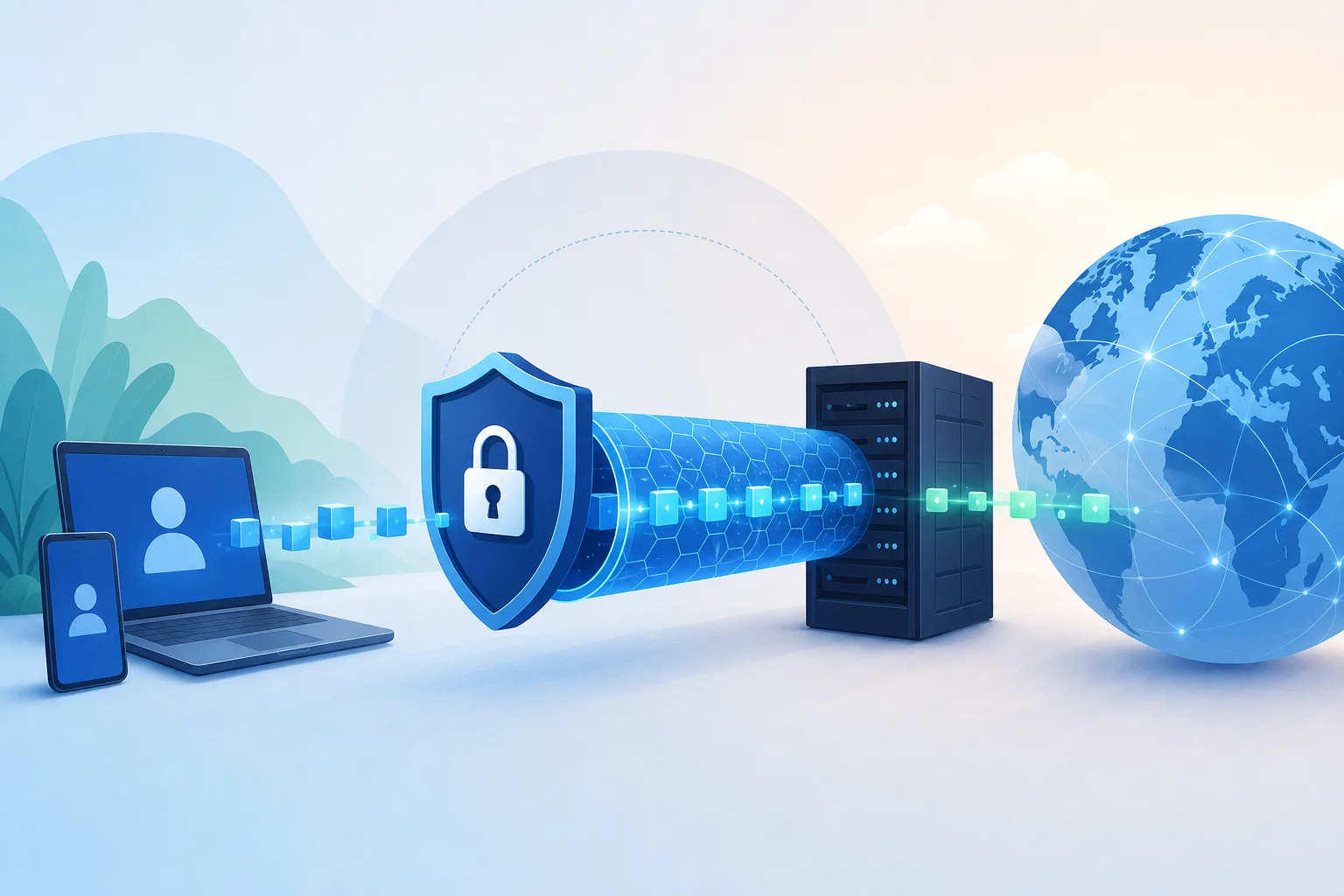
At a technical level, an anonymous VPN combines tunneling, authentication, encryption, routing, and server-side forwarding. Your device creates a virtual network interface, encrypts packets, wraps them in a transport protocol, sends them to a VPN server, and receives decrypted responses through the same path.
Overview of VPN Protocols: OpenVPN, IKEv2/IPSec, and WireGuard
Different protocols solve the same problem in different ways.
OpenVPN is mature, configurable, and widely supported. It can run over UDP for speed or TCP for reliability in restricted environments. Because it uses TLS, it can be configured with many cipher suites and authentication modes. Its flexibility is useful, but misconfiguration can reduce security or performance.
IKEv2/IPSec is common on mobile platforms. It handles network changes well, which is useful when moving between Wi-Fi and cellular networks. IPSec is a proven framework, but its complexity means secure implementation and configuration matter.
WireGuard is newer and intentionally compact. It uses a smaller codebase and modern cryptography, including ChaCha20-Poly1305. It is fast, efficient, and well suited to mobile devices. However, its static key model requires providers to design privacy-preserving account and IP assignment systems carefully.
| Protocol | Strengths | Trade-offs | Best use case |
|---|---|---|---|
| OpenVPN | Flexible, battle-tested, censorship workarounds | Can be slower, configuration-heavy | Restrictive networks and custom setups |
| IKEv2/IPSec | Stable roaming, native support | Complex stack, may be blocked | Mobile users switching networks |
| WireGuard | Fast, modern, efficient | Needs careful privacy design | Daily secure browsing and performance |
How Encryption and Tunneling Work Together
Tunneling and encryption are related but not identical. Tunneling creates a virtual path for packets. Encryption protects the packet contents inside that path.
A simplified VPN flow looks like this:
- Your device creates a virtual network interface.
- The VPN client authenticates with the VPN server.
- Both sides negotiate or derive session keys.
- Your operating system routes selected traffic into the VPN interface.
- The VPN client encrypts each packet.
- The encrypted packet is sent to the VPN server.
- The server decrypts it and forwards it to the destination.
- The response returns to the server, is encrypted again, and travels back to you.
This design hides the final destination from the local network. The ISP sees a connection to the VPN server, while the website sees a request from the VPN server. The VPN provider, however, sits in the middle. That is why provider trust and logging policy are central to anonymity.
The Role of Servers in Maintaining Anonymity
VPN servers are more than simple relays. Their configuration can strengthen or weaken anonymity.
Important server-side properties include:
- Shared IP addresses: Many users exit through the same IP, increasing crowd size.
- DNS handling: Private DNS resolvers prevent DNS leaks to local ISPs.
- RAM-only operation: Data disappears on reboot if disks are not used for session storage.
- Hardened access controls: Limited administrative access reduces insider and compromise risk.
- Jurisdictional planning: Server locations affect legal exposure and seizure risk.
- Traffic separation: Good architecture separates authentication, payment, and traffic systems.
For users in censored environments, server diversity also matters. If a censor blocks known VPN endpoints, having multiple regions and rotating infrastructure can improve reliability. Yet no provider can guarantee permanent access in every country, especially where deep packet inspection and active probing are used.
4. Bypassing Censorship With Anonymous VPNs
Anonymous VPNs help bypass censorship by changing both the route and appearance of your traffic. Instead of connecting directly to a blocked site, your device connects to a VPN server outside the filtered network. The server then reaches the destination on your behalf.
This can work against several common blocking methods:
- DNS blocking: The VPN uses its own DNS resolver inside the encrypted tunnel.
- IP blocking: The destination is reached from the VPN server, not directly from your network.
- URL filtering: HTTPS plus the VPN tunnel hides the specific URL from local filters.
- Keyword filtering: Content is encrypted before it crosses the local network.
- Geo-restrictions: Services may see the VPN server’s country instead of yours.
However, sophisticated censorship systems may block VPN server IPs or detect VPN protocol signatures. This is where obfuscation becomes important.
Obfuscation and Stealth VPN Techniques
Obfuscation attempts to make VPN traffic harder to identify. It does not necessarily make traffic invisible, but it can reduce recognizable patterns.
Common techniques include:
- TLS wrapping: Encapsulating VPN traffic so it resembles ordinary HTTPS.
- Packet padding: Adjusting packet sizes to reduce fingerprinting.
- Protocol camouflage: Modifying handshakes that censors use to detect VPNs.
- Port selection: Running traffic over TCP 443, commonly used for HTTPS.
- Multi-hop routing: Sending traffic through more than one VPN server to separate entry and exit points.
Stealth modes often reduce speed because they add overhead. They may also increase battery use on mobile devices. For users facing aggressive filtering, the trade-off can be worthwhile. For normal daily browsing, a fast protocol like WireGuard may be more efficient.
Real-World Examples of Censorship and VPN Use
VPNs have been used in many restrictive contexts, including periods of blocked social platforms, news restrictions, and regional content filtering. In countries where certain messaging apps or independent media sites are intermittently blocked, users often rely on VPNs to reach external servers and restore access.
Success depends on the blocking method. If a site is blocked only through DNS tampering, almost any correctly configured VPN can help. If a government uses deep packet inspection, active probing, and broad IP blocking, users may need obfuscation, frequently updated servers, or alternative circumvention tools.
A practical example is a blocked news website. Without a VPN, the local ISP may return a false DNS answer or block the destination IP. With an anonymous VPN, the DNS request and web request move inside the encrypted tunnel. The ISP sees only the VPN connection, while the VPN server fetches the news site from outside the filtered environment.
Even so, users should be careful. In some jurisdictions, VPN use itself may be restricted or monitored. Always assess personal risk, avoid unnecessary exposure, and keep backup communication channels ready.
5. Common Misconceptions About Anonymous VPNs
Anonymous VPNs are powerful tools, but they are often misunderstood. Overestimating them can create a false sense of safety. Underestimating them can leave users exposed to avoidable monitoring.
Myth: All VPNs Offer Equal Anonymity
Not all VPNs are equal. Some are designed for corporate access. Some focus on streaming. Some free VPNs monetize through advertising or data collection. A service that changes your IP address is not automatically anonymous.
For real privacy, look for technical and policy alignment:
- Minimal account data.
- Clear no-logs policy.
- Secure protocols.
- DNS and IPv6 leak protection.
- Kill switch behavior.
- Transparent ownership and jurisdiction.
- Independent audits or open technical documentation where possible.
If a VPN logs source IP addresses, connection timestamps, and assigned exit IPs, it may be possible to correlate activity later. That risk grows if the provider also requires identifying payment details or invasive app permissions.
Understanding the Limits of VPNs in Avoiding Surveillance
A VPN protects the network path between your device and the VPN server. It does not control what happens on your device, inside your browser, or on the services you use.
A VPN will not automatically stop:
- Malware on your device.
- Browser fingerprinting.
- Tracking cookies.
- Account-based identification.
- Phishing attacks.
- Screenshots or physical device searches.
- Surveillance at the destination service.
For high-risk users, combine a VPN with hardened browsers, encrypted messaging, device updates, two-factor authentication, and careful identity separation. In some cases, Tor may be more appropriate than a VPN, especially when the threat model requires stronger separation from the entry network and destination site.
FAQ: Do Anonymous VPNs Make You Completely Invisible?
No. An anonymous VPN can hide your real IP address from websites and encrypt traffic from your local network, but it cannot make you completely invisible. If you log into a personal account, accept tracking cookies, or use a unique browser fingerprint, you can still be identified.
FAQ: Is a Free Anonymous VPN Safe for Internet Use?
It depends on the provider’s model. A safe free VPN should avoid selling browsing data, should not require unnecessary registration, and should use strong encryption. Be cautious with services that rely on intrusive ads, unknown ownership, or vague privacy policies.
FAQ: Can a VPN Protect Me From My ISP?
A VPN can prevent your ISP from seeing the specific websites and content you access through the tunnel. Your ISP can still see that you are connected to a VPN server, when you connect, and how much data you transfer.
Clarifying the Misconception of Total Security Through Anonymity
Anonymity and security overlap, but they are not the same. Anonymity reduces the link between your identity and your activity. Security reduces the chance that your data, device, or accounts are compromised.
For example, a VPN may hide your IP address, but it will not protect you if you enter credentials into a fake login page. Likewise, strong encryption does not help if an attacker has already installed spyware on your phone. Treat an anonymous VPN as one defensive layer, not a complete security system.
6. Choosing the Right Anonymous VPN for Your Needs
Choosing a VPN is a threat-modeling exercise. The best anonymous VPN for internet freedom in a censored country may not be the same as the best VPN for low-latency gaming or remote work.
Factors to Consider: Speed, Server Locations, and Security Features
Start with your primary goal. Then evaluate technical fit.
- Define your threat model. Are you avoiding ISP tracking, bypassing censorship, protecting public Wi-Fi, or separating identities?
- Check the logging policy. Prefer services that clearly avoid activity logs and minimize metadata.
- Review protocol support. WireGuard is usually fast. OpenVPN is flexible. IKEv2/IPSec is useful for mobile roaming.
- Look for leak protection. DNS leak protection, IPv6 handling, and a kill switch are essential.
- Assess censorship resistance. If you live in a restrictive region, look for obfuscation or stealth modes.
- Test server locations. Nearby servers improve speed. Diverse regions improve access options.
- Inspect app permissions. VPN apps should request only what they need.
- Consider account privacy. No-registration or minimal-registration models reduce stored identity data.
- Measure performance yourself. Run tests on your actual network, not only on ideal connections.
- Plan fallbacks. Keep alternate servers, protocols, or tools ready if blocks change.
Evaluating User Reviews and Expert Opinions
Reviews can help, but they can also mislead. Advanced users should separate usability feedback from security evidence.
User reviews are useful for:
- App stability.
- Speed in specific regions.
- Support responsiveness.
- Reliability on mobile networks.
- Compatibility with local ISPs.
Expert reviews are more useful for:
- Protocol implementation details.
- Leak testing.
- Privacy policy analysis.
- Audit interpretation.
- App permission review.
- Jurisdiction and ownership context.
Be skeptical of rankings that do not explain methodology. Also watch for affiliate bias. A trustworthy review should disclose testing conditions, name the protocols used, and explain limitations.
The Importance of Trial Periods and Free Versions
Trial periods and free versions matter because VPN performance is highly local. A server that works well in one country may be slow or blocked in another. A protocol that performs well on fiber may fail on a mobile network with packet loss.
When testing a VPN, check:
- Whether your real IP leaks during reconnects.
- Whether DNS requests stay inside the tunnel.
- Whether the kill switch blocks traffic after a drop.
- Whether important sites and apps work normally.
- Whether speeds remain usable during peak hours.
- Whether obfuscation works on restricted networks.
Free VPN access can be valuable for users who cannot pay privately or cannot register safely. But the provider still needs a sustainable privacy model. A no-registration option is especially useful because it reduces the personal data exposed during onboarding.
7. Conclusion: The Importance of Choosing an Anonymous VPN
An anonymous VPN can improve internet privacy, protect traffic on untrusted networks, mask your real IP address, and help users in restrictive regions access blocked information. The key is to choose carefully. Strong encryption, secure protocols, leak protection, shared IP addresses, no-logs practices, and censorship-resistant features all matter.
At the same time, a VPN is not a magic cloak. It cannot erase browser fingerprints, secure compromised devices, or protect accounts where you voluntarily reveal your identity. For the best results, pair an anonymous VPN with good digital hygiene: updated software, private browsing habits, secure messaging, and careful separation between personal and sensitive activity.
Explore BeFreeVPN today for a free, no-registration solution that works seamlessly on all your devices, helping make your internet experience more secure, private, and unrestricted.