The ultimate guide to personal VPNs without registration: everything you need to know
Why pay for a VPN when you can have a secure and free option like BeFreeVPN, offering protection without the hassle of registration? A personal VPN without registration helps you browse more privately, reduce exposure on public Wi-Fi, and avoid giving yet another company your email address, payment details, or personal profile. In this ultimate guide, you’ll learn what registration-free VPNs are, how they work, when they make sense, how to set one up, and what to check before choosing a free VPN service.

Introduction: Why Choose a Personal VPN Without Registration?
A personal VPN without registration is a virtual private network service that lets you connect to an encrypted VPN server without creating an account first. Instead of signing up with an email address, setting a password, choosing a subscription, and entering payment information, you can open the app, connect, and start browsing with an added layer of privacy.
That simplicity matters. More of daily life now happens online: banking, shopping, messaging, work, travel planning, streaming, and reading the news. At the same time, users face more tracking, more data collection, and more risks on unsecured networks. A VPN cannot solve every privacy problem, but it can help protect your internet traffic from local snooping and reduce how much your real IP address is exposed to websites and networks.
Registration-free VPNs are especially attractive for people who want quick protection without a long setup process. They can also be useful for people who do not want to attach their browsing protection tool to personal data such as an email account or card number.
In this guide, we’ll cover:
- What a personal VPN without registration means
- How BeFreeVPN fits this category
- Why free VPNs can save money compared with paid plans
- How VPN encryption supports privacy
- How to set up and use a no-sign-up VPN
- What to compare before choosing a provider
- Key takeaways and common questions
The goal is simple: help you decide whether a free, registration-free VPN is enough for your everyday privacy needs.
Quick Answer: What Is a Personal VPN Without Registration?
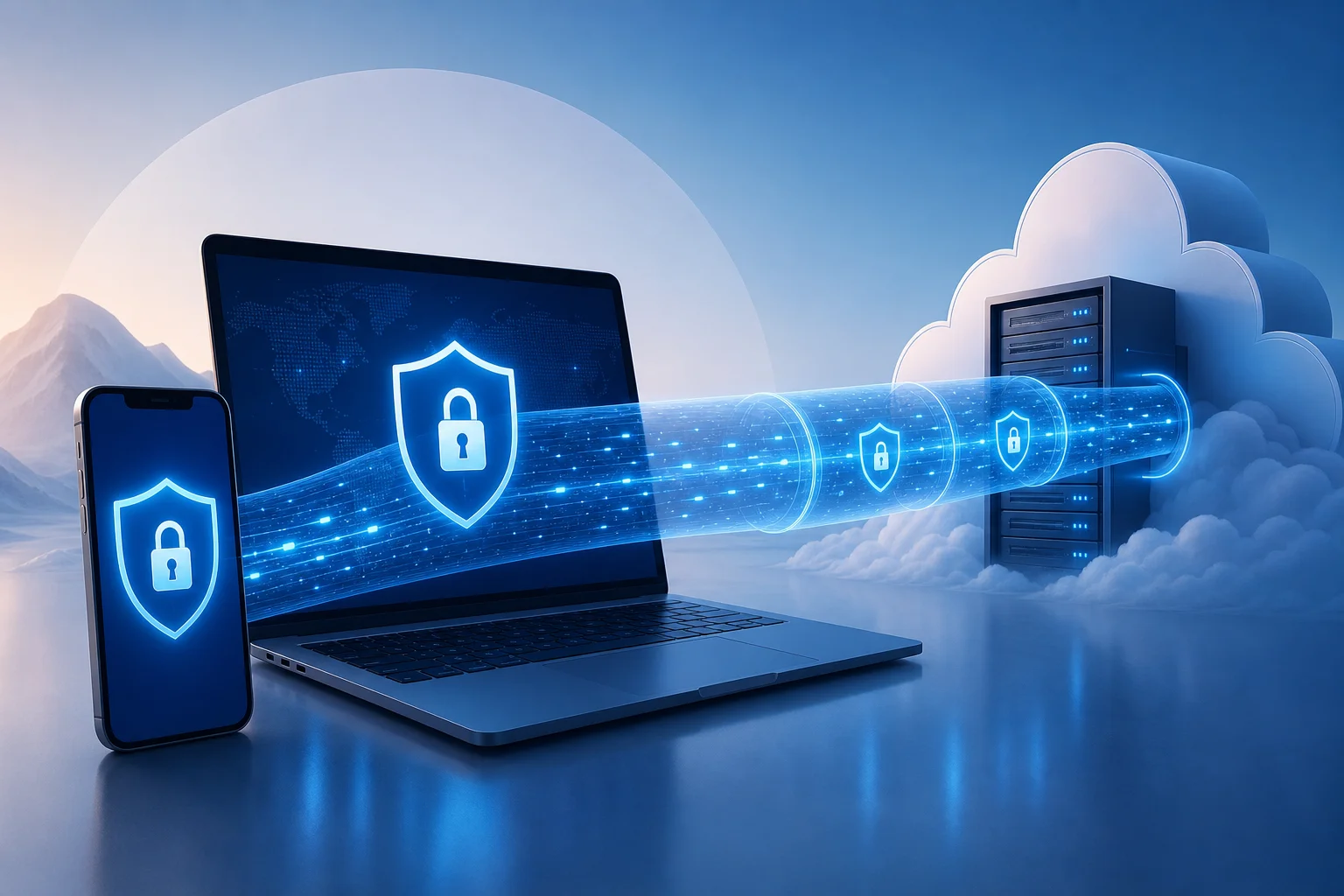
A personal VPN without registration is a VPN service designed for individual users that does not require account creation before use. You typically install the VPN app, select a server or connection mode, and connect. The service then routes your internet traffic through an encrypted tunnel between your device and the VPN server.
Core features of a registration-free personal VPN
Most no-registration VPN services focus on three core ideas:
- No account requirement — You do not need to submit an email address, username, password, or payment information to start.
- Encrypted connection — Your device sends traffic through a secure tunnel, which helps protect it from local network monitoring.
- IP address masking — Websites and online services see the VPN server’s IP address rather than your direct network IP address.
Some services also include additional features, such as automatic server selection, cross-device support, a simple connect button, or basic location choices.
Where BeFreeVPN fits
BeFreeVPN is a strong example of a personal VPN without registration because it is designed around quick access, no sign-up friction, and free use. For users who want protection without managing another online account, that model is appealing. You can use it for everyday browsing, public Wi-Fi protection, and basic privacy without committing to a paid subscription.
Benefits compared with traditional paid VPNs
Traditional VPN services often require you to register before you can use them. That process may include an email address, password, billing information, renewal settings, and sometimes identity-linked payment records. In contrast, a no-registration VPN reduces the amount of personal information you hand over.
Here is the practical difference:
| Feature | Personal VPN without registration | Traditional paid VPN |
|---|---|---|
| Account required | Usually no | Usually yes |
| Upfront cost | Often free | Usually monthly or yearly |
| Setup time | Fast | Longer |
| Personal data shared | Minimal | Often email and payment details |
| Best for | Everyday privacy and quick protection | Advanced features, heavy use, specific locations |
For many people, paying for a VPN may be unnecessary if their main needs are secure browsing on public Wi-Fi, simple IP masking, and a no-hassle setup. However, users with advanced needs should still compare features carefully.
The Financial Benefits: Save Money with Free VPNs
The cost of online privacy tools can add up. A paid VPN subscription may look inexpensive at first, but over months and years it becomes another recurring bill. If you already pay for cloud storage, streaming, password management, mobile data, and security software, adding a VPN subscription may not feel worthwhile.
A free VPN like BeFreeVPN changes that calculation. If your main goal is basic privacy protection without registration, free access can provide practical value without forcing you into a subscription.
The real cost of paid VPN services
Paid VPNs commonly use one of these pricing models:
- Monthly plans, which are flexible but often cost more over time
- Annual plans, which reduce the monthly average but require upfront payment
- Multi-year plans, which may offer discounts but lock you into a longer commitment
- Premium tiers, which may charge extra for more locations, faster speeds, or dedicated IP addresses
There can also be hidden costs in the form of auto-renewals, unused subscriptions, upgrade prompts, and paying for advanced features you do not need. For example, if you only use a VPN at airports, hotels, coffee shops, or while browsing casually, a full paid plan may be more than necessary.
Cost savings with BeFreeVPN
BeFreeVPN’s main financial advantage is straightforward: you can use a personal VPN without registration and without paying for a subscription. That makes it practical for:
- Students who need privacy on campus Wi-Fi
- Travelers using hotel or airport networks
- Remote workers who want basic protection outside the office
- Families who want simple privacy tools across devices
- Budget-conscious users who do not want another monthly bill
A free VPN is also easier to test. You do not have to calculate whether you will use it enough to justify the cost. You can simply try it, see whether it fits your browsing habits, and keep using it if it works for you.
Why registration-free options are practical for budget-conscious users
Registration-free VPNs save more than money. They also save time. There is no long signup form, no account verification email, and no checkout page. That matters when you need protection quickly, such as before joining public Wi-Fi in a hotel lobby or airport terminal.
There is also a privacy benefit tied to cost. Paid services usually need payment details, and even privacy-focused providers may still process transactions through third-party payment systems. A VPN with no registration and no payment requirement reduces that data trail.
Still, free does not mean you should ignore quality. A responsible user should check the provider’s privacy policy, app permissions, connection stability, and whether the service is transparent about its limits. The best free VPN for you is the one that offers useful protection without asking for more data than it needs.
How Personal VPNs Without Registration Protect Your Privacy
A VPN protects privacy by creating an encrypted tunnel between your device and a VPN server. When you connect, your internet traffic travels through that tunnel before reaching websites, apps, or online services. This can make it much harder for people on the same local network to inspect what you are doing.
How VPN encryption works in everyday terms
Think of a normal internet connection like sending postcards through a public route. Some information may be visible to networks along the way. A VPN is more like placing those postcards into a sealed envelope before sending them through the first part of the route.
In practical terms, a VPN can help protect you when:
- You use public Wi-Fi at a café, airport, library, or hotel
- You connect through a shared office or campus network
- You want websites to see the VPN server’s IP address instead of your direct IP address
- You want an extra privacy layer when browsing on mobile data or home Wi-Fi
A VPN does not make you invisible online. Websites can still use cookies, account logins, browser fingerprints, and tracking scripts. However, it does reduce exposure at the network level and helps prevent simple local snooping.
Why no registration can improve privacy
When a VPN requires registration, you usually provide personal information. Even if it is only an email address, that creates an account record. If payment is required, the service or its payment processor may also handle billing data.
A personal VPN without registration avoids much of that. You can start using the service without connecting your VPN activity to a personal account. That is especially helpful for people who prefer data minimization: sharing only what is necessary, when it is necessary.
However, no registration is not the same as guaranteed anonymity. You should still review the VPN’s policies. Look for clear explanations of what data is collected, how long it is retained, and whether usage logs are stored. The advantage is that a no-sign-up VPN begins with less personal information from you.
Examples of risks a VPN can help reduce
A VPN can help reduce several common security risks:
-
Public Wi-Fi snooping
On an unsecured network, attackers may try to observe traffic or trick users into unsafe connections. A VPN adds encryption that makes local monitoring much less useful. -
IP-based tracking
Websites often see your IP address when you visit. A VPN replaces your direct IP address with the VPN server’s IP address, reducing easy location-based identification. -
Man-in-the-middle attempts on weak networks
Attackers may attempt to intercept traffic on poorly secured networks. VPN encryption helps protect the connection between your device and the VPN server. -
Untrusted network administrators
On shared networks, administrators may be able to see connection metadata or browsing destinations. A VPN limits what the local network can observe, although it cannot hide everything from every party.
The key point is balance. A VPN is not a replacement for good passwords, two-factor authentication, software updates, and safe browsing habits. It is one important layer in a broader privacy and security routine.
Setting Up and Using a Personal VPN Without Registration
One of the biggest advantages of BeFreeVPN is ease of use. A registration-free VPN should feel simple from the first launch. You should not need technical knowledge, manual configuration files, or a long onboarding process.
Step-by-step guide to setting up BeFreeVPN
Follow these general steps to start using BeFreeVPN:
-
Download the BeFreeVPN app
Get the app from the official source for your device. Avoid unofficial downloads, especially from random file-sharing sites. -
Install and open the app
Follow your device’s normal installation process. Once installed, open the app. -
Review permissions
VPN apps usually ask permission to create a VPN connection on your device. This is normal, but you should still read the prompt before accepting. -
Choose your connection option
Depending on the app interface, you may be able to select a location or use an automatic server option. -
Tap connect
Start the VPN connection. Your device may show a VPN icon or status indicator when the tunnel is active. -
Browse as usual
Once connected, open your browser or apps. Your traffic will route through the VPN until you disconnect. -
Disconnect when not needed
If you want maximum speed for low-risk activities, you can disconnect and reconnect later. For public Wi-Fi, staying connected is usually the safer choice.
User interface overview and ease of use
A good personal VPN without registration should have a clean interface. The most important controls are simple:
- A clear connect and disconnect button
- Visible connection status
- Server or location options, if available
- Basic settings that are easy to understand
- Minimal prompts and no forced signup screens
BeFreeVPN’s appeal is that it keeps the experience focused. Instead of pushing users through account creation, it lets them connect quickly. That is ideal for people who want privacy protection without studying VPN protocols or managing subscriptions.
Tips for getting the most out of a no-sign-up VPN
To use a free VPN effectively, follow these tips:
- Connect before joining risky networks. Turn on the VPN before logging into banking, email, or work tools on public Wi-Fi.
- Keep your apps updated. VPN protection is stronger when your operating system, browser, and apps are current.
- Use HTTPS websites. A VPN encrypts part of your connection path, while HTTPS protects the connection between your browser and the website.
- Avoid suspicious downloads. A VPN does not make unsafe files safe.
- Check your connection status. Make sure the VPN is connected before assuming your IP address is masked.
- Use strong passwords and two-factor authentication. VPNs protect traffic, not weak accounts.
By combining a VPN with these habits, you get more complete protection without paying for tools you may not need.
Comparing Personal VPN Options: What to Consider
Not every free VPN is equal. Some are easy to use but limited. Others offer more server options but require registration. Some may show ads, limit speeds, or restrict data usage. Before choosing a personal VPN without registration, compare the factors that matter most for your situation.
Key factors to evaluate
Use this checklist when comparing free VPN services:
| Factor | Why it matters | What to look for |
|---|---|---|
| Registration requirement | Less signup means less personal data shared | No email, no password, no payment details |
| Privacy policy | Explains what data is collected | Clear, readable policy with minimal data collection |
| Cost | Affects long-term use | Free access without forced subscription |
| Ease of use | Helps non-technical users stay protected | One-tap connection and simple settings |
| Speed | Impacts browsing and streaming quality | Stable performance for everyday browsing |
| Device support | Determines where you can use it | Apps for the devices you actually own |
| Server options | Affects connection flexibility | Automatic or manual location choices |
| Limits | Free plans may have restrictions | Understand data, speed, or location limits |
| Reputation | Reduces risk from unknown providers | Consistent user feedback and transparent support |
BeFreeVPN compared with other free VPN options
BeFreeVPN stands out for users who care most about free access and no registration. Many free VPNs use a freemium model, where the free version exists mainly to push users toward a paid account. That can still be useful, but it may come with frequent upgrade prompts, strict limits, or mandatory account creation.
Here is a practical comparison:
| Option type | Strengths | Possible drawbacks | Best fit |
|---|---|---|---|
| BeFreeVPN | Free, simple, registration-free access | May not offer every advanced paid feature | Everyday users who want quick privacy |
| Free tier from paid VPN | Often backed by an established paid service | May require signup or have tight limits | Users testing a provider before upgrading |
| Browser-only VPN extension | Easy to install and use | May protect only browser traffic, not all apps | Light browsing on one browser |
| Built-in browser privacy tool | Convenient and simple | Usually limited in scope and configuration | Casual browsing, not full-device protection |
| Paid premium VPN | More advanced features and locations | Requires payment and usually registration | Power users with specific needs |
For most everyday users, the best choice is the one they will actually use. A powerful VPN with a complex signup process may sit unused. A simple no-registration VPN can be more practical because it removes barriers.
User reviews and satisfaction metrics to check
Avoid relying on one glowing review or one negative comment. Instead, look for patterns. Useful satisfaction signals include:
- Whether users say the app is easy to connect
- Reports of stable or unstable connections
- Complaints about intrusive ads or upgrade prompts
- Comments about speed during normal browsing
- Feedback on customer support or help resources
- Recent reviews after app updates
- Clear explanations from the provider about privacy practices
Do not treat app store ratings as the only measure of quality. Ratings can change, and they may not explain why users are satisfied or frustrated. Read recent reviews and compare them with the service’s own documentation.
FAQ: Common questions about personal VPNs without registration
Is a personal VPN without registration safe?
It can be safe if the provider uses reliable encryption, has a clear privacy policy, and does not ask for unnecessary permissions. No registration reduces the personal data you share, but you should still choose a trustworthy service.
Is a free VPN enough for everyday browsing?
For many users, yes. A free VPN can be enough for public Wi-Fi protection, basic IP masking, and casual browsing privacy. Heavy streaming, advanced location needs, or business requirements may call for extra features.
Does no registration mean no tracking?
Not automatically. No registration means you do not create an account, but the provider may still collect limited technical data. Always read the privacy policy to understand what is collected and why.
Can I use BeFreeVPN on public Wi-Fi?
Yes, public Wi-Fi is one of the most practical use cases for BeFreeVPN. Connect before signing into email, banking, work tools, or any service that handles sensitive information.
Do I need a paid VPN if BeFreeVPN works for me?
Not necessarily. If BeFreeVPN meets your needs for speed, privacy, and ease of use, a paid VPN may be unnecessary. Paid services can be useful for advanced features, but they are not required for everyone.
Key Takeaways: What You’ve Learned about Personal VPNs Without Registration
A personal VPN without registration gives users a simple way to improve online privacy without creating another account or paying another subscription. That combination is powerful because it removes two common barriers: cost and complexity.
BeFreeVPN is a practical option for people who want secure, free browsing without signup requirements. It is especially useful for everyday activities such as browsing on public Wi-Fi, masking your direct IP address, and reducing exposure to local network snooping.
The financial advantages are clear. Paid VPNs can be useful, but many users do not need a premium plan for basic protection. If your needs are simple, a free VPN can help you avoid recurring costs while still adding a valuable privacy layer.
The privacy advantages are also important. Because no registration is required, you do not have to provide an email address, password, or payment details just to turn on protection. That supports the principle of data minimization: share less personal information whenever possible.
At the same time, choose carefully. A good registration-free VPN should be transparent, easy to use, and clear about its privacy practices. Check permissions, read recent reviews, and understand any limits before relying on any service.
Ready to experience online freedom and security without spending a dime? Try BeFreeVPN today and enjoy a seamless, registration-free service across your devices.