The technical deep dive into a personal VPN for internet freedom
Are you residing in a region where accessing global internet content feels like navigating a maze of restrictions? Discover how personal VPNs can change that. A personal VPN for internet access can help advanced users route traffic through encrypted tunnels, reduce local network surveillance, bypass certain regional blocks, and regain access to information. However, the technology is not magic. Its effectiveness depends on protocol choice, server location, traffic patterns, endpoint security, and the censorship model you are facing.
This deep dive explains how personal VPNs work, how they interact with censorship infrastructure, and how to configure them with stronger performance and security assumptions.

1. Understanding Personal VPNs for Internet Use
Definition of personal VPNs
A personal virtual private network, or personal VPN, is a network tunnel that carries your device traffic through an encrypted connection to a remote VPN server. From there, traffic exits to the wider internet. To websites and online services, your connection usually appears to originate from the VPN server’s IP address rather than your local ISP-assigned address.
In practical terms, a personal VPN creates three important changes:
- Traffic confidentiality on the local network: Your ISP, Wi-Fi operator, or network administrator can typically see that you are connected to a VPN endpoint, but not the contents of HTTPS traffic inside the tunnel.
- IP address substitution: Remote services see the VPN server’s IP address, which can affect geolocation and access rules.
- Routing control: You can choose where traffic exits, which may help avoid local filtering paths or congested routes.
A personal VPN can be a commercial app, a self-hosted server, or a hybrid setup. Advanced users often compare these models by trust boundary. With a commercial provider, you trust the provider’s infrastructure and logging policy. With a self-hosted VPN, you trust the cloud host and your own configuration discipline.
Importance for users in restrictive regions
In censorship-heavy environments, internet access may be constrained by DNS poisoning, IP blocking, URL filtering, SNI inspection, application blocking, or throttling of selected services. A personal VPN for internet freedom can reduce exposure to those controls by encrypting DNS and application traffic within a tunnel and shifting the visible destination from many blocked sites to one VPN endpoint.
That said, users in restrictive regions must think in terms of risk management, not absolute protection. Some jurisdictions regulate or block VPN use. Others target specific protocols, data centers, or known VPN IP ranges. Before using any circumvention tool, understand local laws, organizational policies, and personal safety risks.
Key features distinguishing personal VPNs
The strongest personal VPN services and configurations tend to share several traits:
- Modern protocols: WireGuard, OpenVPN, and well-configured IPsec are common choices.
- Strong encryption: Current cipher suites such as AES-GCM or ChaCha20-Poly1305 reduce practical interception risk.
- DNS leak protection: DNS queries should travel through the VPN tunnel, not the local ISP resolver.
- Kill switch support: Traffic should stop if the VPN disconnects unexpectedly.
- Split tunneling control: Users can decide which apps use the VPN and which use the regular route.
- Multi-platform support: Reliable clients for desktop, mobile, and routers matter for consistent protection.
- Minimal account friction: In high-risk regions, reducing personal identifiers during setup can be useful.
2. How Personal VPNs Bypass Censorship
Mechanisms of bypassing regional restrictions
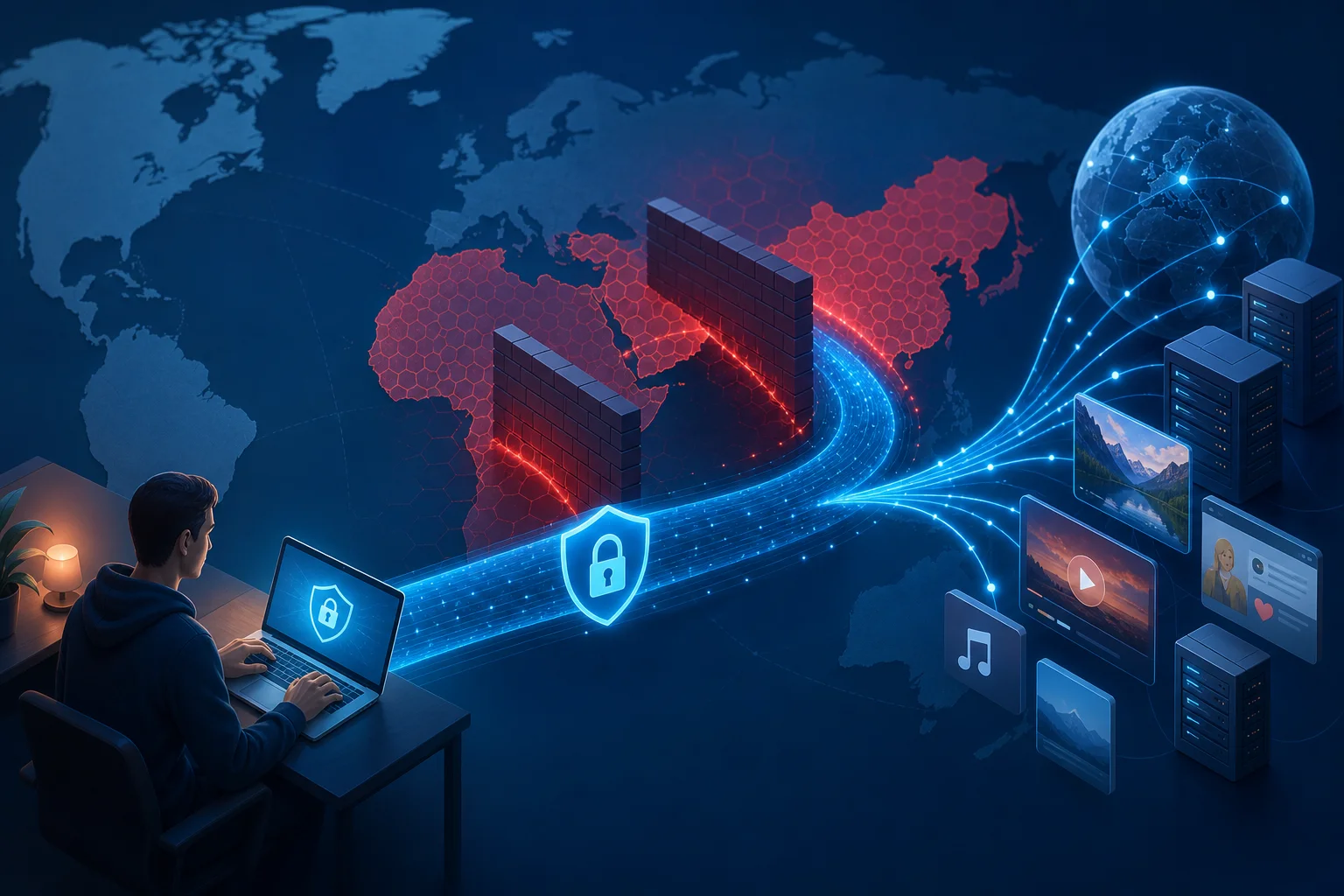
Censorship systems work by identifying and interrupting unwanted traffic. A VPN changes what the censor can observe. Instead of seeing direct connections to blocked domains, the censor sees an encrypted session to a VPN server. This can bypass several common filtering techniques:
- DNS blocking: If a local resolver returns false results for a domain, the VPN can route DNS queries through a trusted resolver inside the tunnel.
- IP blocking: If access to a website’s IP address is blocked locally, traffic may still reach it through a VPN server in another region.
- URL filtering: When traffic is encrypted inside a VPN tunnel, local middleboxes cannot inspect full URLs inside HTTPS requests.
- Geofencing: A VPN exit node in another country may allow access to services that restrict content by region.
- Network throttling: In some cases, encrypted tunneling can reduce application-specific throttling, though it cannot fix all congestion or bandwidth limits.
However, sophisticated censors can respond by blocking known VPN IPs, detecting protocol fingerprints, or using deep packet inspection. This is why protocol agility, obfuscation support, and endpoint diversity matter.
Case studies from different countries
Different censorship models require different VPN strategies:
- China: Filtering is technically advanced and can target VPN protocols, server IPs, SNI fields, and suspicious traffic patterns. Users often need resilient protocols, frequent endpoint rotation, and sometimes obfuscation layers.
- Iran: Blocks may intensify during political events or crises. Access can vary by mobile carrier, fixed ISP, and time of day. Reliability often depends on quickly switching servers and transports.
- Russia: Authorities have increased pressure on VPN providers and blocked selected services. Users may need providers with updated infrastructure and alternative connection methods.
- Turkey: Temporary social media or messaging restrictions have occurred during sensitive events. A personal VPN can help preserve access when blocks are domain-based or platform-specific.
- United Arab Emirates and Gulf states: Some communication apps or VoIP features may be restricted. VPN performance and legality can vary, so users must evaluate local rules carefully.
These examples show a central point: censorship is not uniform. A VPN that works well in one country may fail in another because the filtering layer, legal environment, and network topology differ.
Impact on access to global content
When a VPN works, the impact is direct. Users can read international news, access educational platforms, use developer resources, communicate across borders, and reach services that would otherwise be unavailable. For technical professionals, this may mean access to package repositories, documentation, collaboration tools, code hosting platforms, and security updates.
Still, a VPN should be part of a broader access strategy. Secure browsers, encrypted messaging, verified software downloads, multi-factor authentication, and endpoint hardening all matter. A tunnel protects traffic in transit, but it does not make unsafe software safe or compromised devices trustworthy.
3. Technical Breakdown: VPN Protocols and Mechanisms
Overview of popular VPN protocols
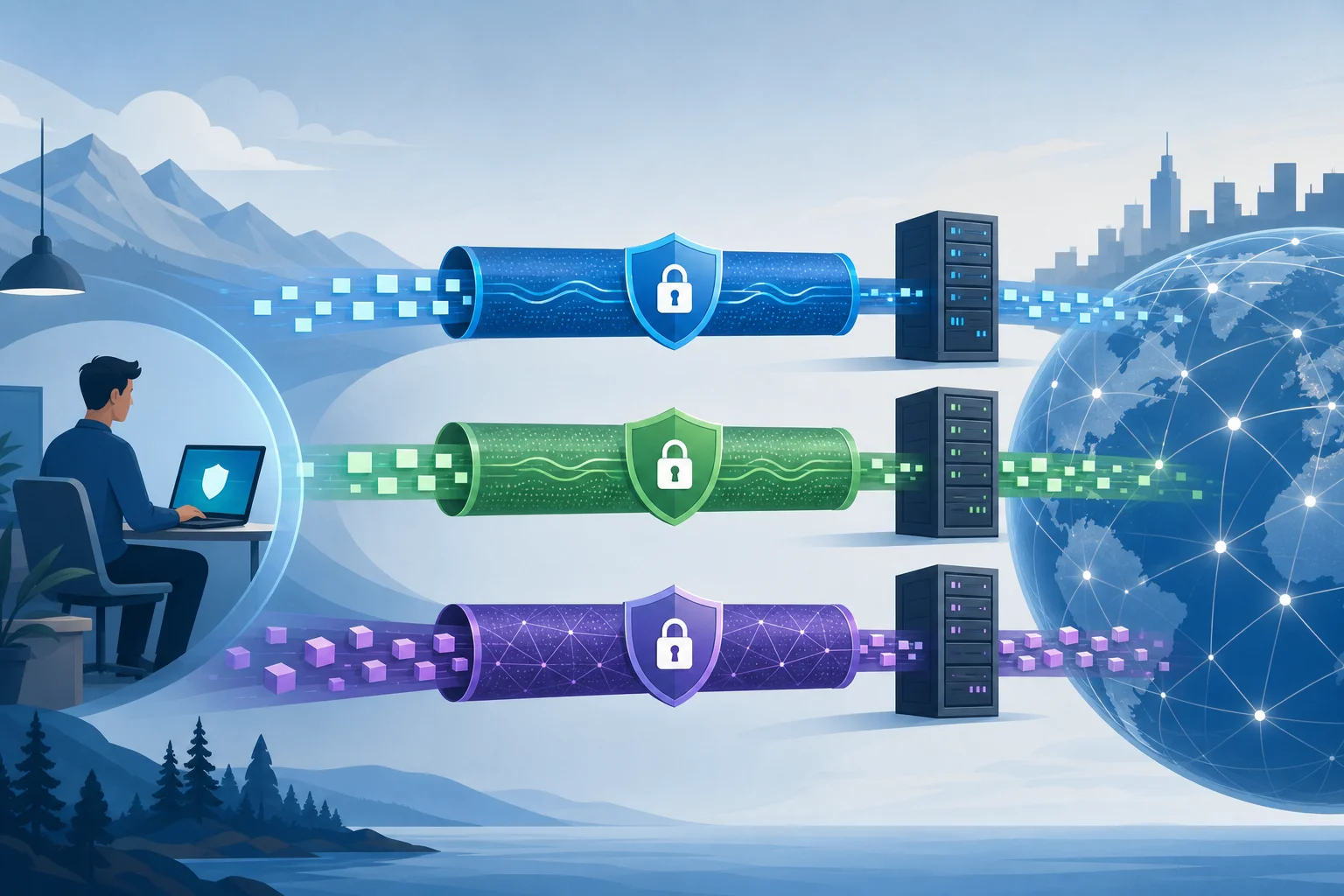
VPN protocols define how tunnels are established, authenticated, encrypted, and maintained. Advanced users should understand the operational trade-offs.
| Protocol | Strengths | Weaknesses | Best fit |
|---|---|---|---|
| OpenVPN | Mature, flexible, TCP or UDP support, strong certificate-based authentication | Heavier codebase, more configuration complexity, can be fingerprinted | Restrictive networks where TCP 443 fallback is useful |
| L2TP/IPsec | Widely supported by operating systems, stable on many legacy platforms | L2TP has no encryption by itself; IPsec configuration can be brittle; often blocked | Compatibility with older devices or built-in clients |
| WireGuard | Small codebase, high performance, modern cryptography, quick roaming | Static keys can create privacy considerations if poorly managed; UDP-only by default | High-speed personal VPN use on modern devices |
OpenVPN remains valuable because it can run over TCP port 443, making it resemble ordinary HTTPS at the port level. WireGuard is often faster and simpler, especially on mobile devices, but networks that block or throttle UDP may degrade it. L2TP/IPsec is useful where native support matters, but it is rarely the first choice for censorship resistance.
Encryption standards and their role
Encryption protects traffic inside the VPN tunnel. Common modern choices include:
- AES-256-GCM: A widely deployed authenticated encryption mode, often accelerated by hardware on desktops and servers.
- ChaCha20-Poly1305: Efficient on mobile and devices without AES acceleration. WireGuard uses ChaCha20-Poly1305.
- Perfect forward secrecy: Session keys are negotiated so that compromise of a long-term key does not automatically decrypt past sessions.
- Certificate or key-based authentication: Prevents clients from connecting to impostor servers.
Encryption is only one part of VPN security. Authentication, DNS handling, route enforcement, kill switch behavior, and logging practices can be just as important. A strongly encrypted tunnel that leaks DNS queries to a local ISP resolver may still reveal browsing intent.
Comparative analysis of performance and security
For advanced users, protocol selection is a balance between performance, censorship resistance, and operational control.
WireGuard usually delivers excellent throughput and low latency because it runs in or near the kernel on many platforms and has minimal handshake overhead. It is also easy to audit relative to older protocols. Its main limitation is that default WireGuard traffic has recognizable characteristics and uses UDP, which may be blocked on hostile networks.
OpenVPN over UDP is reliable and flexible. It may be slower than WireGuard but remains widely supported. OpenVPN over TCP 443 can help on networks that allow only web-like traffic, but TCP-over-TCP can cause performance problems under packet loss.
L2TP/IPsec is acceptable when native client support is the priority. Yet it is less attractive for advanced censorship scenarios because IPsec traffic is commonly identified and blocked.
A practical rule is simple: use WireGuard when speed and stability are available; use OpenVPN when network compatibility and fallback options matter; avoid legacy protocols unless required by platform constraints.
4. Setting Up a Personal VPN: Advanced Configurations
Steps for configuring a VPN on various platforms
The exact workflow depends on your provider or self-hosted stack, but the advanced setup pattern is consistent.
- Define your threat model. Decide whether you are protecting against local Wi-Fi monitoring, ISP profiling, regional censorship, hostile administrators, or targeted surveillance.
- Choose the protocol. Start with WireGuard for speed. Keep OpenVPN as a fallback for restrictive networks.
- Select trusted exit locations. Choose servers in jurisdictions and networks that match your access goals and latency requirements.
- Install verified clients. Use official app stores, provider websites, package repositories, or signed releases. Avoid repackaged installers.
- Import configuration securely. Protect private keys and configuration files. Do not store them in shared folders or unencrypted cloud drives.
- Enable DNS leak protection. Confirm that DNS servers are assigned by the VPN and reachable only through the tunnel.
- Enable a kill switch. Block traffic when the VPN drops. On Linux, use firewall rules rather than relying only on app-level toggles.
- Test IPv6 behavior. Either route IPv6 through the tunnel or disable it. Uncontrolled IPv6 can bypass IPv4-only VPN routes.
- Validate with controlled checks. Test public IP, DNS resolver, WebRTC exposure, and reconnection behavior after sleep or network switching.
- Document fallback paths. Keep alternative servers and protocols ready, especially if you travel or operate in unstable network environments.
Advanced settings for optimal performance
Performance tuning can make a personal VPN for internet access more reliable:
- MTU tuning: Incorrect MTU can cause fragmentation, stalls, or broken websites. WireGuard often uses values near 1420, but restrictive networks may require lower values.
- UDP preference: UDP avoids TCP-over-TCP issues and usually performs better for VPN tunnels.
- TCP fallback: Keep a TCP 443 profile for networks that block UDP.
- Persistent keepalive: On mobile and NAT-heavy networks, WireGuard keepalive settings can maintain mappings and reduce reconnect delays.
- Split tunneling: Route only sensitive or blocked traffic through the VPN when you need lower latency for local services.
- Server proximity: Lower physical and network distance usually reduces latency, but censorship bypass may require a farther exit country.
- Router-level VPN: Running a VPN on a router can protect devices that lack native clients, but router CPUs may limit throughput.
Security considerations during setup
Advanced configuration should reduce accidental exposure:
- Use unique keys per device.
- Revoke lost or unused device profiles.
- Avoid sharing one VPN profile across multiple people.
- Disable local network access unless you need LAN resources.
- Use multi-factor authentication for provider accounts when available.
- Keep clients updated to patch protocol and app vulnerabilities.
- Check whether the provider supports audited apps, transparent infrastructure, or reproducible builds.
For self-hosted VPNs, harden the server. Use SSH keys, disable password login, apply security updates, restrict management ports, and monitor logs for brute-force attempts. Also remember that self-hosting creates a fixed endpoint that may be easier to associate with you over time.
5. Common Misconceptions About Personal VPNs
FAQ: Does a VPN guarantee complete anonymity?
No. A VPN changes your network path and hides your local IP address from websites, but it does not make you anonymous by itself. Websites can still identify you through logins, browser fingerprints, cookies, payment records, device identifiers, and behavioral patterns. If anonymity is your goal, you need a broader operational security model.
FAQ: Is encryption the same as privacy?
No. Encryption protects data in transit. Privacy depends on who can collect metadata, how long logs are retained, what apps reveal, and whether your identity is linked to your activity. A VPN provider could theoretically see connection metadata at the exit point, so trust and logging policies matter.
FAQ: Will a VPN always slow down my internet?
Not always, but it often changes performance. Encryption adds overhead, and routing through a remote server can increase latency. However, a high-quality VPN path can sometimes outperform a congested or throttled ISP route. Speed depends on protocol, server load, distance, device CPU, packet loss, and local network restrictions.
Myth: VPNs make unsafe behavior safe
A VPN does not block phishing by default. It does not prevent malware. It does not secure weak passwords or protect accounts without multi-factor authentication. Think of a VPN as a secure transport layer, not a full security suite.
Myth: All VPNs are technically equivalent
They are not. VPNs differ in protocols, client quality, DNS handling, server ownership, logging architecture, jurisdiction, congestion, censorship resistance, and update speed. For advanced users, the details are the product.
6. Real-world Applications and Benefits
Use cases for personal VPNs in censorship-heavy areas
In restrictive regions, personal VPNs support several high-value use cases:
- Accessing independent media: Users can reach international news outlets and research sources.
- Maintaining professional workflows: Developers can access documentation, code repositories, APIs, cloud dashboards, and package registries.
- Securing public Wi-Fi: Travelers and journalists can reduce exposure on hotel, airport, and cafe networks.
- Communicating across borders: VPNs may help restore access to messaging, email, and collaboration tools when they are blocked.
- Testing regional behavior: Researchers can compare content availability and network responses across exit locations.
These use cases are strongest when paired with secure endpoints. If the device is compromised, a VPN tunnel cannot protect what malware sees before encryption or after decryption.
Benefits beyond bypassing censorship
Even outside censorship scenarios, a personal VPN can improve control over your network exposure. It can reduce local network profiling, protect traffic on untrusted Wi-Fi, and provide a consistent egress IP for remote administration. Some users also rely on VPNs to access home lab resources or secure internal services without exposing them directly to the public internet.
For teams and power users, a personal VPN can become part of a zero-trust access pattern. Instead of opening dashboards, databases, or management panels to the internet, you can restrict them to VPN clients with authorized keys.
Long-term impacts on user privacy
Long-term privacy depends on habits. A VPN can reduce the amount of browsing metadata available to local ISPs and network operators. Over time, that can limit profiling based on DNS queries and destination IPs. However, the VPN provider or server host becomes a new trust point. This is why no-registration models, transparent policies, and minimal data retention are valuable.
Users should periodically review their setup. Check for DNS leaks after client updates. Rotate unused keys. Remove old devices. Reassess whether a provider still meets your needs. Privacy is not a one-time installation; it is ongoing maintenance.
7. Future of Personal VPNs: Innovations and Trends
Emerging technologies in VPNs
The VPN ecosystem is evolving in response to censorship, surveillance, and usability pressures. Key developments include:
- Obfuscated transports: These aim to make VPN traffic harder to distinguish from ordinary encrypted traffic.
- Post-quantum key exchange experiments: Some providers are testing hybrid approaches that combine classical and post-quantum cryptography.
- Multi-hop routing: Traffic passes through more than one VPN server to separate entry and exit visibility.
- Decentralized infrastructure: Some projects distribute endpoints across broader networks, although trust and performance remain complex.
- Better mobile roaming: Modern clients are improving handoff between Wi-Fi and cellular networks.
Predicted trends in VPN development
Expect VPNs to become more adaptive. Clients will likely switch protocols automatically based on packet loss, port blocking, and latency. Providers will invest in rotating endpoints, congestion-aware routing, and stronger leak prevention. At the same time, censorship systems will continue to classify traffic using active probing and fingerprinting.
The result will be a technical arms race. Simpler VPNs may still work on open networks, while restrictive environments will require rapid updates and more flexible transports.
Innovations focusing on privacy and user control
The most useful innovation is not only stronger encryption. It is user control. Advanced users need clear route visibility, auditable client behavior, per-app tunneling, safer defaults, and fewer identifiers during onboarding. Privacy-focused VPNs will increasingly compete on transparency, not just server count.
A personal VPN for internet freedom is most effective when it is understandable. Users should know what is protected, what is exposed, and what failure looks like. That clarity helps avoid false confidence.
Conclusion
A personal VPN is a powerful tool for routing traffic securely, bypassing many regional restrictions, and improving control over internet access. Yet it works best when configured with a clear threat model, modern protocols, DNS leak protection, a kill switch, and realistic privacy expectations. For advanced users in restrictive regions, the right setup can make the difference between a fragmented web and a usable global internet.
To enhance your internet access and overcome regional censorship, try BeFreeVPN — it's free, requires no registration, and works seamlessly on all your devices.