43 posts tagged with "free-vpn"

View All Tags

5 best free VPNs for your router

· 8 min read

Looking to secure your entire home network without breaking the bank? Explore the top free VPNs that are perfect for your router. If you are searching for a vpn for router free setup, the goal is simple: protect phones, laptops, smart TVs, and other connected devices through one router-level VPN connection. However, free VPN plans can come with limits, so the best choice depends on your data needs, router firmware, and privacy expectations.

Before you start, check whether your router supports VPN client mode. Common compatible firmware includes DD-WRT, OpenWrt, Tomato, AsusWRT, and some GL.iNet systems. Also confirm that the free plan provides usable OpenVPN or WireGuard configuration files, as this can change by provider and region.

free VPN router home network

Quick comparison of free VPNs for routers

VPNBest forFree dataRouter-friendly notes
ProtonVPNUnlimited bandwidthUnlimitedStrong privacy, but verify free-plan router config availability
WindscribeMonthly allowanceUp to 10GBGood guides for DD-WRT and Tomato-style setups
Hide.mePrivacy controlsLimited free allowanceSupports manual configuration on popular firmware
Hotspot ShieldSpeed on supported devicesLimited free planRouter use may depend on plan and protocol access
TunnelBearCasual use500MBVery easy apps, but router support is more limited

1. ProtonVPN – unlimited bandwidth

ProtonVPN is one of the most attractive free VPN options because its free plan has no data limits. That makes it useful if you want a router VPN for regular browsing, messaging, and light streaming without watching a data meter every day.

Its main strength is security. ProtonVPN is based in Switzerland, follows a no-logs policy, and uses strong encryption. When installed at router level, a VPN can help cover every device connected to your Wi-Fi, including devices that do not support VPN apps.

That said, router setup depends on your account features and current ProtonVPN configuration access. Proton publishes setup instructions for many router brands and firmware types, but you should confirm that your free account can access the required OpenVPN or WireGuard files before committing.

Choose ProtonVPN if:

  • You want no monthly data cap.
  • Privacy matters more than server choice.
  • You are comfortable following detailed router setup instructions.

2. Windscribe – generous monthly data

Windscribe is a strong pick for anyone who wants a practical free VPN for a router without starting with a paid plan. Its free tier can offer up to 10GB of data per month when you create and confirm an account, which is generous compared with many competitors.

Windscribe also provides strong encryption and useful privacy features. For router users, its biggest advantage is documentation. The provider offers setup guides for router firmware such as DD-WRT and Tomato, making the process less confusing for beginners.

The 10GB limit is still a limit, though. If your household streams video, downloads large files, or runs several smart devices all day, the free data can disappear quickly. For lighter browsing and occasional secure sessions, it works well.

Choose Windscribe if:

  • You want a clear monthly data allowance.
  • You use DD-WRT, Tomato, or another supported router setup.
  • You want a balance of privacy, usability, and free access.

3. Hide.me – robust privacy protection

Hide.me focuses heavily on privacy and transparent security features. Its free plan includes access to a limited selection of server locations, which can be helpful if you need basic global access while reducing the risk of DNS or IP leaks.

The service has a no-logs policy and supports secure VPN protocols. It is also compatible with popular router firmware such as DD-WRT in manual setups. This makes Hide.me a sensible option for users who want control over their router VPN settings.

Like most free VPN services, Hide.me has restrictions. Server selection, data allowance, and speed may be limited compared with the paid version. Still, it is a reliable choice for privacy-focused users who want to experiment with a free router VPN before upgrading.

Choose Hide.me if:

  • You care about no-logs privacy.
  • You want manual configuration options.
  • You have a router that supports DD-WRT or similar firmware.

4. Hotspot Shield – fast and reliable

Hotspot Shield is known for fast connections and simple apps. Its free plan can be useful for basic browsing, especially if speed is your main concern. For households that need consistent browsing rather than heavy streaming, it can be worth considering.

However, router installation is the key point to verify. Hotspot Shield’s free plan may not include the same manual router configuration options as its paid plans. If you want to run it directly on a router, check whether your account includes the needed protocol credentials and router instructions.

When supported, Hotspot Shield can be easy to install and configure on common router types. Its paid upgrades also offer broader options if the free plan feels too limited.

Choose Hotspot Shield if:

  • You value speed and simple setup.
  • You only need light free VPN use.
  • You may upgrade later for more router features.

5. TunnelBear – user-friendly interface

TunnelBear is famous for being beginner-friendly. Its apps are simple, visual, and easy to understand, which makes it less intimidating for new VPN users. The free plan includes 500MB of data per month, so it is best for casual browsing, testing, or occasional privacy protection.

For router use, TunnelBear is less flexible than some alternatives. It is not the first choice for advanced router installations, and you should confirm current support before planning a full home-network setup. Still, its user-friendly approach makes it useful for people who want to learn how VPN protection works before moving to a router-first solution.

Because the data allowance is small, TunnelBear is not ideal for streaming or protecting a busy household full time. Think of it as a simple entry point rather than a complete free VPN router solution.

Choose TunnelBear if:

  • You want the easiest VPN experience.
  • You only need a small amount of free data.
  • You are testing VPN basics before configuring a router.

router VPN setup guide

How to set up a free VPN on your router

Follow these general steps. The exact menus differ by router model.

  1. Check router compatibility. Look for VPN client support, not just VPN passthrough.
  2. Choose a free VPN plan. Confirm that it provides OpenVPN or WireGuard configuration files.
  3. Download the VPN configuration. Get the server file, username, password, and certificates if required.
  4. Log in to your router dashboard. This is often at an address such as 192.168.1.1.
  5. Open the VPN client section. Upload the configuration file and enter credentials.
  6. Connect and test. Visit an IP-checking site to confirm your router is using the VPN server.
  7. Check for leaks. Run DNS and WebRTC leak tests on connected devices.

Frequently asked questions

Can I really get a vpn for router free?

Yes, but with limits. Some free VPNs work with routers if they provide manual configuration files. Others only support router setup on paid plans, so always check before installing.

Is a free router VPN safe?

A free router VPN can be safe if it has strong encryption, a clear privacy policy, and no shady data practices. Avoid unknown services that do not explain how they make money.

Will a VPN on my router slow down my internet?

Usually, yes, at least a little. Speed depends on your router’s processor, VPN protocol, server distance, and network load. WireGuard is often faster than OpenVPN when supported.

What is the best free VPN for streaming on a router?

ProtonVPN is attractive because it has unlimited data, but server choice and streaming access may be restricted on free plans. Windscribe can also work for light streaming, though its free data cap limits usage.

Final thoughts

The best free VPN for router use depends on what you value most. ProtonVPN is best for unlimited data, Windscribe offers a strong free allowance, Hide.me is privacy-focused, Hotspot Shield is speed-oriented, and TunnelBear is the easiest for beginners. For full-time protection, always confirm router support before setup. Secure your entire home network with BeFreeVPN, offering a free, registration-free option that ensures privacy across all your devices.

How to use a VPN for Samsung TV free for secure remote work

· 9 min read

Did you know that securing your Samsung TV with a free VPN can enhance your home office setup? Discover why and how it works perfectly for remote work. If you are searching for a vpn for samsung tv free, this guide explains what a VPN can and cannot do, how Samsung TV setup works, and how to make safer choices when your TV is part of your work-from-home environment.

A Samsung Smart TV is not usually the first device people think about when securing a home office. However, it connects to your router, streams content, receives app updates, and may be used for casting presentations, training videos, or video calls through connected devices. Because of that, it deserves a place in your basic security plan.

Understanding VPNs and Samsung TVs: A simple guide

A VPN, or virtual private network, acts like a secure tunnel for your internet traffic. Instead of sending data directly from your device to websites and apps, the VPN routes it through an encrypted server. This helps protect your activity from snooping on unsecured networks and can also make your connection appear to come from another location.

Samsung TVs, like any internet-enabled device, can benefit from better network privacy. They use apps, connect to streaming services, and communicate with online platforms. While your TV may not store the same sensitive files as your work laptop, it still sits on the same home network. A stronger network setup helps reduce weak spots.

That said, there is one important beginner-friendly fact to know: most Samsung Smart TVs do not let you install a standard VPN app directly from the TV app store. Samsung TVs usually run Tizen OS, which is different from Android TV or Google TV. So, setting up a free VPN on Samsung TV often means using one of these methods:

  • A VPN configured on your Wi-Fi router
  • A shared VPN connection from a Windows or Mac computer
  • SmartDNS settings, when location access is the main goal

Think of it as adding a lock to your virtual door. You may not place the lock directly on the TV, but you can secure the door it uses to reach the internet.

VPN for Samsung TV home office

Why use a VPN for Samsung TV during remote work?

Remote work often involves sensitive data. You may handle company dashboards, cloud documents, training portals, meetings, or private client information. Most of that work happens on a laptop or phone, but your Samsung TV may still play a role in the setup.

For example, you might use your TV to watch internal training videos, cast a work presentation, view conference recordings, or display a dashboard during the day. If that traffic goes through a VPN-enabled router, it gets the same protected route as other supported devices on the network.

There are three main reasons to consider a free VPN for Samsung Smart TV in a remote work environment.

First, it can improve privacy across connected home devices. A VPN helps hide traffic patterns from some network observers and reduces exposure when devices connect through the protected router.

Second, it can support secure streaming of work-related content. If your company uses regional training portals or video platforms, a VPN or SmartDNS may help with access, depending on the service rules. Always follow your employer’s policies and the terms of the platforms you use.

Third, it may reduce risks around video conferencing setups. Some people connect a laptop to a Samsung TV by HDMI or casting to use the large screen for meetings. The TV itself may not be running the meeting app, but it becomes part of the workspace. When your router and main device are secured, the whole setup is cleaner and easier to manage.

In short, a VPN is not a magic shield. However, it is a useful layer. For beginners, that is the right way to think about it: one practical layer in a safer home office.

How to set up a free VPN on your Samsung TV

Setting up a VPN on a TV is not as technical as it seems. It is closer to connecting a new device to Wi-Fi than rebuilding your network. The key is choosing the right method for your home.

Before you begin, choose a reliable free VPN option that fits your needs. BeFreeVPN is a useful example because it is free, requires no registration, and can be used with home devices through compatible setup methods. As with any free VPN, check the features you need, including server locations, speed, device support, and any usage limits.

Step-by-step setup options

MethodBest forSecurity levelBeginner difficulty
VPN on routerProtecting Samsung TV and other home devicesHigh, if the router supports VPN encryptionMedium
Shared VPN from computerTemporary setup for a TV connectionHigh for routed trafficMedium
SmartDNSLocation-based streaming accessLow, because it usually does not encrypt trafficEasy

Option 1: Use a VPN-enabled router

  1. Check whether your router supports VPN client settings. Look for OpenVPN, WireGuard, or similar options in the router admin panel.
  2. Get the VPN configuration details from your provider.
  3. Add the VPN server details to the router.
  4. Connect your Samsung TV to that Wi-Fi network.
  5. Test the connection by opening a TV app or checking the network status.

This is the most complete option because the TV does not need its own VPN app. The router handles the protected connection for it.

Option 2: Share a VPN connection from your computer

  1. Install and connect your VPN on your Windows or Mac computer.
  2. Turn on internet sharing or mobile hotspot from that computer.
  3. Connect the Samsung TV to the shared network.
  4. Keep the computer on while using the VPN connection.

This can work well for short sessions, such as watching work training content or joining a presentation setup. However, it is less convenient than router setup.

Option 3: Use SmartDNS for Samsung TV

  1. Open the network settings on your Samsung TV.
  2. Choose manual DNS settings.
  3. Enter the SmartDNS address provided by the service.
  4. Restart the TV and test the app you want to use.

SmartDNS can help with regional access, but it is not the same as a VPN. It usually does not encrypt your traffic. So, if your main goal is remote work security, a router-based VPN is the stronger choice.

Free VPN Samsung TV setup

Troubleshooting common VPN issues on Samsung TV

Even a simple setup can hit a few bumps. Fortunately, most Samsung TV VPN problems are easy to narrow down.

If the VPN is not connecting, start by restarting your router, TV, and any computer used for sharing. Then check the VPN configuration. A single wrong server address, username, or protocol setting can stop the connection.

Next, recheck DNS settings. If you changed DNS manually, write down the old settings before editing them. If something breaks, switch back to automatic DNS and restart the TV.

Also check whether your VPN supports your TV’s geographic location or the content region you want to access. VPN services sometimes act like bouncers checking IDs at the club. If the server does not match the app’s requirements, the app may block access or show an error.

If speeds are slow, try a nearby VPN server. Free VPN servers may be busy, so performance can vary. For streaming or meetings, a closer server often gives better results.

Finally, contact VPN support if issues persist. It is like asking tech support for your internet; they are there to help. When you reach out, include your TV model, router model, setup method, and the exact error you see.

Why is there no VPN app on my Samsung TV?

Most Samsung TVs use Tizen OS, and traditional VPN apps are usually not available in the Samsung TV app store. Use a VPN router, shared computer connection, or SmartDNS instead.

Is SmartDNS the same as a VPN for Samsung TV?

No. SmartDNS can help route location-related requests, but it usually does not encrypt your traffic. For privacy and remote work security, a real VPN connection through a router or shared device is better.

Can I use a free VPN on Samsung TV without registration?

Yes, some providers offer no-registration access. BeFreeVPN is one option to consider. Just make sure the setup method works with your router, computer, or DNS needs.

Maximizing your Samsung TV’s potential with a VPN

Once your setup works, your Samsung TV can become more useful and secure in daily life. During work hours, a VPN can help you access work-related resources that may be limited by region, such as training libraries, webinars, or company-approved streaming platforms.

After work, the same setup can support safer streaming and browsing on connected devices. If your Samsung TV is routed through a VPN-enabled network, you have a more private path for entertainment apps too. This is useful when your home office and living room share the same internet connection.

A good VPN setup also encourages better habits. You become more aware of your router, DNS settings, app permissions, and device updates. These small habits matter. Keep your Samsung TV firmware updated, remove apps you do not use, and protect your Wi-Fi with a strong password.

Continuously updated VPNs can also improve protection and performance over time. Server lists change, protocols improve, and connection tools become easier to use. So, review your setup every few months. If your work needs grow, you may decide to move from a free VPN to a paid plan with more speed, locations, and support.

A free VPN for Samsung TV is best seen as a practical starting point. It helps beginners learn the basics without adding cost. For remote work, the strongest setup is usually a VPN on the router, with your TV, laptop, and other home devices using the same protected network.

Enhance your remote work security with BeFreeVPN on your Samsung TV—it's free, requires no registration, and works seamlessly with your home devices.

5 best free VPNs for your smart TV

· 8 min read

Ever wondered how to stream your favorite content securely on your smart TV without breaking the bank? If you are searching for a vpn for smart tv free, the best choice depends on your TV platform, how much you stream, and whether you need an app, browser option, or router setup. Below are five free VPN options that can help you watch more privately, reduce tracking, and protect your connection on popular smart TV setups.

Free VPNs can be useful, but they also have limits. Some cap data, some restrict server locations, and some work only through a browser or Android TV app. So, before choosing one, check whether your TV runs Android TV, Google TV, Fire TV, Samsung Tizen, LG webOS, or another system.

free VPN for smart TV streaming

Quick comparison of free VPNs for smart TV

VPNBest forFree limitSmart TV setup optionsRegistration
BeFreeVPNFast no-sign-up accessFree planSmart TV-compatible setup optionsNo registration needed
WindscribeModerate streaming10 GB/month on free planAndroid TV, Fire TV, router optionsAccount required for full free data
ProtonVPNUnlimited dataNo bandwidth limitAndroid TV, Google TV, router optionsAccount required
OperaVPNBrowser-based viewingFree browser VPNOpera browser where supportedNo account required
hide.meSimple private browsingFree plan limits vary by region and planAndroid TV, Fire TV, router optionsAccount may be required

1. BeFreeVPN: No registration needed

BeFreeVPN is a strong first pick if you want a free VPN for smart TV use without creating an account. The main appeal is simplicity. You can get started quickly, avoid long sign-up forms, and protect your streaming sessions without dealing with hidden setup steps.

For many users, the hardest part of using a VPN on a smart TV is compatibility. BeFreeVPN is designed to be easy to set up across different viewing environments, including smart TVs and connected streaming devices. That makes it a practical option if you want a lightweight solution for casual streaming, private browsing, or safer app use.

Key reasons to try BeFreeVPN:

  • No registration needed, which makes setup faster.
  • Completely free access with no hidden costs.
  • Useful for streaming apps, smart TV browsers, and connected devices.
  • A good fit for beginners who do not want technical router setup.

However, always choose the setup method that matches your TV. If your smart TV does not support VPN apps directly, you may need to use a compatible streaming stick, share a VPN connection from another device, or configure your router.

2. Windscribe: Generous free data

Windscribe is one of the better-known free VPN services, and its free plan is useful for moderate smart TV streaming. It offers up to 10 GB of free data per month when you confirm your email, which is enough for occasional viewing, browsing, or testing location-based access.

The service has apps for Android TV and Fire TV, which makes it easier to install on many popular streaming devices. If you use a Samsung or LG smart TV, you may need to set it up through a router or use Windscribe on a connected device instead.

Windscribe also includes solid privacy features, such as encryption and a no-identifying-logs approach. That said, free server locations are limited compared with the paid plan. Streaming access can also vary, so it is best to test your preferred apps before relying on it for regular viewing.

Best for:

  • Users who stream occasionally.
  • Android TV, Google TV, and Fire TV owners.
  • People who want a free VPN with clear monthly data limits.

3. ProtonVPN: No bandwidth limits

ProtonVPN is a standout free VPN because it does not place a monthly data cap on its free plan. That makes it attractive if you want a free VPN for smart TV streaming and do not want to run out of data after a few episodes.

Its interface is beginner-friendly, and ProtonVPN offers apps for Android TV and Google TV. You can also use router setup if your smart TV does not support VPN apps. This is helpful for households with multiple devices, because the router can protect the TV, laptop, phone, and tablet at the same time.

Privacy is another major benefit. ProtonVPN follows a strict no-logs policy and is built by the team behind Proton Mail. Still, the free plan has important limits. Free users get fewer server choices, and streaming platforms may not always work reliably on free servers.

Choose ProtonVPN if you want:

  • Unlimited data on a free VPN plan.
  • A clean app for Android TV or Google TV.
  • A privacy-focused provider with a no-logs policy.

4. OperaVPN: Built-in browser VPN

OperaVPN is different from the other options on this list. It is not a full-device VPN for your smart TV. Instead, it is a free VPN-style proxy built into the Opera browser. This can be useful if you mainly watch or browse through a web browser rather than dedicated streaming apps.

Because it is built into Opera, there is no separate subscription and no account registration required. You simply enable the browser VPN feature and use it inside the browser. This makes OperaVPN a lightweight choice for users who want quick privacy while browsing on a TV or connected device.

However, there is one important limitation: OperaVPN protects browser traffic only. It will not cover Netflix, YouTube, Prime Video, or other apps outside the Opera browser. Also, not every smart TV supports installing Opera directly, so you may need to use it on a compatible Android TV device, laptop connected to your TV, or another supported platform.

5. hide.me: Simple setup for Android TV and Fire TV

hide.me is another practical free VPN option for smart TV users, especially if you use Android TV or Fire TV. It offers easy-to-use apps, strong encryption, and a privacy-focused approach. The free plan is suitable for light streaming, browsing, and testing VPN performance before upgrading.

Like most free VPNs, hide.me comes with limits. Available servers may be fewer than on the paid plan, and some features may not be included. Even so, it can be a good backup if you want an alternative to BeFreeVPN, Windscribe, or ProtonVPN.

It is best for users who want:

  • A simple app-based VPN experience.
  • Support for popular streaming devices.
  • A privacy-first free plan for occasional use.

smart TV VPN setup

How to set up a free VPN on a smart TV

The setup process depends on your TV system. Here is the simplest way to choose the right method:

  1. Check your TV platform. Android TV, Google TV, and Fire TV usually support VPN apps. Samsung Tizen and LG webOS usually do not.
  2. Install the VPN app if supported. Open the TV app store, search for your VPN, install it, and connect.
  3. Use a streaming device if needed. A Fire TV Stick, Chromecast with Google TV, or Android TV box can make VPN installation easier.
  4. Set up VPN on your router for whole-home coverage. This can protect TVs that do not support VPN apps, but it takes more technical setup.
  5. Test your streaming apps. Free VPN servers can be busy, so try different locations if performance is slow.

FAQs about free VPNs for smart TV

Can I use a free VPN on any smart TV?

Not always. Android TV, Google TV, and Fire TV are the easiest. Samsung and LG smart TVs often need router setup or a connected streaming device.

Is a free VPN good enough for streaming?

It can be good for casual use. However, free VPNs may have slower speeds, fewer locations, data caps, or limited streaming access.

Do free VPNs protect all smart TV apps?

Only if the VPN runs at the device or router level. Browser VPNs, such as OperaVPN, protect browser activity only.

Which free VPN for smart TV needs no registration?

BeFreeVPN is a strong option if you want a free smart TV VPN with no registration. OperaVPN also does not require an account, but it works only inside the Opera browser.

Final thoughts

A free VPN can make smart TV streaming more private and flexible, but the best choice depends on your device. BeFreeVPN is the easiest no-registration option, Windscribe is useful for moderate streaming, ProtonVPN is ideal if you need unlimited data, OperaVPN works well for browser-based viewing, and hide.me is a solid app-based alternative. Try BeFreeVPN today for a completely free and easy streaming experience on your smart TV, without the hassle of registration.

How to use a free VPN on Google TV for a secure home office connection

· 10 min read

Ever wondered how to keep your Google TV connection secure while working from home? Discover how a free VPN can be the simple solution you need. If you are searching for a vpn for google tv free, this guide explains why it matters, how to choose a safe option, and how to set it up without getting lost in technical jargon.

Google TV is usually seen as an entertainment device. However, it sits on the same home network as your laptop, phone, smart speaker, and sometimes your work devices. That means privacy and security still matter. A VPN can help reduce exposure, protect your connection on shared networks, and add one more layer of privacy to your home office setup.

free vpn for google tv home office setup

Why You Need a VPN for Google TV

Google TV streams movies, runs apps, connects to accounts, and communicates with online services. During normal use, your device may share information such as your IP address, app activity, approximate location, and network details with websites, apps, or service providers.

A VPN, or virtual private network, helps by routing your internet traffic through an encrypted connection. It masks your IP address in a way that is a little like wearing sunglasses: people can still see that someone is there, but they cannot easily see your eyes. In VPN terms, websites and apps see the VPN server’s IP address instead of your home IP address.

For streaming, this can improve privacy. For remote work, it can also support safer habits. Your Google TV may not be your main work device, but it is still part of your home network. If you use screen casting, browser apps, video meeting tools, or cloud media connected to work accounts, a secure connection becomes more important.

A VPN for Google TV can help with:

  • IP address masking: Reduces direct exposure of your home network address.
  • Encrypted traffic: Makes data harder to inspect on insecure networks.
  • Safer app use: Adds privacy when apps connect to external servers.
  • Travel protection: Useful if you take a Google TV device to a hotel, rental, or shared office apartment.
  • Better home office hygiene: Keeps your smart TV traffic separated from casual snooping on public or shared Wi-Fi.

Still, a VPN is not magic. It does not replace strong passwords, device updates, or your employer’s required security tools. Instead, think of it as one useful layer in a broader privacy setup.

How to Choose the Right Free VPN for Google TV

Choosing a free VPN is a bit like picking a lock for your front door. You would not choose the shiniest one if it were weak. Security comes first. A free VPN for Google TV should be easy to use, but it should also respect your privacy and keep your connection stable.

Here is a simple comparison to help you choose wisely:

FeatureWhy it matters on Google TVWhat beginners should look for
No registration or minimal signupReduces the personal data you shareA provider that does not demand unnecessary details
Clear privacy policyExplains how your data is handledSimple language and no vague promises
Good speedPrevents buffering and poor video qualityNearby servers and stable performance
Reliable connectionAvoids frequent drops during streamingAuto-reconnect or easy manual reconnect
Google TV supportMakes setup easierNative Android TV or Google TV app when possible
Data limitsFree plans may cap usageEnough data for your typical streaming needs
No shady adsAvoids intrusive or risky experiencesClean app design and transparent limits

Free VPNs often have trade-offs. Some limit speed, server choices, or monthly data. Others may show ads. That does not mean every free VPN is bad, but it does mean you should read the details before trusting one.

For a home office environment, privacy and reliability should rank above novelty features. If your VPN disconnects often, you may not notice right away. If it has unclear data practices, the “free” cost may come with privacy risks.

Before installing any free VPN on Google TV, ask these quick questions:

  1. Does it support Google TV or Android TV directly?
  2. Does it explain how it handles logs and personal data?
  3. Does it offer enough speed for streaming?
  4. Can you connect without complex configuration?
  5. Is the app available from a trusted source, such as Google Play?

If the answer is “no” to most of these, keep looking.

Installation Guide: Setting Up a VPN on Google TV

The easiest way to set up a VPN on Google TV is to use a native app from the Google Play Store. Google TV is based on Android TV, so many VPN apps built for Android TV can work well. Sideloading is another option, but beginners should use it carefully because it involves installing an app from outside the official store.

Step-by-step: install a native VPN app on Google TV

  1. Turn on your Google TV and make sure it is connected to the internet.
  2. Open the Apps tab from the Google TV home screen.
  3. Select Search for apps or use the voice search button on your remote.
  4. Search for your VPN provider by name.
  5. Choose the official app from the results. Check the developer name before installing.
  6. Select Install and wait for the app to download.
  7. Open the VPN app from your apps list.
  8. Follow the setup prompts. Some VPNs require an account, while others may let you connect without registration.
  9. Approve the VPN connection request when Google TV asks for permission.
  10. Choose a server or use the fastest available option.
  11. Connect and test streaming to make sure your speed is stable.

Native apps vs sideloaded apps

A native app is designed for Android TV or Google TV. It should work with your remote, display correctly on the TV screen, and update through the Play Store.

A sideloaded app is installed manually using an APK file. This can be useful when a VPN does not offer a TV app, but it has downsides. The app may not fit your screen, may need a mouse-style controller, or may not update automatically. More importantly, APK files from unknown websites can contain malware.

If you do sideload, only use the VPN provider’s official website and avoid random download mirrors. For most beginners, a native app is the safer choice.

Common setup issues and quick fixes

  • The app does not appear in search: Check whether the provider supports Android TV or Google TV.
  • The remote does not work inside the app: The app may be made for phones, not TVs.
  • Streaming buffers after connecting: Try a closer VPN server or lower the video quality slightly.
  • VPN will not connect: Restart Google TV, check your Wi-Fi, and update the app.
  • Apps act strangely after connection: Disconnect, clear the app cache, then reconnect to a different server.

Also, remember that some streaming services restrict VPN use. Always follow the terms of the services you use.

Securing Your Home Office: A Remote Work Analogy

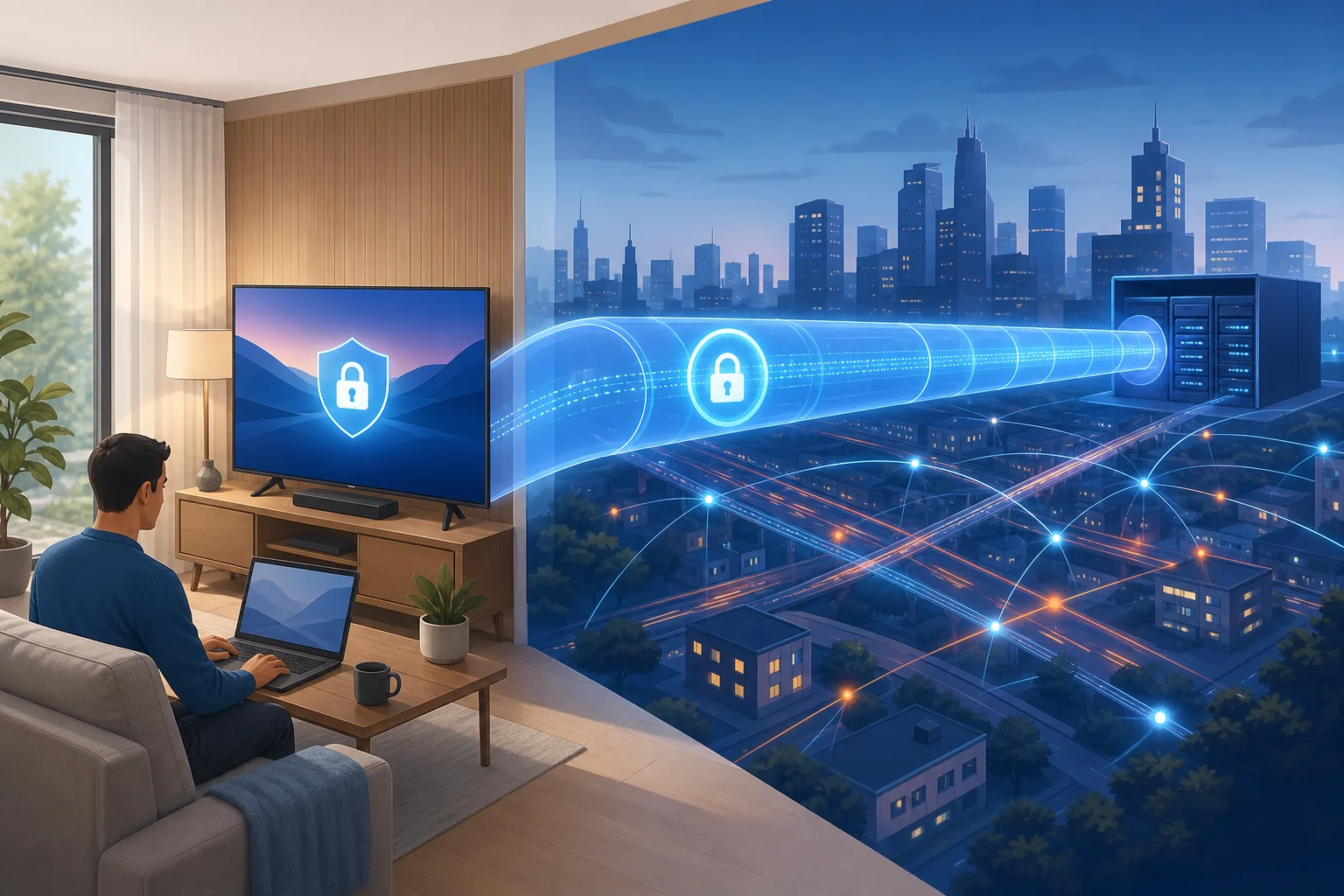
Think of a VPN like a secure tunnel through a bustling city. Without the tunnel, your traffic moves through crowded streets where many systems can observe where it is going. With the tunnel, your traffic is shielded until it reaches the VPN server.

vpn secure tunnel for google tv

This matters in a home office because modern homes are full of connected devices. Your work laptop may be secure, but your TV, phone, tablet, and smart devices all share the same router. One weak point can make your digital life messier than it needs to be.

A VPN on Google TV can help protect sensitive habits and reduce exposure when:

  • You cast a browser tab or presentation from a work device.
  • You access cloud storage or media linked to professional accounts.
  • You join a training video or webinar on the TV.
  • You use Google TV while connected to hotel or coworking Wi-Fi.
  • You want to keep entertainment traffic more private from network observers.

Without a VPN, your internet service provider, shared network administrator, or public Wi-Fi operator may be able to see connection metadata, such as the services your device contacts. Encryption used by websites and apps still protects much of the content, but a VPN can hide more of the route and source IP.

For remote work, the strongest setup is layered. Use your employer’s VPN on your work laptop if required. Keep Google TV updated. Use strong account passwords and two-factor authentication. Then add a trusted free VPN for Google TV as an extra privacy tool, especially when you are outside your normal home network.

Frequently Asked Questions About VPNs and Google TV

Can I really use a VPN for Google TV free?

Yes, you can use a free VPN on Google TV if the provider supports Google TV, Android TV, or router-based setup. However, free VPNs often include limits such as fewer server locations, lower speeds, or usage caps. The key is to choose one with clear privacy practices and simple setup.

Will a VPN slow down streaming on Google TV?

It can. A VPN adds an extra step between your device and the internet, so some speed loss is normal. A good VPN should still be fast enough for smooth streaming. For better performance, choose a nearby server and avoid overloaded locations.

Does a VPN make Google TV completely private?

No. A VPN hides your IP address from many websites and encrypts traffic between your device and the VPN server. But apps may still collect data based on your account, device settings, cookies, or app permissions. Review privacy settings inside Google TV and the apps you use.

Is a free VPN safe for remote work?

A free VPN can help protect general browsing and streaming traffic, but it should not replace your company’s official security tools. If your employer provides a business VPN or endpoint security software, use that on your work devices. For Google TV, choose a free VPN that is transparent, reputable, and easy to disconnect when needed.

Can I install a VPN on my router instead?

Yes, some routers support VPN connections. This can protect every device connected to the router, including Google TV. However, router setup is more advanced and depends on your router model and VPN provider. Beginners usually find a Google TV app easier.

Why do some apps not work when my VPN is on?

Some apps block VPN traffic, require a specific region, or detect unusual server activity. If this happens, try another server, reconnect, or turn the VPN off for that app. Always respect app rules and local laws.

Final Thoughts

A free VPN for Google TV is a practical way to improve privacy on a device many people overlook. It can mask your IP address, add encryption, and make your home office network feel a little more controlled. Choose a provider carefully, install a native app when possible, and treat the VPN as one layer of a secure remote work setup.

Ready to secure your Google TV and ensure a safer home office connection? Try BeFreeVPN today. It’s free, requires no registration, and is simple to set up on any device, including Google TV.

5 best VPN for Android TV free options you can use today

· 8 min read

Looking to enhance your streaming experience on Android TV for free? Discover the perfect VPNs that fit seamlessly into your setup without costing a dime. If you are searching for a vpn for android tv free, the best choice depends on how much data you need, whether you want a native TV app, and how simple you want setup to be.

A free VPN for Android TV can help protect your connection on shared Wi-Fi, reduce tracking by apps and networks, and make your TV setup more private. However, free plans often come with limits, such as fewer server locations, speed caps, or monthly data allowances. Below are five practical options to consider today.

free vpn for android tv apps

Quick Comparison: Best Free VPNs for Android TV

VPNBest forFree dataRegistrationAndroid TV fit
ProtonVPNUnlimited browsingUnlimitedAccount usually requiredStrong if you want no data cap
WindscribeOccasional streaming10GB/month with accountRequired for full allowanceGood guides and flexible setup
Hotspot ShieldSimple fast connectionLimited free planMay vary by platformEasy for basic privacy
TunnelBearLight useSmall monthly allowanceRequiredBeginner-friendly design
BeFreeVPNNo-sign-up setupAdvertised as unlimitedNo registrationMade for hassle-free TV use

1. ProtonVPN: Unlimited Data for Android TV

ProtonVPN is one of the most popular free VPN services because its free plan includes unlimited data. That makes it a strong choice for Android TV users who want to keep a VPN connected for longer sessions without watching a monthly meter run out.

The interface is clean and simple, which helps when you are navigating with a TV remote instead of a keyboard. ProtonVPN is also known for a strong privacy policy and no activity logs, so your browsing and app usage are not recorded in the way many free tools might track you.

That said, there are two things to know. First, ProtonVPN usually requires a free account. Second, the free plan has fewer server options and may not reliably unblock every streaming catalog. Still, for privacy-focused users who value unlimited data, it is a top free VPN for Android TV option.

Why choose it:

  • Unlimited data for long viewing sessions.
  • Simple app experience that works well on TV screens.
  • Strong privacy approach with no activity logs.

2. Windscribe: Great for Streaming on TV

Windscribe is a good pick if you want a balance between free data, privacy tools, and streaming-friendly features. Its free plan commonly offers up to 10GB per month when you create an account and confirm your email, which is enough for casual streaming, app browsing, and testing different services.

One helpful extra is R.O.B.E.R.T., Windscribe’s built-in blocker for ads, trackers, and some malicious domains. On Android TV, that can make the experience feel cleaner, especially when using apps or browsers that show a lot of promotional content.

Setup is also straightforward. Windscribe provides guides for Android and Android TV-style devices, and you can often install it from the Play Store if it is available in your region. If not, you may need to sideload the app or configure the VPN manually.

Why choose it:

  • 10GB monthly free data allowance with an account.
  • Built-in blocking tools for ads and trackers.
  • Clear setup guides for Android TV and related devices.

3. Hotspot Shield: Fast and Reliable Connection

Hotspot Shield is known for speed, and its basic free version can be useful when you want a quick VPN connection on Android TV. It is a sensible option for users who care more about an easy on/off connection than advanced configuration.

The app is designed to be user-friendly, and installation may be available directly through supported Android TV devices or through Android app methods. Once installed, you can connect with a few remote clicks, which is ideal for users who do not want to manage technical settings.

For security, Hotspot Shield uses encrypted VPN connections to help protect your data from snooping on public or shared networks. However, the free version may include limits such as ads, data restrictions, speed caps, or fewer server choices, depending on your location and platform.

Why choose it:

  • Fast basic connection for everyday use.
  • Simple app design for direct installation where supported.
  • Encrypted traffic for better privacy on your Android TV.

android tv vpn streaming setup

4. TunnelBear: Easy and Quirky VPN

TunnelBear is one of the easiest free VPNs to understand. Its bear-themed design is playful, but the app is also practical for beginners who want a VPN without learning technical terms.

The free plan is best for light use. Many users know TunnelBear for a small free monthly data allowance, often cited around 500MB, though the exact allowance can vary by promotion or account status. Because of that, it is not the best choice for long HD streaming sessions. Instead, it works well for checking apps, browsing, or testing how a VPN behaves on your Android TV.

TunnelBear also includes standard VPN security features that encrypt your connection. This can help reduce exposure on shared networks and may help avoid some forms of network-based throttling, although no VPN can guarantee faster streaming in every situation.

Why choose it:

  • Very easy for beginners.
  • Fun, simple interface that is not intimidating.
  • Useful for light streaming, testing, and basic privacy.

5. BeFreeVPN: Truly Free with No Registration

BeFreeVPN is a strong option if your main goal is a fast, hassle-free setup. Unlike many free VPNs that ask for an email address before you can connect, BeFreeVPN is designed to work without registration. That makes it a convenient free VPN for Android TV users who want to install, connect, and start watching with minimal friction.

It is also positioned as completely free without hidden costs, which is helpful if you do not want to deal with trial timers or surprise upgrade prompts. For Android TV, the biggest advantage is convenience. You can use it on various Android TV models and TV boxes, making it a practical option for households with different devices.

As with any free VPN, performance can depend on your network, location, and the server you connect to. Still, if you want a no-registration VPN that feels simple on a big screen, BeFreeVPN is worth trying first.

Why choose it:

  • No registration required for quick Android TV setup.
  • Free to use without hidden costs.
  • Compatible with many Android TV models for seamless streaming.

How to Set Up a Free VPN on Android TV

Most Android TV VPN apps follow a similar setup process:

  1. Open the Google Play Store on your Android TV.
  2. Search for your chosen VPN, such as ProtonVPN, Windscribe, Hotspot Shield, TunnelBear, or BeFreeVPN.
  3. Install the app if it is available for your device.
  4. Sign in if required. Some VPNs need an account, while BeFreeVPN does not require registration.
  5. Choose a server or use the recommended automatic option.
  6. Connect the VPN and then open your streaming or browsing app.
  7. Test playback quality. If video buffers, try a closer server or reconnect.

If the app is not available in the Play Store, check the provider’s official Android TV instructions. Avoid downloading APK files from unknown websites.

FAQ: Free VPNs for Android TV

Can I use a free VPN on Android TV?

Yes. Many VPNs support Android TV through a native app, sideloaded Android app, or router setup. A native Android TV app is usually the easiest option.

What is the best free VPN for Android TV with unlimited data?

ProtonVPN is a strong choice for unlimited data, while BeFreeVPN is appealing if you want free access without registration. Choose based on whether you prefer a privacy-focused account-based service or a no-sign-up setup.

Will a free VPN unblock every streaming service?

Not always. Free VPNs often have fewer servers and may be blocked by some platforms. They are best for privacy, casual access, and testing before choosing a long-term option.

Is a free Android TV VPN safe?

It can be safe if you choose a trusted provider with clear privacy practices. Avoid unknown VPNs that request unnecessary permissions or have vague data policies.

Final Thoughts

The best free VPN for Android TV depends on your viewing habits. ProtonVPN is great for unlimited data, Windscribe offers a useful 10GB allowance, Hotspot Shield is simple and fast, TunnelBear is beginner-friendly, and BeFreeVPN is ideal if you want a free VPN with no registration. Ready to unlock a world of content on your Android TV? Try BeFreeVPN today — it's free, requires no registration, and works effortlessly on your device.

Top faqs about VPN for laptop free options

· 9 min read

Curious about how a free VPN can safeguard your laptop and family? Discover the essentials right here. If you are searching for a vpn for laptop free, you likely want simple privacy protection without adding another paid subscription. This FAQ explains how free VPNs can support safer family browsing, protect children’s online activity, work across multiple devices, and affect internet speed. It also shows what to check before trusting any free VPN service.

A free VPN is not a complete security solution. However, when used with good passwords, safe browsing habits, device updates, and parental controls, it can add a useful privacy layer for everyday laptop use.

Is it safe to use a free VPN on my laptop for family browsing?

Yes, a free VPN can be safe for family browsing if you choose one with clear privacy practices and basic security features. Free VPNs like BeFreeVPN can offer encryption that helps protect browsing data on public Wi-Fi, shared networks, and everyday home connections.

A VPN creates an encrypted tunnel between your laptop and the VPN server. As a result, your internet provider, local network users, or people on unsecured Wi-Fi have a harder time seeing the details of your browsing activity. This is especially useful when family members use laptops in airports, cafés, hotels, schools, or libraries.

Still, not every free VPN is equal. Before installing a free VPN for your laptop, review these points:

What to checkWhy it matters for families
Encryption standardsHelps protect browsing data from basic network snooping
Data logging policyShows whether the provider stores browsing-related information
Device supportMakes it easier to protect more than one laptop or phone
Bandwidth limitsAffects how long family members can browse or stream
Ease of useReduces setup mistakes for children or less technical users

Free options may not include every advanced feature found in premium VPNs, such as dedicated IP addresses, specialty streaming servers, or advanced threat blocking. Even so, they can be useful for general family browsing, especially when your goal is basic privacy and safer connections.

free VPN for laptop family browsing

How can a free VPN contribute to my child’s online safety on a laptop?

A free VPN can support your child’s online safety by hiding the laptop’s IP address and making tracking more difficult. This adds a privacy layer when children browse websites, use learning platforms, play games, or connect to public Wi-Fi.

However, a VPN is not a parental control tool by itself. It does not replace supervision, content filters, screen-time rules, or safe-search settings. Instead, it works best as one part of a broader family safety setup.

A practical setup for safer browsing

Follow these steps to create a stronger online safety routine for a child’s laptop:

  1. Install a trusted free VPN. Choose a service with clear data policies and simple controls. BeFreeVPN is designed to make secure access easier without a complicated setup.
  2. Turn on parental controls. Use built-in tools from your operating system, browser, or security provider to filter content and manage screen time.
  3. Use child-safe accounts. Give children standard user accounts rather than administrator access, so they cannot easily change security settings.
  4. Keep software updated. Browser, system, and app updates often fix security flaws.
  5. Talk about online risks. Teach children not to share personal information, click unknown links, or download suspicious files.
  6. Review activity together. Keep online safety open and calm. Monitoring works better when children understand the reason behind it.

A VPN can reduce exposure to some tracking and network-level risks, but it is not foolproof. For example, it cannot stop a child from entering personal details on an unsafe site, downloading malware, or talking to strangers online. That is why pairing a VPN with parental controls and regular conversations is essential.

What devices can I connect to a free VPN simultaneously?

Most free VPNs allow only a limited number of simultaneous connections. Some may support one device at a time, while others allow several laptops, phones, or tablets. Limits vary by provider, so you should always check the terms before choosing a free VPN for family use.

For households, multi-device support matters. One parent may work on a laptop, another family member may browse on a tablet, and a child may use a school laptop. If your VPN only protects one device, the rest of the household may remain exposed on public or shared networks.

BeFreeVPN works on multiple devices seamlessly, making it a practical option for families that need straightforward protection across several screens. This can be helpful when different people in the home use laptops at the same time for homework, remote work, entertainment, and online shopping.

When comparing free VPN services, look for:

  • The number of allowed simultaneous connections
  • Compatibility with Windows, macOS, Android, iOS, and browsers
  • Whether registration is required
  • Whether speed or data limits apply per device
  • How easy it is to install and disconnect

A free VPN is ideal for basic household use when everyone needs simple privacy protection. However, if your family streams heavily, transfers large files, or needs advanced security tools, you may want to compare free and paid plans carefully.

free VPN on multiple devices

Will using a free VPN slow down my laptop’s internet speed?

Yes, a VPN can slow down your laptop’s internet speed in some situations. This happens because your data is encrypted and routed through a VPN server before reaching the website or app you are using. That extra step can add delay.

Free VPNs may also have bandwidth limits, fewer server choices, or more users on the same servers. These factors can contribute to slower speeds, especially during busy hours. You may notice this when streaming video, joining video calls, downloading large files, or gaming online.

That said, speed loss is not always severe. A well-optimised free VPN can maintain reasonable performance for normal browsing, email, school research, and online shopping. BeFreeVPN is positioned as a simple option for users who want basic protection while keeping everyday speeds usable.

To improve VPN performance on a laptop:

  • Connect to the nearest available VPN server when possible.
  • Close unused tabs and background apps.
  • Avoid running large downloads during video calls.
  • Test your connection with and without the VPN.
  • Use a reliable Wi-Fi network or wired connection when available.

If a free VPN makes your internet unusably slow, try another server or review whether the free plan has data restrictions. For most families, the goal is balance: enough privacy to browse more safely, with enough speed to keep school, work, and entertainment running smoothly.

Is it true that free VPNs are ineffective at covering digital footprints?

No, it is not always true. A common myth is that all free VPNs are unreliable or useless. In reality, some free VPNs, including BeFreeVPN, can offer useful privacy features for everyday browsing. They may hide your IP address, encrypt traffic, and reduce some forms of network-level tracking.

However, it is important to understand what a VPN can and cannot do. A VPN can help mask your location from websites and protect data from local network snooping. It can also make it harder for advertisers or platforms to connect activity to your real IP address.

But a VPN does not erase your full digital footprint. Websites may still identify users through account logins, cookies, browser fingerprinting, device IDs, and information you enter manually. For example, if you sign in to a social media account, that platform still knows it is you, even if your VPN is active.

To evaluate whether a free VPN is worth using, check:

  • Whether it has a clear no-logs or minimal-logs policy
  • What data it collects to operate the service
  • Whether it requires an account or personal details
  • Whether it uses encryption for connections
  • Whether it displays intrusive ads or sells user data

Free VPNs are usually not as strong as premium privacy suites. They may lack advanced leak protection, specialty servers, or larger server networks. Even so, they can still provide basic privacy enhancements for families who want a safer browsing experience without paying upfront.

Quick answers about free VPNs for laptops

Can I use a free VPN on a school or work laptop?

Sometimes, but you should check the school or employer’s device policy first. Some managed laptops restrict VPN installation or require approved security tools only.

Do I need a VPN at home?

A VPN can still be useful at home because it hides your IP address from websites and adds privacy from network-level tracking. It is especially helpful if several family members share the same connection.

Is a free VPN enough for online banking?

A free VPN can add encryption on public Wi-Fi, but banking safety also depends on the bank’s secure website, strong passwords, two-factor authentication, and malware-free devices. Avoid banking on unknown public networks when possible.

Should children always browse with a VPN turned on?

For most families, keeping the VPN on during everyday browsing is a sensible habit. Still, parents should also use content filters, safe-search settings, and age-appropriate supervision.

Conclusion: choose a free VPN for laptops with care

A free VPN for your laptop can help protect family browsing, improve privacy, and support children’s online safety when used alongside parental controls and smart habits. It may not replace a full security suite, but it can be a practical first step. Discover how BeFreeVPN can secure your family's laptops without cost or registration, offering peace of mind online.

5 best ways to use a VPN without credit card with no ads on your mobile

· 7 min read

Tired of complicated VPNs demanding credit card info and bombarding you with ads? Discover how to enjoy uninterrupted privacy on your mobile without any hassle. If you want a vpn without credit card with no ads, the good news is that you have several practical options on Android and iPhone. The key is knowing where to look, what permissions to avoid, and how to spot “free” apps that quietly trade privacy for convenience.

Below are five mobile-friendly ways to browse more privately without entering billing details or sitting through pop-ups.

ad-free mobile VPN

Quick Comparison: Best No-Credit-Card VPN Options

OptionBest forNeeds credit card?Ad-free potentialSetup difficulty
Free Android VPN appsAndroid users who want one-tap useNo, if chosen carefullyMedium to highEasy
Free iOS VPN appsiPhone users who prefer App Store installsNo, if signup is optionalMedium to highEasy
Open-source VPN toolsPrivacy-focused usersNoHighMedium
VPN browser extensionsBrowser-only privacyUsually noMediumEasy
No-registration mobile VPNFast private browsing on mobileNoHighVery easy

1. Discovering Truly Free VPNs for Android

Android users have the widest choice of VPN apps, but that also means you need to filter carefully. The Google Play Store includes free VPN services that work without payment, yet some still push ads, collect more data than expected, or ask for trial billing details.

Start by searching for terms such as “free VPN no signup,” “ad-free VPN,” or “VPN no credit card.” Then check the app listing before you install.

Look for these signs:

  • The description clearly says no credit card is required.
  • The app does not force a free trial tied to billing.
  • Recent reviews mention no ads or limited interruptions.
  • The privacy policy explains what data is collected.
  • The app has a simple permission list.

Also, avoid apps that ask for unrelated permissions, such as access to contacts, SMS, or call logs. A VPN app normally needs network-related permissions, not your personal files.

For a safer setup, install only from the official Play Store, open the app, and confirm that you can connect before creating an account. If the app blocks the connection until you add payment details, uninstall it and move on.

2. iOS VPN Apps: No Ads or Payment Required

On iPhone, VPN apps are generally easy to install, but you still need to watch for subscription traps. Many apps appear free at first, then ask you to start a trial through Apple billing. That is not the same as a VPN without a credit card.

When browsing the App Store, look for apps that specifically mention free use, no registration, or no payment required. Before tapping “Get,” open the app page and review the following:

  1. In-app purchases: If the app has them, free use may still be limited. That is not always bad, but check what is included.
  2. Privacy labels: Review whether the app links usage data to your identity.
  3. App description: Look for clear language about ads, tracking, and account requirements.
  4. Recent reviews: Users often mention if an app added ads or forced subscriptions after an update.

After installing, iOS will ask you to allow VPN configuration. This is normal. However, you should not need to enter card details just to activate a basic VPN connection.

For the best experience, choose an app with a clear privacy policy and a simple interface. If the app shows full-screen ads every time you connect, it may not match your goal of an ad-free VPN on mobile.

3. Using Open-Source VPN Solutions

Open-source VPN solutions are a strong choice if you care about transparency. With open-source software, the code can be reviewed by the community. This does not automatically make every tool perfect, but it gives users more visibility than closed apps with vague claims.

Popular open-source VPN technologies include WireGuard and OpenVPN. On mobile, you can install official or trusted open-source client apps and connect using a configuration file from a provider, workplace, home server, or self-hosted VPN.

Why this route works well:

  • Open-source apps are often ad-free.
  • They usually do not require credit card details inside the app.
  • Many projects rely on donations or community support.
  • You control which server configuration you use.

A simple setup process looks like this:

  1. Install a trusted open-source VPN client from the official app store.
  2. Get a configuration file or QR code from your VPN server provider.
  3. Import the configuration into the app.
  4. Review the server name and connection settings.
  5. Tap connect and test your browsing.

The trade-off is that open-source VPN clients may not include free servers by default. In many cases, they are the secure “app” part, while the server comes separately. Still, for users who want no ads, no forced registration, and no credit card prompts inside the mobile app, this is one of the cleanest options.

open-source VPN mobile setup

4. VPN Browser Extensions: Fast and Free

If you mainly need privacy while browsing the web, a VPN browser extension can be a quick option. Some mobile browsers support extensions or include VPN-like privacy features. These tools are useful when you want fast protection for browser traffic without changing every connection on your phone.

Before choosing an extension, check three things:

  • It does not ask for billing information.
  • It has a clear privacy policy.
  • It does not inject ads or sponsored pages into your browsing.

Keep in mind that browser extensions may protect only traffic inside that browser. Other apps on your phone, such as email, maps, or messaging, may not use the encrypted tunnel. So, this option is best for light browsing, research, or using public Wi-Fi for web access.

Also, install extensions only from official browser stores. A shady extension can see sensitive browsing activity, so reputation matters.

5. Choose a No-Registration Mobile VPN for Everyday Use

For most people, the simplest option is a mobile VPN that skips accounts, cards, and ads altogether. This is ideal when you want to open an app, connect, and continue with your day.

A good no-registration VPN should offer:

  • No credit card request during setup.
  • No forced account creation.
  • No pop-up ads between sessions.
  • A clear privacy approach.
  • One-tap connection on mobile.

This route is especially helpful for students, travelers, casual users, and anyone who wants better privacy without managing configuration files.

FAQ: VPN Without Credit Card and No Ads

Can I really use a VPN without entering a credit card?

Yes. Some VPN apps, open-source clients, browser extensions, and no-registration services let you connect without billing details. Always check the signup flow before installing or activating a trial.

Are free ad-free VPNs safe?

Some are safe, but not all. Review the privacy policy, permissions, app store reviews, and whether the service explains how it operates without ads or payment.

What is the easiest option for mobile users?

A no-registration mobile VPN is usually the easiest. You install the app, connect, and avoid payment forms, trial reminders, and ad interruptions.

Do browser VPN extensions protect my whole phone?

Usually not. Most extensions protect browser traffic only. For full-device protection, use a mobile VPN app or properly configured open-source VPN client.

Final Thoughts

Finding a vpn without credit card with no ads is possible, but you need to choose carefully. Start with trusted app stores, read privacy details, avoid unnecessary permissions, and skip any service that forces billing before basic use. For a simple mobile experience, stay secure on your mobile with BeFreeVPN, a no-credit-card, ad-free solution that keeps your privacy intact without any registration hassle.

The battle of no-credit-card VPNs: myths vs facts

· 12 min read

Tired of signing up and providing credit card details just to protect your online privacy? Explore VPN options that require neither and debunk myths surrounding them. If you are searching for a vpn without credit card without registration, the real challenge is not finding one. It is knowing which services are safe, which are genuinely free, and which hide trade-offs behind friendly marketing.

This comparison takes a myths-versus-facts approach. We will look at security, privacy policies, access barriers, speed, and real-world use cases. The goal is simple: help you choose a no-credit-card VPN that fits your needs without giving away more data than necessary.

vpn without credit card privacy comparison

1. Myth: All No-Credit-Card VPNs Are Unsafe

The myth is understandable. Many people assume that if a VPN does not ask for payment details or registration, it must be cutting corners. In reality, safety depends less on whether a VPN asks for a credit card and more on how it handles encryption, logging, app permissions, and traffic routing.

A VPN can be no-credit-card and still use modern encryption. It can also be paid and still collect too much data. Therefore, the first question should not be “Is it free?” but “What does the provider do with my traffic and metadata?”

What makes a no-credit-card VPN safe?

A safer no-registration VPN usually has several clear traits:

  • Strong encryption: Look for industry-standard protocols and encrypted tunnels that protect traffic on public Wi-Fi and shared networks.
  • Transparent privacy policy: The provider should explain what it collects, why it collects it, and how long it keeps it.
  • Minimal data requirements: A VPN without registration should not demand an email, phone number, billing address, or card details.
  • Limited app permissions: Mobile apps should not ask for unnecessary access to contacts, photos, or location unless there is a clear technical reason.
  • Simple access model: The fewer steps required to connect, the fewer personal identifiers you may need to share.

BeFreeVPN stands out in this category because its core promise is privacy without financial barriers. By offering access without credit card details or mandatory registration, it reduces the amount of personal information needed before you can start using a VPN. That does not mean users should ignore privacy policies. However, it does remove two common data collection points: payment information and account creation.

The real risk is not “free”; it is opacity

Some risky VPNs hide behind vague language. They may say “no logs” but fail to define what logs means. Others may collect device identifiers, browsing metadata, or usage events for analytics. For intermediate users, this is where reading the privacy policy matters.

In short, not all no-credit-card VPNs are unsafe. Some are built to lower access barriers while still protecting traffic. The safer choice is the service that combines easy access with clear privacy practices.

2. Fact Check: Are Free and No-Registration VPNs Actually Free?

“Free” can mean different things in the VPN market. Some services are genuinely free for basic use. Others are free trials that later require a credit card. Some limit access until you create an account. A few may fund the service through advertising, analytics, or partner offers.

So, are free and no-registration VPNs actually free? Sometimes yes. But you need to check what you are paying with if you are not paying with money.

Common hidden costs to watch for

A free VPN may include hidden trade-offs such as:

  1. Mandatory account creation: You may not pay with a card, but you still provide an email and create a profile.
  2. Trial-to-paid billing: Some “free” VPNs ask for payment details upfront and charge later unless you cancel.
  3. Data limits: You may get only a small amount of monthly data before being pushed to upgrade.
  4. Speed restrictions: The free tier may be usable only for light browsing.
  5. Ads or tracking: Some free services rely on advertising models that may involve analytics or user profiling.
  6. Limited server access: You may be restricted to crowded locations, which can affect performance.

BeFreeVPN’s appeal is its straightforward access model: it is positioned as a truly free VPN option without credit card barriers and without mandatory registration. Compared with services that claim to be free but still require an account, this matters. Registration creates a persistent identity. Even if you use a burner email, it adds friction and increases the amount of data linked to your usage.

Free vs no-registration: they are not the same

A VPN can be free but still require registration. A VPN can avoid credit cards but still ask for an email. A VPN can offer no registration but restrict important features. This is why users searching for a VPN with no signup and no payment details should compare the full access process, not just the headline claim.

For privacy-focused users, no-registration access is especially useful when:

  • You are using a temporary device.
  • You want quick protection on public Wi-Fi.
  • You do not want another account to manage.
  • You prefer not to share billing or identity data.

The best free VPN experience is not only about price. It is about reducing unnecessary data exposure while keeping the service practical.

3. Quick Comparison Table: BeFreeVPN vs Competitors

The table below compares BeFreeVPN with two typical market alternatives: VPN X and VPN Y. These are representative competitor profiles, not endorsements or claims about a specific brand. Use the criteria as a checklist when evaluating any no-credit-card VPN.

FeatureBeFreeVPNVPN XVPN Y
Requires credit cardNoNo for free tier, yes for trial upgradeYes for trial access
Requires registrationNo mandatory registrationEmail account requiredAccount and billing profile required
Ease of accessFastest: open and connectModerate: create account firstSlower: signup and payment step
Privacy barrierLow data exposure before useEmail-linked usage possibleBilling identity linked to account
Security focusEncrypted VPN access with privacy-first onboardingDepends on plan and settingsOften strong, but tied to paid account model
Speed expectationSuitable for everyday browsing and light private useMay vary by free server loadOften strong after payment setup
Best forQuick private access without signupUsers willing to register for a free tierUsers who want a paid trial and do not mind card details
Main drawbackAdvanced premium features may be limited compared with paid suitesRegistration reduces anonymityNot ideal for users avoiding credit cards

How to read the comparison

If your priority is the fastest path to private browsing, BeFreeVPN has the advantage because it removes both credit card and registration friction. If you are comfortable creating an account, VPN X-style services may work, but they are not true no-registration VPNs. If you need advanced paid features and do not mind sharing payment information, VPN Y-style options may be acceptable, but they do not match the search intent of users looking for a free VPN without credit card or signup.

4. Which Should You Choose?

The right VPN depends on your threat model, habits, and tolerance for trade-offs. A journalist, remote worker, casual streamer, and coffee-shop browser do not all need the same setup. However, the choice becomes easier when you match the VPN type to the scenario.

Step-by-step: choosing the right no-credit-card VPN

  1. Define your main use case. Are you protecting public Wi-Fi traffic, browsing privately, accessing region-specific content, or testing VPN basics?
  2. Check whether registration is required. If the service asks for an email, it is not fully no-registration.
  3. Look for credit card traps. Avoid “free” trials that require billing details if your goal is no payment data.
  4. Read the privacy policy. Focus on logs, identifiers, analytics, and retention periods.
  5. Test speed with your normal activities. Try browsing, messaging, video calls, or streaming at the quality you actually use.
  6. Review limitations. Free services may have server, speed, or feature limits. Make sure they match your needs.

Best choice by scenario

For anonymous browsing: Choose a VPN that requires no account and no payment details. BeFreeVPN is a strong fit here because it minimizes identity-linked onboarding data.

For public Wi-Fi protection: Prioritize fast connection and simple setup. A VPN you can activate quickly is more useful than one with a long signup flow. BeFreeVPN’s no-registration access helps in airports, hotels, libraries, and cafes.

For streaming: Free VPNs can be hit or miss. Streaming platforms may block VPN traffic, and performance depends on server load and location. If your goal is casual viewing and privacy, BeFreeVPN may be enough. If you need consistent access to specific streaming libraries, a paid specialist may offer more location options.

For remote work: Check company policy first. Some employers require approved VPN tools. A free no-registration VPN can help protect general browsing, but it should not replace a corporate VPN for sensitive internal systems.

For travel: A VPN without credit card and without registration is convenient when you need quick access on unfamiliar networks. It also avoids billing verification problems while abroad.

Overall, BeFreeVPN stands out for most privacy-first everyday cases because it reduces friction while preserving the core benefit users want: encrypted access without handing over card details or creating another account.

no registration vpn selection guide

5. Myth Debunked: Free VPNs Are Slow and Unreliable

Another common claim is that every free VPN is slow, unstable, or unusable. This is too broad. Some free VPNs are overloaded, heavily restricted, or designed mainly to push upgrades. Others are practical for everyday browsing, messaging, and light media use.

Speed depends on several factors:

  • Distance to the VPN server
  • Server load at the time you connect
  • Your original internet connection
  • VPN protocol efficiency
  • Device performance
  • Network restrictions from your ISP, school, office, or public hotspot

Because of these variables, no honest VPN comparison should promise perfect speed for every user. A better question is whether the VPN is reliable enough for your normal tasks.

What users should test

Before judging any free VPN, test it in real conditions:

  1. Connect from your usual network.
  2. Open several websites you use daily.
  3. Test messaging apps or email.
  4. Try a short video stream if that is part of your routine.
  5. Disconnect and reconnect to check stability.
  6. Repeat at different times of day.

This simple process gives you more useful data than generic speed claims. If a VPN connects quickly, keeps pages loading smoothly, and does not drop often, it may be reliable enough for everyday privacy.

BeFreeVPN challenges the “free equals unusable” myth by focusing on easy access and practical browsing protection. It may not replace every premium VPN suite for power users who need dozens of countries, advanced routing, or dedicated IPs. However, for users who want a no-credit-card VPN with no registration for daily privacy, it can be a strong and convenient option.

FAQ: VPN Without Credit Card Without Registration

Is there really a VPN without credit card without registration?

Yes. Some VPNs let you connect without entering payment details or creating an account. BeFreeVPN is designed around that no-credit-card, no-registration experience.

Is a no-registration VPN more private?

It can be. No-registration access means there is no required email-based account linked to your use. Still, you should review the provider’s privacy policy to understand what technical data, if any, is collected.

Are free VPNs safe for banking?

Use caution. A VPN can encrypt your connection on public Wi-Fi, but banking safety also depends on HTTPS, device security, strong passwords, and avoiding phishing. For sensitive tasks, choose a provider with clear security practices and avoid unknown apps.

Do no-credit-card VPNs work for streaming?

Sometimes. Performance and access vary by service, server load, and the streaming platform’s VPN detection. A free no-registration VPN may work for casual use, but dedicated paid streaming VPNs may offer more consistent location choices.

What is the biggest red flag in a free VPN?

The biggest red flag is unclear data handling. If a VPN does not explain its logging, tracking, ownership, or revenue model, be careful. Free is not the issue; lack of transparency is.

Final Verdict: Myths vs Facts

The search for a vpn without credit card without registration is not about avoiding payment alone. It is about reducing unnecessary exposure. Credit card forms, signup pages, and account profiles all create extra links between your identity and your VPN use. In some cases, that may be acceptable. In others, it defeats the purpose.

The myths do not hold up across the board. No-credit-card VPNs are not automatically unsafe. Free VPNs are not always fake-free. No-registration services are not always slow. The facts are more practical: compare encryption, privacy policies, access steps, speed, and limitations before choosing.

Choosing a VPN shouldn't be complicated. Try BeFreeVPN for a truly free, no-registration experience that doesn't compromise your security.