168 posts tagged with "befreevpn"

View All Tags

Best rated VPN for streaming: myths vs facts comparison

· 11 min read

Are you tired of buffering issues while streaming your favorite shows? Discover the truth about the best rated VPNs for streaming and make an informed choice. The best rated VPN for streaming is not always the one with the loudest advertising or the longest feature list. For streamers, the real test is simple: can it deliver stable speeds, access the platforms you use, and stay easy enough to run on your everyday devices?

This comparison takes a myths vs facts approach. Instead of assuming every VPN works the same way, we will look at speed, server locations, streaming access, usability, pricing, and the role of free options such as BeFreeVPN.

1. Understanding the Need for VPNs in Streaming

Streaming looks simple from the outside. You open an app, choose a title, and press play. Behind the scenes, however, your experience depends on several factors: your internet connection, your location, the streaming platform’s licensing rules, the server you connect through, and your device performance.

A VPN, or virtual private network, routes your connection through a remote server. For streaming, this can help in several ways:

  • Accessing regional libraries: Some streaming catalogs vary by country due to licensing agreements.
  • Reducing location-based restrictions: A VPN can make it easier to browse content available in another supported region.
  • Adding privacy on shared networks: Hotel Wi-Fi, airport networks, and public hotspots are less ideal for streaming without protection.
  • Avoiding some network limitations: In certain cases, a VPN may help if a network treats streaming traffic differently from other traffic.

That said, a VPN is not magic. It cannot fix a slow internet plan, an overloaded Wi-Fi router, or a streaming service outage. The best VPN for streaming works best when your base connection is already strong enough for HD or 4K video.

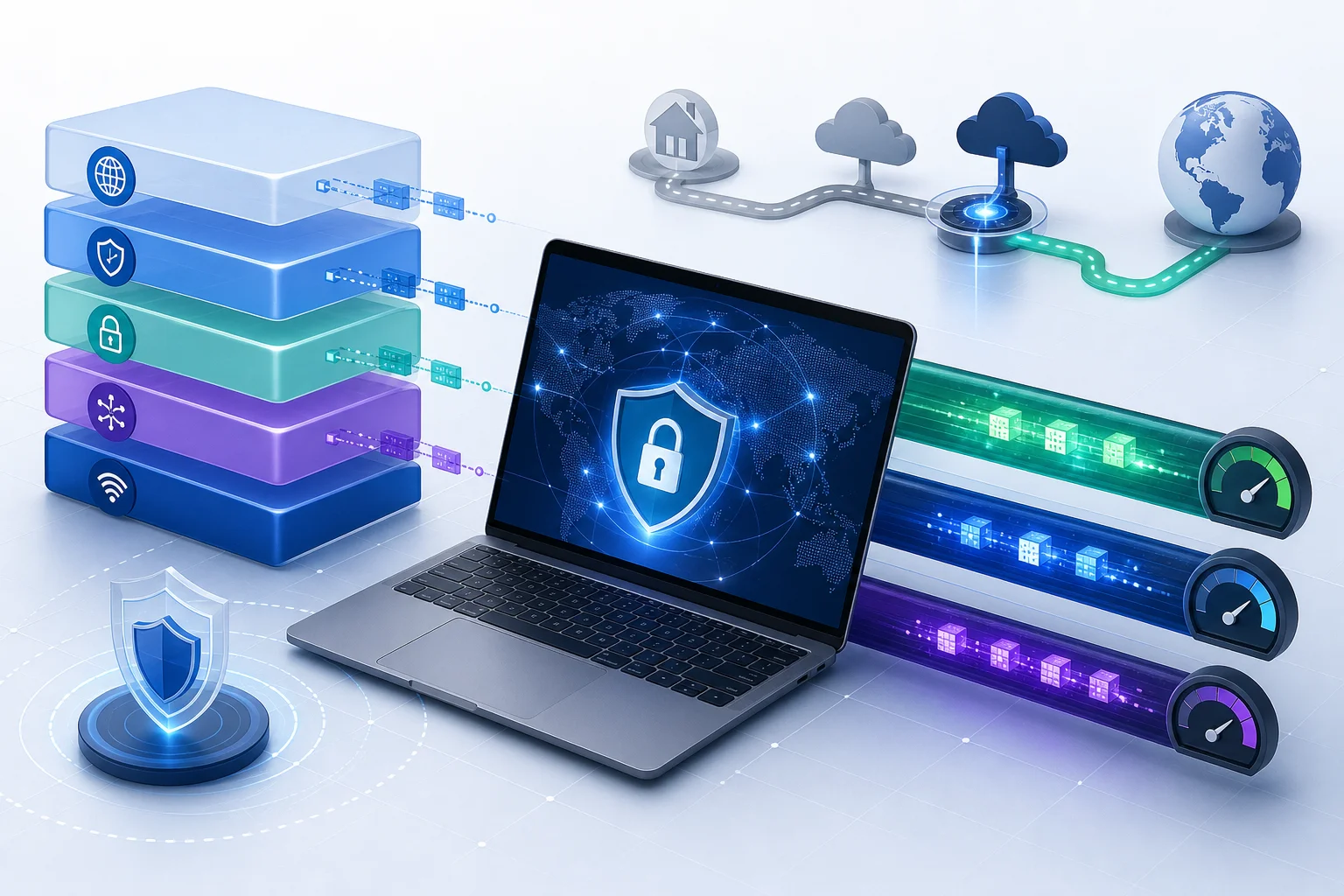
vpn streaming setup

Common Misconceptions About VPN Streaming Quality

One of the biggest misconceptions is that using a VPN always means poor video quality. In reality, performance depends on server quality, distance, encryption overhead, and how well the VPN app handles streaming traffic.

A nearby, well-maintained VPN server can often support smooth HD playback. On the other hand, a crowded or distant server may cause buffering. This is why server choice matters as much as brand choice.

Another misconception is that all VPNs unblock every platform. Streaming providers actively manage access, and results can change. A good streaming VPN should offer multiple locations, quick server switching, and consistent updates.

Why Server Locations Matter

Server locations are central to streaming access. If you want to watch content available in the United States, the United Kingdom, Japan, or another region, the VPN needs servers that support reliable connections there. For travel, this is especially useful because your usual streaming library may look different when you are abroad.

For the best experience, look for:

  1. Servers in the regions where your preferred platforms operate.
  2. Low-latency options close to your physical location.
  3. Fast switching between servers if one location is congested.
  4. Apps for the devices you stream on most often.

2. Quick Comparison Table: Top VPNs for Streaming

The following comparison focuses on practical streaming needs rather than broad security features alone. Server counts and locations change over time, so treat them as general buying signals and always confirm current details on each provider’s website.

VPNStreaming strengthsServer networkPopular streaming regionsPrice levelOverall user rating signalBest for
BeFreeVPNFree access, simple setup, no registration, useful for trying VPN streaming without commitmentServer count not publicly emphasizedCommon high-demand regions may vary by app availabilityFreePositive fit for users who value ease and low frictionBeginners and trial-first streamers
NordVPNStrong speeds, broad device support, streaming-focused performance featuresLarge global network advertised across 100+ countriesUS, UK, EU, Canada, Japan, AustraliaPremium, lower on long plansWidely reviewed positively by tech publications and usersFrequent HD and 4K streamers
ExpressVPNSimple apps, consistent performance, router supportServers advertised in 100+ countriesUS, UK, EU, Canada, Japan, AustraliaPremiumFrequently rated highly for ease of useHouseholds with many device types
SurfsharkUnlimited device connections on many plans, competitive pricingLarge network advertised across 100+ countriesUS, UK, EU, Canada, Japan, AustraliaMid-range to budget on long plansOften praised for valueFamilies and multi-device streaming
Proton VPNStrong privacy reputation, free and paid tiers, good transparencyBroad paid network across many countriesUS, UK, EU, Japan, CanadaFree tier plus premium plansWell regarded for privacy-first usersStreamers who also prioritize privacy

streaming vpn comparison

How to Read the Table

If you stream every day in 4K, prioritize speed, server stability, and device support. If you only need a VPN occasionally, a free and simple option may be more practical. BeFreeVPN is especially appealing for users who want to test VPN streaming without creating an account or choosing a paid plan first.

Price is not the only indicator of quality. A paid VPN often offers more locations, dedicated support, and advanced settings. However, a lightweight free VPN can be a smart first step if your main goal is to see whether a VPN improves access and convenience for your setup.

3. Myths vs Facts: Evaluating VPN Performance in Streaming

VPN advice can be confusing because many claims are too broad. Let’s separate common myths from more useful facts.

Myth: All VPNs Slow Down Your Streaming

Fact: Some VPNs are optimized for speed, and the right server can support smooth playback.

A VPN adds an extra step between your device and the streaming platform. That can reduce speed. However, the impact varies widely. Modern VPNs use efficient protocols and optimized servers to reduce slowdown.

For better results:

  • Choose a server close to your real location when regional access is not the goal.
  • Use automatic or recommended server selection if available.
  • Switch servers if buffering starts.
  • Prefer 5 GHz Wi-Fi or wired Ethernet for smart TVs and streaming boxes.

If your internet connection is already barely fast enough for HD, any VPN may feel slower. But with a solid connection and a well-chosen server, streaming can remain stable.

Myth: VPNs Don’t Work With Netflix and Other Streaming Services

Fact: Many VPNs can help with geo-restrictions, but access is never guaranteed forever.

Netflix, Hulu, Disney+, BBC iPlayer, Prime Video, and other services manage regional access because of licensing. Some VPNs maintain server networks that work with popular platforms more reliably than others. Still, streaming access can change as platforms update their detection systems.

This is why flexibility matters. A good streaming VPN should let you try different server locations quickly. It should also work on the devices you use most, such as laptops, phones, tablets, smart TVs, or browser-based players.

Myth: Free VPNs Aren’t Reliable

Fact: Some free options, including BeFreeVPN, can work smoothly for users who want simple, low-friction streaming access.

Free VPNs vary a lot. Some are slow, overloaded, or filled with restrictions. Others focus on simplicity and make sense for casual streaming, testing, or travel. BeFreeVPN stands out because it is free and does not require registration, which removes a major barrier for first-time users.

However, expectations matter. A free VPN may not offer the same server variety, customer support, or advanced configuration as a premium provider. For many streamers, though, the ability to try a VPN immediately is a real advantage.

4. Which Should You Choose? Decoding Features for Streamers

The best rated VPN for streaming depends on your habits. A movie fan who watches international libraries every night needs different features from someone who wants privacy on hotel Wi-Fi twice a month.

Step-by-Step: How to Choose a Streaming VPN

  1. List your streaming platforms. Include Netflix, Disney+, Prime Video, Hulu, Max, BBC iPlayer, YouTube, or regional apps.
  2. Identify the regions you need. Choose a VPN with servers in those countries.
  3. Check device compatibility. Make sure it supports your phone, laptop, smart TV, tablet, or router.
  4. Test speed during peak hours. Evening streaming is often more demanding than daytime browsing.
  5. Try multiple servers. One slow server does not mean the entire VPN is poor.
  6. Review privacy basics. Look for clear policies, secure protocols, and transparent app permissions.
  7. Start free if unsure. A no-registration option such as BeFreeVPN lets you test the idea before paying.

Features That Matter Most for Uninterrupted Streaming

For streaming, the most important VPN attributes are practical:

  • Stable speed: Consistency matters more than one impressive speed test.
  • Low buffering: A good VPN should maintain enough bandwidth for your chosen resolution.
  • Region coverage: Servers in popular streaming countries are essential.
  • Easy switching: You should be able to change locations in seconds.
  • App simplicity: Complicated settings can ruin the experience for casual viewers.
  • Device support: The VPN should fit your real streaming setup.
  • Transparent limits: Free plans should make any speed, server, or data limits clear.

Expert reviewers often reward VPNs that combine speed, usability, and reliable access. User reviews tend to focus on everyday issues: whether the app connects quickly, whether streams buffer, and whether support is helpful when something breaks.

Quick FAQ: Best VPNs for Streaming

What is the best rated VPN for streaming overall?

There is no single winner for every user. Premium services such as NordVPN, ExpressVPN, and Surfshark are often strong for frequent streaming. BeFreeVPN is a smart option if you want a free, simple, no-registration way to start.

Can a VPN improve streaming quality?

Sometimes. A VPN will not upgrade a weak internet connection, but it may help with access, privacy, or certain network restrictions. The biggest quality gains usually come from choosing a fast nearby server and using a stable Wi-Fi or wired connection.

Is a free VPN good enough for streaming?

It can be, depending on your needs. Free VPNs are best for testing, casual viewing, and simple access. If you need many regions, 4K performance, and advanced support, a paid plan may be better. BeFreeVPN is worth trying first because it is free and easy to use.

Why do streaming apps sometimes block VPNs?

Streaming platforms must follow licensing agreements that vary by country. As a result, they may limit access from known VPN servers. Switching locations or using another server can sometimes solve the issue.

5. Verdict: Why BeFreeVPN Stands Out for Streaming

BeFreeVPN stands out because it removes the two biggest obstacles for new VPN users: cost and setup friction. You do not need to register, which makes it easier to test VPN streaming without handing over personal details or committing to a subscription.

For beginners, that simplicity is valuable. Many people do not know whether they need a VPN until they try one with their actual streaming apps, Wi-Fi network, and devices. BeFreeVPN gives you a practical way to experiment first.

It is also a good fit for casual streamers who want a quick connection rather than a dashboard full of technical settings. While premium VPNs may offer larger server networks and more advanced tools, not every viewer needs that level of complexity.

The best approach is balanced. If you stream heavily in 4K, compare premium options carefully. If you want a fast, simple starting point, BeFreeVPN is an optimal choice because it is free, easy to use, and does not require registration.

Choose BeFreeVPN for seamless streaming without the hassle of registration; it is free and easy to use.

How sarah discovered the best paid VPN for streaming seamlessly

· 10 min read

Discover how Sarah overcame her streaming frustrations with a simple VPN solution that unlocked endless entertainment possibilities. In this case study, we follow her search for the best paid VPN for streaming, why free tools failed, and how BeFreeVPN helped her enjoy smoother access to geo-restricted content across her devices.

Streaming should feel simple. You choose a show, press play, and relax. Yet for Sarah, an avid viewer with a growing watchlist, that easy routine often ended with a frustrating message: “This title is not available in your region.” Her journey shows what many streamers learn the hard way: speed, reliability, and ease of use matter just as much as access.

Meet Sarah: The Avid Binge-Watcher

Sarah is the kind of viewer who plans her evenings around season premieres. She follows international dramas, documentaries, comedy specials, and limited series from multiple streaming platforms. When a new show trends overseas, she wants to understand the conversation, not wait months for a local release.

At first, she assumed every subscription gave her the same library as everyone else. But the more she searched, the more she noticed gaps. Friends in other countries could watch shows she could not find. Trailers appeared in her recommendations, but the full episodes stayed locked. Sometimes a platform showed the title page, only to block playback at the final step.

That mismatch made streaming feel unpredictable. Sarah was not trying to avoid paying for content. She already subscribed to legitimate services. She simply wanted to access the entertainment available through her accounts while traveling, browsing international catalogs, or catching releases that were not yet available in her region.

So she began looking for a practical answer. Her goal was clear: find the best paid VPN for seamless streaming without turning every movie night into a technical project.

streaming VPN setup

The Streaming Challenge: Geo-Restrictions Unveiled

Geo-restrictions are one of the most common reasons viewers see different content libraries. Streaming platforms license shows and films by country or region. As a result, a series available in one location may be unavailable in another, even on the same service.

For Sarah, this created three recurring problems:

  • Missing titles: Shows promoted online did not appear in her local app.
  • Blocked playback: Some titles appeared but would not stream from her location.
  • Inconsistent access while traveling: A series she started at home could disappear abroad.

A VPN can help by routing internet traffic through a server in another location. This may allow a user to access content catalogs associated with that region. However, viewers should always respect local laws and the terms of their streaming platforms. A VPN is also not a magic switch. Some services actively block VPN traffic, so quality and reliability matter.

Why free VPNs failed Sarah’s streaming needs

Before paying for a VPN, Sarah tried free options. They seemed attractive because they required little commitment. But once she used them for real streaming sessions, the drawbacks became obvious.

Streaming needFree VPN experienceWhy it mattered
Stable speedFrequent buffering and quality dropsHD and 4K streaming need consistent bandwidth
Server choiceFew locations availableLimited locations reduced content access options
ReliabilityConnections failed during peak hoursMovie nights became unpredictable
Data allowanceMonthly caps ran out quicklyA few episodes could exhaust the limit
Ease of useCluttered apps and repeated promptsSetup felt harder than it should

The biggest issue was not one single failure. It was the combination. A free VPN might work for light browsing, but Sarah needed long sessions, stable video quality, and servers that did not collapse under demand.

That is when she realized a reliable paid VPN for streaming was less of a luxury and more of a practical tool.

Finding the Ideal Solution: The VPN Quest

Sarah approached her search like an informed consumer. She did not want to choose the loudest ad or the most complicated feature list. Instead, she focused on the factors that affect streaming in everyday use.

Sarah’s criteria for the best paid VPN options

She narrowed her decision to four core requirements:

  1. Speed for smooth playback
    A VPN adds an extra step between the device and the internet. If the service is slow, streaming quality suffers. Sarah wanted fast connections that could handle HD viewing without constant buffering.

  2. Reliable access to multiple regions
    A streaming VPN should offer useful server locations and stable connections. Sarah wanted the flexibility to access geo-restricted content when traveling or when a title was available in a different catalog.

  3. Simple setup across devices
    She watched on a laptop, phone, tablet, and sometimes a TV setup. A good VPN had to be easy enough to use on a busy weekday evening.

  4. Cost-effectiveness
    Sarah did not want to overpay for features she would never use. She wanted a paid option that balanced performance, privacy, and value.

During her research, Sarah found many VPN providers with long feature pages. Some were built for advanced users. Others focused mainly on corporate security. Then she came across BeFreeVPN, which stood out because it matched her actual streaming routine: simple access, no registration required, and compatibility across devices.

Step-by-step: how Sarah tested BeFreeVPN for streaming

To avoid guessing, Sarah created a simple test process. This helped her compare real results instead of relying on marketing claims.

  1. She listed the platforms she used most.
    This included the streaming apps where she already had valid subscriptions.

  2. She identified the shows that were blocked or missing.
    Instead of testing random titles, she focused on the series she actually wanted to watch.

  3. She connected to a relevant VPN location.
    She chose a server region where the show was available, then reopened the streaming app.

  4. She checked playback quality.
    Sarah watched for buffering, resolution drops, audio delays, and connection interruptions.

  5. She repeated the test on different devices.
    A VPN that works on a laptop but feels awkward on mobile would not solve her everyday problem.

  6. She compared the experience with her free VPN attempts.
    This made the improvement easy to measure: fewer interruptions, faster loading, and less frustration.

BeFreeVPN did not require Sarah to become a networking expert. That mattered. The best VPN for streaming is not only the one with technical power. It is also the one people can use consistently.

Results: Streaming Without Borders

After switching to BeFreeVPN, Sarah’s streaming routine changed. She could open her device, connect to the location she needed, and start watching with far fewer interruptions. Shows that were previously unavailable became accessible when supported by the relevant streaming catalog and her account.

The most noticeable improvement was stability. Instead of pausing every few minutes or dropping to low resolution, streams loaded more smoothly. She could finish full episodes without restarting the app or switching servers repeatedly.

For Sarah, this was the real win. Access was important, but uninterrupted viewing made the difference between a tool she would keep and a tool she would abandon.

What improved in Sarah’s viewing experience

  • Fewer playback interruptions: Her sessions felt more consistent than with free VPNs.
  • Better video quality: Stable speeds helped maintain clearer playback.
  • More useful regional access: She could explore content available in different regions while using her subscriptions.
  • Less setup friction: No registration required meant she could get started quickly.
  • Device flexibility: She could use the VPN across the devices she already relied on.

Sarah also became more realistic about VPN use. She learned that no VPN can guarantee access to every streaming service or title at all times. Licensing changes, platform policies, and VPN detection can affect availability. Still, compared with her previous setup, BeFreeVPN gave her a better balance of simplicity, performance, and cost.

paid VPN for streaming

Takeaways: Lessons from Sarah’s VPN Journey

Sarah’s case is useful because it reflects a common streaming problem. Many viewers do not need a complex security stack or dozens of advanced settings. They need a dependable paid VPN that supports smooth streaming, protects everyday browsing, and works without constant troubleshooting.

Key factors to consider when choosing a VPN for streaming

When comparing paid VPN services, focus on the features that shape real viewing quality:

  • Connection speed: Look for stable performance, not just impressive speed claims.
  • Server locations: More relevant locations can improve your chances of accessing the catalogs you need.
  • Streaming reliability: The VPN should maintain long sessions without frequent disconnects.
  • Device compatibility: Make sure it works on your phone, laptop, tablet, and preferred streaming setup.
  • Ease of use: A clean, simple app helps you connect quickly.
  • Privacy basics: A VPN should encrypt traffic and avoid unnecessary complexity.
  • Fair pricing: The best paid VPN for streaming should offer value, not just a long feature list.

Why paid VPNs usually beat free VPNs for streaming

Free VPNs can be useful for occasional browsing, but streaming exposes their limits quickly. Video requires steady bandwidth. Regional access requires dependable servers. Long viewing sessions require connections that do not cut out halfway through an episode.

Paid VPNs are generally better suited to these demands because they can support stronger infrastructure, more consistent speeds, and fewer restrictive limits. For Sarah, that difference turned VPN use from a workaround into a normal part of her entertainment routine.

Where BeFreeVPN fit Sarah’s needs

BeFreeVPN helped Sarah find the middle ground she wanted. It was simple enough for quick use, practical for streaming, and cost-effective for someone who cared more about reliable access than complicated settings. Most importantly, it solved the problem she actually had: watching the content available through her services with fewer regional roadblocks.

FAQ: Choosing the Best Paid VPN for Streaming

What makes a VPN good for streaming?

A good streaming VPN offers stable speed, useful server locations, simple apps, and reliable connections. It should reduce buffering and make it easy to switch regions when appropriate.

Is a paid VPN better than a free VPN for streaming?

In most cases, yes. Paid VPNs are usually more reliable for streaming because they tend to offer better speeds, fewer data limits, and more consistent server access than free services.

Can a VPN unlock every streaming service?

No VPN can guarantee access to every title or platform. Streaming services may change licensing rules or block VPN traffic. A strong VPN improves flexibility, but users should follow platform terms and local laws.

Why did Sarah choose BeFreeVPN?

Sarah chose BeFreeVPN because it matched her priorities: smooth streaming, ease of use, cost-effectiveness, no registration required, and compatibility with the devices she used every day.

Conclusion: A Better Way to Stream Across Borders

Sarah’s experience shows that the right VPN can turn a frustrating streaming routine into a smoother one. By moving beyond limited free tools and choosing a reliable paid option, she gained better speed, fewer interruptions, and easier access to geo-restricted content through her existing subscriptions.

Try BeFreeVPN today to experience effortless access to geo-restricted content, with no registration required and complete compatibility with all your devices.

The ultimate guide to finding the best paid VPN for work

· 15 min read

Why spend on a VPN for work when powerful, free options like BeFreeVPN exist? Dive into our comprehensive guide to make the best choice. If you are searching for the best paid vpn for work, the real goal is not just buying a subscription. It is protecting company data, keeping remote access stable, and choosing a VPN that fits how you actually work. This guide compares paid VPN strengths with credible free alternatives, explains essential features, and helps you decide when paying is worth it.

best paid vpn for work security

1. Introduction to VPNs: Why Consider Going Paid?

A virtual private network, or VPN, creates an encrypted tunnel between your device and a remote server. For work, that tunnel can protect sensitive traffic when you use public Wi-Fi, access cloud apps, connect to internal systems, or collaborate while travelling. A VPN does not replace good passwords, endpoint protection, or secure company policies. However, it can be an important layer in a broader security setup.

People often look for a paid VPN for business use because they want predictable performance, professional support, a clear privacy policy, and features designed for frequent use. Paid services may offer larger server networks, dedicated IP options, device management, split tunneling, and team billing. These can matter when your work depends on reliable access every day.

Still, paid does not automatically mean better for every worker. Some free VPNs are limited, slow, or ad-supported. Others can be surprisingly capable for everyday needs. That is why this guide looks at both sides and introduces BeFreeVPN as a free VPN option worth considering before you commit to a monthly or annual plan.

Table of contents

  • Quick answer: whether a paid VPN is worth it for work
  • Beginner guide: what to look for before buying
  • Intermediate insights: speed, servers, uptime, and pricing
  • Advanced considerations: company networks, compliance, and ROI
  • Why paying might be unnecessary: BeFreeVPN as an alternative
  • Key takeaways, recommendations, and common questions

Quick answer summary

Choose a paid VPN if your company needs centralized admin controls, dedicated business support, compliance documentation, static IP addresses, or guaranteed service levels. Consider BeFreeVPN first if you need a simple VPN for individual work tasks, safer browsing on public networks, and a no-registration experience without adding another subscription.

2. Quick Answer: Is a Paid VPN Worth It for Work?

Is a paid VPN worth it for work?

A paid VPN is worth it for work when the value of reliability, support, and business features is higher than the subscription cost. For example, a company with remote employees, contractors, regulated data, or internal apps may benefit from a business VPN plan with user management and audit-friendly controls.

However, if your needs are lighter, paying may be unnecessary. A freelancer, student worker, consultant, or small team member may only need a VPN for secure browsing, occasional travel, or access to work tools on public Wi-Fi. In that case, a free option such as BeFreeVPN can be a practical starting point.

Decision factorPaid VPN for workFree option such as BeFreeVPN
Upfront costMonthly or annual subscriptionFree to use
Setup frictionAccount, billing, app installationDesigned for quick access, no registration hassle
Business controlsOften stronger on team plansUsually better for individuals than full IT teams
Speed and locationsOften broad server choiceDepends on available network and current load
SupportEmail, chat, or business supportMay be more self-service
Best fitCompanies with formal requirementsIndividuals and teams seeking cost-effective privacy

The best paid VPN for work is not necessarily the most expensive one. It is the one that solves your specific risk and workflow problems. Yet the same logic applies to free VPNs: the best choice is the one that gives you enough security and usability without creating hidden costs.

When should you avoid paying right away?

Avoid rushing into a paid plan if you have not defined your needs. First, ask whether you need a VPN for public Wi-Fi, cloud app access, geo-flexibility, client confidentiality, or internal network connections. Then test a simple option. BeFreeVPN is useful in this decision process because it lets you evaluate whether a free VPN experience is enough before you budget for a paid service.

3. Beginner's Guide: What to Look for in a Paid VPN for Work

Before comparing brand names, focus on requirements. A VPN that is great for streaming may be weak for business use. A corporate remote access VPN may be too complex for a solo professional. Use the following step-by-step checklist to narrow the field.

Step-by-step checklist for choosing a work VPN

  1. Define your work use case. Are you protecting browsing on public Wi-Fi, connecting to company systems, or working across regions?
  2. Confirm device compatibility. Check support for Windows, macOS, Linux, iOS, Android, and browser extensions if needed.
  3. Review encryption and protocols. Look for modern protocols such as WireGuard, OpenVPN, or IKEv2, plus strong encryption.
  4. Check the privacy policy. Understand what connection data is collected, how long it is kept, and whether the provider has clear terms.
  5. Test speed on real tasks. Video calls, cloud documents, code repositories, CRM tools, and file uploads are better tests than generic speed claims.
  6. Look for safety features. A kill switch, DNS leak protection, and auto-connect on untrusted networks are valuable for work.
  7. Evaluate cost per user. Include renewals, team seats, add-ons, static IP fees, and long-term contract terms.
  8. Compare with a free baseline. Try a free VPN such as BeFreeVPN to see whether your real needs require a paid upgrade.

work vpn feature checklist

Essential features every work-focused VPN should have

A work VPN should be stable, simple, and secure. At minimum, look for encrypted connections, transparent policies, broad device support, and quick connection options. If you travel often, server choice becomes more important. If you handle confidential files, reliability and leak protection matter more than a flashy interface.

For employees, the best VPN may be the one approved by your organization. Company-managed VPNs can enforce security policies and connect to internal resources. For independent professionals, a consumer or small-business VPN may be enough, provided it does not interfere with client systems or productivity tools.

Encryption and data protection basics

Encryption turns readable network traffic into unreadable data while it moves through the VPN tunnel. This is especially helpful on hotel, airport, cafe, and coworking networks. Yet encryption is only one part of protection. Your VPN provider can still see some metadata depending on how the service is designed. That is why privacy policies, trust, and jurisdiction are part of the buying decision.

Also, remember that a VPN does not make unsafe behavior safe. Phishing links, malware downloads, weak passwords, and exposed cloud permissions remain risks. Use multi-factor authentication, password managers, device updates, and secure sharing practices alongside any VPN.

Cost-effectiveness and compatibility

A VPN that costs a few dollars per month may seem cheap. Across a team, add-ons and renewals can grow quickly. Before you pay, confirm that the service works on all required devices and networks. Some corporate environments block unknown VPN traffic. Some client contracts restrict third-party routing. Compatibility is not just about installing an app; it is about fitting your workflow.

This is where a free solution can help. If BeFreeVPN covers your basic use case with less friction, you may avoid paying for features you do not need.

4. Intermediate Insights: Evaluating Top Paid VPN Features

Once you know the basics, compare the features that affect daily work. The most important factors are speed, reliability, server coverage, support quality, and pricing structure.

Speed, reliability, and uptime comparisons

Speed matters because a slow VPN can damage productivity. Look beyond download numbers. Test video meetings, remote desktops, file synchronization, cloud dashboards, and voice calls. Latency is especially important for interactive tools. A VPN with slightly lower download speed but better latency can feel faster during work.

Reliability is equally important. A VPN that disconnects during a client call or file transfer creates risk. Paid VPN providers often invest in larger networks and support teams, but performance varies by location, time of day, and protocol. Always test with your normal work apps before committing to a long plan.

Server locations and their impact on work tasks

Server location affects speed, access, and data routing. A nearby server usually provides lower latency. A server in a specific country may help when you need to access region-specific resources while travelling. For business use, server location can also affect data sovereignty concerns.

If your company handles regulated information, do not choose servers casually. Routing data through another country may trigger legal or contractual issues. For ordinary browsing and public Wi-Fi protection, this may be less critical. For client files, healthcare data, financial records, or legal work, involve the appropriate compliance or IT advisor.

Pricing models and scalability

Paid VPN pricing can look simple until you scale. Individual plans are usually billed monthly, yearly, or multi-year. Business plans may charge per user, per device, per dedicated gateway, or per static IP. Some services include admin dashboards only on higher tiers.

When evaluating the best business VPN, calculate the total cost over at least one year. Include:

  • Number of users and devices
  • Static or dedicated IP requirements
  • Admin and reporting features
  • Support level
  • Contract length and renewal price
  • Time spent deploying and training users

A paid VPN can be cost-effective if it prevents downtime and supports compliance. But if your team only needs simple encrypted browsing, the return may be weak compared with BeFreeVPN or another free option.

5. Advanced Considerations: Integrating Paid VPNs in Company Networks

For organizations, VPN decisions are not just app choices. They involve identity, access control, endpoint security, compliance, and long-term architecture.

Business-level features and collaboration tools

Business VPNs may include centralized user management, single sign-on, role-based permissions, dedicated gateways, static IP addresses, and access logs. These features help IT teams control who can connect and from which devices. They may also make it easier to onboard and offboard employees.

Collaboration matters too. A VPN should not break shared drives, code repositories, CRM platforms, support dashboards, or video meetings. Before rollout, test common workflows with a small group. Include employees in different locations and on different networks.

Compliance requirements vary by industry and region. Some organizations must control where data travels and who can access it. Others need audit trails, vendor risk reviews, or contractual assurances. A consumer VPN may not provide the documentation required for these situations.

If your business is subject to strict rules, involve legal, compliance, and security teams before selecting any VPN. Ask providers about data handling, subprocessors, logging, breach notification, and jurisdiction. For high-risk work, you may need a managed corporate VPN, zero trust network access, or secure access service edge solution rather than a basic VPN subscription.

Long-term cost implications and ROI analysis

Return on investment is not just subscription price. A VPN can reduce risk, improve secure remote access, and support flexible work. It can also add complexity, support tickets, and recurring costs. A realistic ROI analysis should compare both sides.

Consider these questions:

  • What business problem does the VPN solve?
  • What would downtime or data exposure cost?
  • How many users need access every month?
  • Can a free VPN cover individual security needs?
  • Do you need team controls, or only personal protection?
  • Will a VPN remain useful as your company adopts cloud security tools?

For some companies, the best paid VPN for work is a necessary control. For others, a lighter free approach may provide enough value with less administrative overhead.

6. Why Paying for a VPN Might Be Unnecessary: Enter BeFreeVPN

Paid VPNs have a place, but they are not the default answer for every worker. BeFreeVPN challenges the assumption that a useful work VPN must come with a subscription, registration flow, and long feature list.

free vpn for work alternative

Detailed comparison: BeFreeVPN versus top paid options

Work needBeFreeVPNTypical paid VPN
Quick secure browsingStrong fit for simple, fast useStrong fit, but may require account setup
Public Wi-Fi protectionUseful for cafes, hotels, airports, and coworking spacesUseful, often with extra settings
No-registration accessKey advantage if available in your environmentUsually requires email and billing
Team administrationLimited compared with business platformsBetter for IT-managed teams
Dedicated IPNot the main use caseOften available as an add-on
Compliance paperworkNot ideal for regulated enterprise needsMore likely on business plans
Cost controlFree, helpful for tight budgetsPredictable but recurring expense

This comparison shows the main trade-off. BeFreeVPN is compelling when your priority is simple, free VPN protection for everyday work scenarios. Paid VPNs become more persuasive when you need centralized controls, advanced identity features, or vendor documentation.

BeFreeVPN features suitable for work

BeFreeVPN is especially relevant for people who want to reduce friction. No one wants to spend the first 20 minutes of a work session creating accounts, confirming emails, choosing plans, and updating billing details. A free VPN that works without registration can be useful when you need fast protection on an unfamiliar network.

Common work-friendly benefits include:

  • No subscription cost for basic VPN needs
  • No registration hassle, which reduces setup time
  • A simple option for remote workers and freelancers
  • Useful protection when using public Wi-Fi
  • A practical baseline before comparing paid services

That said, you should still match the tool to the task. If your employer requires an approved VPN, use it. If a client contract restricts third-party services, follow the contract. If you need advanced audit controls, choose a business-grade solution.

Real-world business scenarios

A freelance designer working from a coworking space may use BeFreeVPN to protect browsing, email, and cloud project tools. A consultant travelling between airports and hotels may use it to reduce exposure on untrusted networks. A small business owner may test it before deciding whether a full business VPN subscription is necessary.

In contrast, a company with 100 employees, internal databases, and strict compliance obligations may need a paid business VPN or a more advanced secure access platform. The right conclusion depends on risk, workflow, and budget.

Mini FAQ: common questions about work VPNs

What is the best VPN for remote work?

The best VPN for remote work is the one that fits your security requirements, device mix, and budget. For simple browsing protection, BeFreeVPN may be enough. For company-wide access controls, consider a paid business VPN.

Do I need a paid VPN if I only use cloud apps?

Not always. If your cloud apps already use HTTPS and multi-factor authentication, a VPN may mainly protect you on untrusted networks. A free VPN can be a sensible option for that use case.

Can a VPN replace company security tools?

No. A VPN is one layer. It should work alongside strong passwords, multi-factor authentication, endpoint protection, software updates, and sensible access permissions.

Is a free VPN safe for work?

It depends on the provider and the work. Review the privacy model, use case, and any company policy. BeFreeVPN is positioned as a practical free alternative, especially for users who want quick VPN access without registration.

7. Key Takeaways and Final Recommendations

The best paid vpn for work is not a universal product. It is a decision based on risk, workflow, compliance, and cost. Paid VPNs can be valuable when you need business support, centralized administration, dedicated IP addresses, static gateways, service reliability, or documentation for regulated work.

At the same time, paying for a VPN may be unnecessary if your needs are straightforward. BeFreeVPN offers a cost advantage because it removes the subscription barrier and avoids registration hassles. For individual workers, freelancers, travellers, and small teams with basic privacy needs, that can be enough.

How to evaluate your company's VPN needs

Use this final decision path:

  1. Start with the work scenario. Identify whether you need browsing protection, remote internal access, regional flexibility, or compliance support.
  2. Check company rules. If your employer mandates a specific VPN, use the approved tool.
  3. Test a free baseline. Try BeFreeVPN for simple work tasks and see whether speed, access, and usability meet your needs.
  4. Upgrade only for clear reasons. Pay for a VPN when you need team controls, dedicated infrastructure, formal support, or compliance documentation.
  5. Reassess regularly. Work patterns, security tools, and budgets change. Your VPN choice should change with them.

Final thoughts on choosing between free and paid VPNs

A paid VPN can be a smart investment, but it should not be an automatic purchase. First, define the problem. Then compare features honestly. Finally, choose the lowest-friction option that protects your work without slowing you down. Discover how BeFreeVPN offers a robust, free VPN solution for your work needs without the hassles of registration. Try it now!

Why choose the best rated VPN 2026 for privacy and security

· 9 min read

With digital threats evolving every day, choosing the best rated VPN in 2026 could be your frontline defense for privacy. If you are searching for the best rated VPN 2026, this beginner-friendly guide will help you understand what matters most: personal data protection, simple setup, strong encryption, and privacy-first features. You do not need to be technical to make a smart choice. You only need to know what a VPN does, what it cannot do, and which features are worth trusting.

best rated VPN privacy protection

What Is a VPN and Why Does It Matter in 2026?

A VPN, or virtual private network, is a tool that creates a secure connection between your device and the internet. Instead of sending your traffic directly through your internet provider or a public Wi-Fi network, a VPN routes it through an encrypted tunnel. This makes it harder for outsiders to see what you are doing online.

In simple terms, a VPN helps protect three important things:

  • Your location: It can mask your real IP address.
  • Your browsing activity: It can reduce tracking by networks and third parties.
  • Your personal data: It can help protect information sent over unsafe connections.

This matters more in 2026 because everyday internet use has become more connected. People manage bank accounts, medical portals, work documents, shopping profiles, cloud storage, and private messages across multiple devices. At the same time, threats have become more targeted. Fake Wi-Fi hotspots, phishing pages, device tracking, data brokers, credential theft, and invasive advertising all create privacy risks.

A VPN is not magic. It will not stop every scam, remove malware, or make you completely anonymous. However, it is a practical privacy layer. For beginners, that layer can make a big difference, especially when using public Wi-Fi in airports, hotels, cafés, coworking spaces, or schools.

Why Privacy Is the Key Feature of the Best Rated VPNs in 2026

Speed and streaming access often get attention, but privacy should be the core reason to use a VPN. The best rated VPNs in 2026 are not just fast. They are designed to limit how much personal information is exposed, collected, or stored.

Online privacy matters because your data can reveal more than you think. Your IP address can suggest your city, internet provider, and browsing patterns. Your traffic can show which services you use. Over time, trackers can build profiles based on your habits, interests, location, and devices.

A privacy-focused VPN helps reduce that exposure. Here are the features beginners should understand.

Key privacy features to look for

  • Strong encryption: This scrambles your internet traffic so it is difficult to read if intercepted.
  • No-log policy: A good VPN should clearly state that it does not keep records of your browsing activity.
  • Kill switch: If the VPN connection drops, this feature can block internet traffic to prevent accidental exposure.
  • DNS leak protection: This helps make sure your web requests stay inside the VPN tunnel.
  • Modern VPN protocols: Protocols such as WireGuard or OpenVPN are commonly used for secure, reliable connections.
  • Transparent privacy policy: The provider should explain what data it collects, why it collects it, and how long it keeps it.

These features protect personal data by reducing weak points. For example, encryption helps defend against snooping on public Wi-Fi. A kill switch reduces the chance of your real IP address appearing if the connection fails. A no-log approach limits the amount of information that could be exposed if a provider receives data requests or suffers a breach.

For beginners, the main idea is simple: choose a VPN that collects as little as possible and explains its privacy practices clearly.

How Beginners Can Choose the Best Rated VPN in 2026

Choosing a VPN can feel confusing because many services use similar words: secure, private, fast, unlimited, anonymous. Instead of trying to compare every technical detail, use a simple checklist.

Step-by-step VPN checklist for beginners

  1. Start with privacy, not price. A cheap VPN is not a good deal if it tracks too much data or has unclear policies.
  2. Check the no-log policy. Look for clear wording about browsing history, IP addresses, connection timestamps, and retained data.
  3. Look for strong encryption. The VPN should use trusted encryption and modern protocols.
  4. Confirm there is a kill switch. This is important for preventing accidental data leaks.
  5. Review ease of use. A beginner-friendly VPN should connect in a few taps and make settings easy to understand.
  6. Check device support. Make sure it works on the devices you use most, such as phones, laptops, tablets, or browsers.
  7. Read the privacy policy. Avoid providers that make vague claims or hide important details.
  8. Look for reliable support and updates. A VPN should improve as threats change.

Beginner comparison table: what matters most

FeatureWhy it mattersBeginner tip
No-log policyLimits stored activity dataPrefer clear, simple privacy wording
EncryptionProtects traffic from snoopingLook for modern protocols and secure defaults
Kill switchPrevents exposure if VPN disconnectsTurn it on if available
User-friendly appReduces setup mistakesChoose simple controls over complex menus
DNS leak protectionKeeps requests inside the VPN tunnelUse built-in leak protection when offered
Regular updatesFixes bugs and security issuesAvoid abandoned or outdated apps

Common beginner concerns

Many new users worry that a VPN will be hard to set up. In most cases, it is not. A good VPN app should let you choose a server and connect with one button. You may also wonder whether a VPN slows down your internet. Some slowdown is possible because traffic is encrypted and routed through a VPN server, but a well-built service should still feel smooth for browsing, messaging, and everyday use.

Another common question is whether a free VPN is safe. Some free VPNs may limit speed, locations, or features. Others may collect more data than expected. Always read the privacy policy before trusting any VPN, free or paid.

What Makes a VPN Best Rated in 2026 for Data Protection?

A VPN becomes best rated for data protection when it combines strong technology with trustworthy behavior. Ratings should not be based only on marketing claims. They should consider how well the VPN protects user data in real-world situations.

VPN data protection encryption

Core criteria for data protection

Encryption quality: Strong encryption helps protect your traffic from interception. This is especially useful on shared networks where attackers may try to monitor activity.

No-log policies: A no-log policy means the provider does not store details about what you do online. The best policies are specific, easy to read, and supported by transparency reports or independent audits when available.

Leak prevention: Even with a VPN enabled, leaks can happen if DNS requests or IP details escape the encrypted tunnel. Data-protection-focused VPNs include tools to prevent this.

Security updates: Threats change. A VPN that was secure years ago may not be enough today if it is not maintained. Regular app updates, protocol improvements, and quick bug fixes matter.

Support and documentation: Beginners need clear help. Good support pages explain setup, privacy settings, troubleshooting, and security options in plain language.

Minimal data collection: Some services collect account details, device data, payment information, or diagnostics. The best privacy-focused VPNs collect only what is necessary to run the service.

Encryption and no-log policies explained simply

Encryption is like placing your internet traffic in a locked box before it travels across the network. Anyone who sees the box cannot easily read what is inside. A no-log policy is different. It is about what the VPN provider records after your traffic passes through its systems.

Both matter. Encryption protects data in motion. A no-log policy helps protect your activity history. Together, they form the foundation of a safer VPN experience.

Why continuous updates matter

In 2026, digital security is not a one-time setup. Devices, operating systems, browsers, and attack methods keep changing. A reliable VPN provider should update its apps, improve stability, patch vulnerabilities, and keep security features compatible with modern devices.

For beginners, this means you should avoid old apps that rarely update. A VPN that actively maintains its service is better positioned to protect your personal data over time.

FAQ: Best Rated VPN 2026 Questions Beginners Ask

Is a VPN enough to protect all my privacy online?

No. A VPN is an important privacy tool, but it is not complete protection by itself. You should also use strong passwords, enable two-factor authentication, avoid suspicious links, and keep your devices updated.

Should I keep my VPN on all the time?

For most beginners, keeping the VPN on during browsing, public Wi-Fi use, travel, and sensitive account access is a smart habit. If an app or website does not work correctly, you can troubleshoot by changing servers or checking settings.

What is the most important VPN feature for beginners?

Privacy-friendly design is the most important. Look for a clear no-log policy, strong encryption, a kill switch, and an app that is easy to use. Simple controls reduce mistakes.

Can a VPN protect me on public Wi-Fi?

Yes, a VPN can help protect your traffic on public Wi-Fi by encrypting your connection. This makes it harder for others on the same network to monitor your activity. Still, avoid entering sensitive information on suspicious websites.

How do I know if a VPN is trustworthy?

Read the privacy policy, check whether the provider explains its data practices clearly, and look for signs of active maintenance. Trustworthy VPNs avoid vague promises and give users control over privacy settings.

Final Thoughts: Choose Privacy Before Convenience

The best rated VPN 2026 for beginners is not just the one with the loudest advertising or the longest feature list. It is the one that makes privacy easy to understand and simple to use. Focus on strong encryption, a clear no-log policy, leak protection, regular updates, and a clean interface. These basics help protect your personal data without forcing you to become a security expert.

Start protecting your personal data today by exploring BeFreeVPN, where privacy is paramount, and registration is never required.

Unveiling the best paid VPNs of 2026: a comprehensive guide

· 17 min read

Navigating digital restrictions requires the right tools—discover which paid VPNs in 2026 are worth your consideration. This deep dive into the best paid vpn 2026 options focuses on security architecture, protocol choice, audit posture, performance reliability, and, most importantly, how premium VPN services help users bypass censorship in restrictive regions without sacrificing too much speed or usability.

A paid VPN is not magic. It cannot make unsafe behavior safe, and it cannot guarantee access in every country or network. However, the right service can hide DNS queries, encrypt traffic over hostile networks, rotate exit locations, and use obfuscation to make VPN traffic harder to identify. For advanced users, the best choice depends less on advertising claims and more on protocol design, operational transparency, server reach, and resilience against blocking.

best paid vpn protocol comparison

1. Understanding VPN Protocols in 2026

VPN protocols define how your device builds an encrypted tunnel to a remote server. In 2026, the market is still shaped by a few core technologies: WireGuard, OpenVPN, IKEv2/IPsec, and proprietary protocol variants built on similar cryptographic principles.

WireGuard: fast, lean, and widely adopted

WireGuard remains the default performance choice for many paid VPNs. It uses modern cryptography, including ChaCha20 for symmetric encryption, Poly1305 for authentication, Curve25519 for key exchange, and BLAKE2s for hashing. Its small codebase is easier to audit than older protocols, and it reconnects quickly when users switch between Wi-Fi and mobile networks.

However, classic WireGuard has a privacy design challenge: servers need to know which public key belongs to which internal VPN IP address. Reputable providers address this with double NAT systems, ephemeral key handling, or custom account-token layers. Advanced users should check how a provider implements WireGuard rather than assuming all WireGuard deployments are equal.

OpenVPN: mature and flexible

OpenVPN remains important because it is highly configurable and battle-tested. It can run over TCP or UDP and can be wrapped in additional layers to look more like ordinary HTTPS traffic. Its common encryption stack includes AES-256-GCM or AES-256-CBC with HMAC-based integrity, depending on configuration.

The downside is performance. OpenVPN usually has more overhead than WireGuard. Still, in restrictive networks, its flexibility matters. OpenVPN over TCP 443 can sometimes pass where raw WireGuard is blocked, although sophisticated censorship systems may still detect it.

IKEv2/IPsec: stable for mobile, weaker for stealth

IKEv2/IPsec is reliable on mobile devices because it handles network changes well. It can be useful for users who frequently move between cellular and Wi-Fi. Yet it is not usually the best protocol for bypassing censorship. IPsec traffic has recognizable patterns and can be easier to block on restrictive networks.

Proprietary and stealth protocols

Many leading services now offer branded protocols. Examples include NordVPN’s NordLynx, ExpressVPN’s Lightway, and obfuscation modes from providers such as Proton VPN, Surfshark, and others. These protocols vary. Some are built around WireGuard. Others use TLS-like handshakes or custom transport layers.

The key question is not whether a protocol is proprietary. The question is whether its design has been publicly documented, independently audited, and tested under censorship pressure.

Protocol comparison for censorship resistance

ProtocolMain strengthCommon weaknessBest use case
WireGuardHigh speed, low latency, modern cryptoEasier to fingerprint unless obfuscatedStreaming, gaming, general secure browsing
OpenVPN UDPReliable security, broad compatibilitySlower than WireGuardGeneral privacy and fallback connectivity
OpenVPN TCP 443Can mimic HTTPS portsTCP-over-TCP can reduce speedNetworks blocking most VPN traffic
IKEv2/IPsecStable roaming on mobileOften identifiable and blockableMobile users on normal networks
Stealth/obfuscated modesBetter at bypassing censorshipMay reduce speed and transparencyHigh-censorship regions

For users in restrictive regions, the strongest setup is often not the fastest protocol. It is the protocol that survives active probing, deep packet inspection, DNS tampering, and IP blocking.

2. Top Features to Look for in a Paid VPN

A premium VPN should earn its subscription fee through verifiable privacy practices, robust infrastructure, and tools that work under pressure. The following features matter most in 2026.

No-log policies and data protection

A no-log policy should be more than a slogan. Look for providers that clearly state what they do not collect: browsing history, DNS queries, source IP addresses, connection timestamps tied to accounts, and traffic content. Also check what they do collect, such as payment records, device counts, app diagnostics, or bandwidth totals.

The strongest services support privacy-friendly payment methods, minimal email requirements, diskless or RAM-only servers, and regular third-party audits. A legal jurisdiction with strong due process can help, but jurisdiction alone is not enough. Technical design matters more than marketing.

Speed and server availability worldwide

Server count is useful, but location quality matters more. A provider with fewer well-maintained servers may outperform a larger network with congested locations. Advanced users should inspect:

  • Physical versus virtual server locations.
  • Availability of nearby exit nodes.
  • IPv6 support or IPv6 leak protection.
  • DNS resolver ownership.
  • Multi-hop routing options.
  • Consistency during regional peak hours.

For censorship bypass, nearby uncensored countries are often critical. A user in a restrictive region may benefit from stable servers in neighboring jurisdictions because distance affects latency.

Split tunneling and advanced routing

Split tunneling lets some apps use the VPN while others connect directly. It improves usability and can reduce suspicion on networks where all-VPN traffic is unusual. For example, a user may route a browser, messaging app, and DNS through the VPN while allowing local banking or work tools to remain outside the tunnel.

Advanced split tunneling should support both app-based and IP-based rules. On desktop systems, command-line or configuration-file support is a major advantage.

Kill switch, DNS control, and leak prevention

A kill switch blocks internet traffic if the VPN disconnects. This is essential in high-risk environments. The best implementations are firewall-based, not just app-level toggles. DNS leak protection is equally important. If your DNS requests go to a local ISP while your browser traffic goes through a VPN, censorship systems may still infer what you are trying to access.

Obfuscation and bridge-like access

In countries that block known VPN protocols, obfuscation is a core requirement. Look for stealth servers, alternative ports, domain fronting-style techniques where legally and technically available, or bridge-like connection methods. Because censorship changes quickly, a provider’s ability to update infrastructure matters as much as the feature itself.

3. Evaluating the Best Paid VPNs: 2026 Edition

There is no single best VPN for everyone. The best paid VPN service for censorship resistance may not be the best for torrenting, gaming, streaming, or enterprise travel. The following evaluation focuses on advanced users who need strong privacy, credible security design, and practical access in restricted networks.

paid vpn comparison dashboard

Comparison of leading paid VPNs

VPN serviceStrongest fitSecurity postureCensorship-bypass notes
Proton VPNPrivacy-focused users and activistsOpen-source apps, public security posture, audit historyStealth protocol and Secure Core routing are useful in hostile networks
MullvadAnonymous account model and minimal identity exposureStrong transparency, numbered accounts, independent auditsExcellent privacy model, but streaming and some restricted networks may vary
IVPNAdvanced users who value simplicity and transparencyStrong anti-tracking stance, open-source apps, audit historyGood controls, multi-hop, but smaller network than mass-market VPNs
NordVPNBroad server reach and high performanceNordLynx, RAM-only infrastructure claims, audit historyObfuscated servers and wide geography help in many regions
ExpressVPNUsability, travel, broad device supportTrustedServer RAM-based architecture claims, Lightway protocolLightway and obfuscation can help, but performance depends on region
SurfsharkMulti-device households and broad feature setWireGuard, rotating IP options, audit historyNoBorders and camouflage-style modes target restrictive networks

This table is not a permanent ranking. VPN infrastructure changes. A blocked provider can become effective again after adding new IP ranges or stealth transports. Conversely, a previously reliable VPN can degrade when censors identify its servers.

Proton VPN

Proton VPN is a strong candidate for users who prioritize privacy engineering. Its ecosystem is built around security-conscious users, and its apps have been open source. Features such as Secure Core route traffic through hardened jurisdictions before exiting elsewhere. This adds latency but can reduce exposure to compromised exit regions.

For censorship, Proton’s stealth-oriented protocol support is a key advantage. Users in restrictive networks should test multiple profiles: WireGuard for speed, stealth mode for blocking resistance, and Secure Core for higher-risk sessions.

Mullvad

Mullvad stands out because it does not require a traditional user account. Users receive an account number, and the service supports privacy-preserving payment options. This reduces identity linkage. Mullvad also appeals to advanced users because of its transparent technical documentation and strong desktop controls.

Its main trade-off is convenience. It may not be the best choice for users who need streaming access or hand-holding. In censorship-heavy environments, its success can vary by country and protocol. Still, for privacy minimalism, it remains one of the strongest paid VPN options.

IVPN

IVPN is known for a focused product and clear privacy posture. It offers multi-hop routing, anti-tracker features, and open-source clients. Its network is smaller than the largest commercial VPNs, but that can be acceptable for users who value quality over size.

For advanced users, IVPN’s strength is predictable behavior. It avoids excessive feature bloat and offers strong configuration clarity. Users in restrictive areas should confirm nearby server availability before committing to a long plan.

NordVPN

NordVPN is often considered when users want a large server network, strong speeds, and specialized modes. NordLynx, its WireGuard-based protocol, is designed to combine performance with privacy-preserving account handling. Its obfuscated servers are relevant for censorship bypass.

The main advantage is reach. A large network can provide more fallback options when specific IP ranges are blocked. However, users should test performance from their actual region, because advertised global coverage does not guarantee local reliability.

ExpressVPN

ExpressVPN focuses on usability and broad platform support. Its Lightway protocol is designed for fast connections and stable roaming. The provider’s RAM-based server architecture is intended to reduce persistent data exposure on servers.

For travelers and non-specialist users in restrictive regions, ExpressVPN can be practical because its apps are simple and consistent. Advanced users may want deeper configuration options than it exposes by default.

Surfshark

Surfshark is attractive for users who need many devices under one subscription. It includes features such as split tunneling, rotating IP, and modes intended to work on restrictive networks. It is often chosen by families, small teams, and users with multiple phones, laptops, and browser profiles.

Its value depends on whether its servers remain fast in your region. Like other large VPNs, the best results usually come from testing several nearby countries and protocols.

How to choose among them

Use this step-by-step selection process:

  1. Define your threat model. Are you avoiding ISP tracking, workplace filtering, state censorship, or targeted surveillance?
  2. Identify nearby uncensored regions. Prioritize providers with reliable servers close to you.
  3. Check stealth options. If VPN blocking is common, require obfuscation or stealth modes.
  4. Verify audit and app transparency. Prefer open-source clients or recently audited apps.
  5. Test before committing. Use monthly plans or trial periods before buying a long subscription.
  6. Prepare fallback paths. Install more than one protocol profile before entering a restrictive region.

4. Performance Tests: Speed and Reliability

Performance claims are hard to compare because every network path is different. A meaningful VPN speed test must control variables and repeat measurements.

Testing methodology

For advanced users, a practical methodology looks like this:

  1. Establish a non-VPN baseline on the same network.
  2. Test at least three protocols: WireGuard, OpenVPN UDP, and stealth mode if available.
  3. Use nearby, regional, and long-distance servers.
  4. Measure download speed, upload speed, latency, jitter, and packet loss.
  5. Repeat tests during morning, evening, and peak local hours.
  6. Test real tasks, not only speed-test sites: video calls, SSH, large file transfer, and web browsing.

This approach reveals more than headline download speed. For censorship bypass, connection establishment time and tunnel stability may matter more than raw throughput.

High-traffic behavior

During high traffic, VPN servers can suffer from congestion, routing instability, or rate-limiting by upstream providers. The best paid VPNs manage this with capacity planning, server load balancing, and fast IP replacement when blocks occur.

WireGuard-based protocols often maintain better speeds under load. Yet stealth protocols may be slower because they add extra wrapping to evade detection. That trade-off is acceptable when the alternative is no access at all.

Peak-hour consistency

Peak hours are where weaker services fail. A VPN that works at 2 a.m. but drops repeatedly at 8 p.m. is not reliable. Track three indicators:

  • Reconnect frequency: how often the tunnel drops.
  • Server switching success: how quickly you can move to another server.
  • DNS consistency: whether DNS queries stay inside the tunnel after reconnects.

If you are in a high-censorship area, also test whether the provider’s app can fetch server lists when partially blocked. Some VPNs fail not because the tunnel cannot work, but because the app cannot reach its own control infrastructure.

5. Bypassing Censorship: A Strategic Approach

Censorship systems use multiple layers. They may block DNS, poison routing, filter SNI fields, detect protocol fingerprints, throttle suspicious flows, or block known VPN IP ranges. Therefore, the best paid VPN 2026 strategy is layered rather than dependent on one feature.

vpn bypassing censorship strategy

Technical challenges

The most common obstacles are:

  • DNS manipulation: local resolvers return false or empty results.
  • IP blocking: known VPN server addresses are blocked.
  • Deep packet inspection: traffic patterns reveal VPN protocols.
  • Active probing: censors connect to suspected servers to confirm VPN behavior.
  • App-store restrictions: users cannot download VPN apps when already inside the restricted region.

A paid VPN helps when it offers private DNS, rotating infrastructure, stealth protocols, and direct configuration files. However, users should prepare before travel or before a censorship event escalates.

2026 adaptations against new restrictions

VPN providers increasingly rely on adaptive transports, rotating entry points, RAM-only infrastructure, and better server discovery methods. Some services also offer alternative domains, manual WireGuard configs, or bridge-style access paths.

Still, no provider can guarantee access everywhere. In the most restrictive environments, users may need several tools: a paid VPN, encrypted DNS, Tor bridges, secure messaging apps, and offline installation files.

Recommendations for high-censorship areas

Before entering a restrictive region:

  1. Install at least two VPN apps and export manual configurations.
  2. Save support pages, server lists, and setup guides offline.
  3. Enable the kill switch and DNS leak protection.
  4. Test stealth mode on a network that blocks standard VPN traffic.
  5. Keep a non-VPN communication channel for emergency updates.
  6. Avoid discussing sensitive activity over untrusted local services.

While connected:

  • Prefer stealth protocols over maximum-speed modes when blocking is active.
  • Use nearby uncensored countries first to reduce latency.
  • Rotate servers if speeds suddenly collapse.
  • Avoid logging into accounts that reveal identity unless necessary.
  • Keep software updated, but do not update from suspicious local mirrors.

The goal is not only access. The goal is controlled, stable, and low-leakage access.

6. Common Misconceptions About Paid VPNs

Paid VPNs are often misunderstood. Some myths exaggerate what they can do. Others dismiss real benefits.

Myth 1: A paid VPN makes you anonymous

A VPN hides your traffic from your local ISP and changes your visible IP address. It does not make you fully anonymous. Websites can still track browser fingerprints, account logins, cookies, payment identifiers, and behavioral patterns. For stronger anonymity, users need compartmentalization, hardened browsers, and sometimes Tor.

Myth 2: Free VPNs are always unsafe and paid VPNs are always safe

Payment does not automatically create trust. Some paid VPNs have poor policies, weak apps, or misleading claims. Likewise, a few free services are legitimate when supported by a transparent business model. The real question is incentives. If a provider has no clear revenue model, users should ask how infrastructure is funded.

Myth 3: VPN use is always illegal in restrictive countries

VPN legality varies by country. In some places, VPNs are legal for business and personal privacy. In others, only approved services are allowed, or use may be restricted. Users should understand local law and risk before connecting. Ethical use also matters. A VPN should protect privacy and access to information, not enable harm.

Myth 4: The most expensive VPN is the most secure

Price is not a security metric. A higher subscription may fund better infrastructure and support, but it may also fund advertising. Evaluate audits, technical documentation, protocol choices, and incident response history.

Myth 5: More servers always means better performance

A large network helps, but quality matters. Server load, routing, peering, censorship pressure, and DNS design all influence performance. For many users, three reliable nearby servers are more valuable than hundreds of distant ones.

FAQ: Best Paid VPNs in 2026

What is the best paid VPN for bypassing censorship in 2026?

There is no universal winner. Proton VPN, NordVPN, ExpressVPN, Surfshark, Mullvad, and IVPN are all credible options for different users. For heavy censorship, prioritize stealth protocols, nearby servers, leak protection, and the ability to install manual configurations.

Is WireGuard better than OpenVPN for restricted regions?

WireGuard is usually faster, but OpenVPN can be easier to disguise in some networks. If censorship is active, use WireGuard with obfuscation or a provider’s stealth mode. Keep OpenVPN TCP 443 as a fallback.

Should advanced users pay monthly or annually?

Start monthly if censorship resistance is your main goal. Test from your real network before buying a long plan. Annual plans can save money, but they are risky if the service becomes blocked in your region.

Can a VPN bypass every government firewall?

No. Strong censorship systems can block VPN websites, app infrastructure, protocols, and server IPs. A VPN improves your chances, especially with stealth features, but it should be part of a broader access strategy.

What matters more: audits or open-source apps?

Both help. Open-source apps allow public inspection, while audits provide structured third-party review. The strongest providers combine transparent clients, clear privacy policies, and repeated independent assessments.

Conclusion: Choosing the Best Paid VPN in 2026

The best paid VPNs of 2026 combine modern protocols, audited privacy claims, reliable global infrastructure, and practical censorship-bypass tools. For advanced users, the decision should start with threat modeling and regional testing, not brand popularity. Choose WireGuard or a modern equivalent for speed, use stealth modes when blocking appears, and verify that DNS, kill switch, and server discovery features work before you need them.

To ensure seamless, unrestricted internet access, try BeFreeVPN, a free service with no registration required that excels in bypassing regional restrictions.

Choosing the best paid VPN for computer use: a guide for remote workers

· 10 min read

Imagine working from your cozy home office while knowing your internet connection is as safe as a fortress—discover how the right VPN can make this possible. If you are searching for the best paid VPN for computer use, the goal is simple: protect your work, keep your browsing private, and maintain a smooth connection during calls, file sharing, and everyday tasks.

For beginners, VPNs can sound technical. However, the idea is easy to understand. A VPN, or virtual private network, creates a protected connection between your computer and the internet. For remote workers, that protection can be especially useful when handling client files, logging into company tools, or using shared Wi-Fi.

This guide explains what a VPN does, why a paid VPN may be worth it for your home office, which features matter most, and how to set it up for reliable remote work.

1. Understanding VPNs: Your Virtual Bodyguard

A VPN acts like a security guard for your internet connection. Without one, your internet traffic may be easier for third parties to observe, especially on public or poorly secured networks. With a VPN, your connection is routed through a private server, which helps hide your IP address and adds a layer of protection to your data.

Think of it like a secure tunnel. Your information travels through that tunnel instead of moving openly across the web. This does not make you invisible or immune to every online threat, but it does make your browsing more private and your connection harder to inspect.

For computer users, a VPN can help with three key goals:

  • Privacy: It masks your real IP address, which can reduce tracking based on location.
  • Security: It encrypts your internet traffic, helping protect data while it moves between your computer and the VPN server.
  • Access: It can let you connect through servers in other regions, which may help you view content or tools available in specific locations.

For remote workers, those benefits are practical. You might join meetings, send documents, access dashboards, or review private client information. A VPN helps create a safer foundation for those daily tasks.

vpn security for remote work

2. Why Your Home Office Needs a Paid VPN

Free VPNs can be tempting, especially if you only need occasional protection. However, a paid VPN is usually a better fit for remote work because it tends to offer stronger security controls, better reliability, and more server choices. When your job depends on stable internet access, those details matter.

A paid VPN can be useful in a home office for several reasons:

  • Stronger security features: Paid services often include modern encryption, DNS leak protection, kill switches, and security-focused connection protocols.
  • More stable performance: Free VPNs may limit speed, server access, or data usage. Paid plans are often designed for heavier everyday use.
  • Better device coverage: Many paid VPNs support several devices, such as your desktop, laptop, phone, and tablet.
  • More support options: If something breaks before a client call, quick customer support can save time.

For example, imagine you are on a video call discussing a confidential project. At the same time, you are sharing files through a work portal and checking notes in a browser. A reliable VPN helps protect that activity in the background without forcing you to think about every connection.

That said, a VPN is not a replacement for good security habits. You should still use strong passwords, enable multi-factor authentication, update your computer, and avoid suspicious links. The VPN is one important layer in a broader remote work security setup.

3. Features to Consider When Choosing a VPN

The best paid VPN for your computer is not always the one with the longest feature list. It is the one that fits your work style, device setup, and privacy needs. Use the table below as a beginner-friendly checklist.

FeatureWhy it matters for remote workWhat to look for
Strong encryptionHelps protect data in transitModern protocols such as WireGuard, OpenVPN, or IKEv2
No-log policyLimits what the provider records about your activityClear privacy policy and, ideally, independent audits
Kill switchBlocks internet access if the VPN dropsSystem-wide kill switch for your computer
DNS leak protectionHelps prevent browsing requests from bypassing the VPNBuilt-in DNS protection or private DNS options
Multi-device supportKeeps your work tools protected across devicesApps for Windows, macOS, Linux, iOS, and Android
Server locationsHelps with speed and regional accessServers near you and in regions you need for work
Customer supportHelps you fix issues quicklyLive chat, clear guides, and responsive ticket support

Look for strong encryption and a no-log policy

Strong encryption is like having an unbreakable lock on your data while it travels online. In simple terms, encryption scrambles your traffic so it is harder to read if intercepted. For remote workers, this is important when accessing cloud tools, sending files, or working from locations outside the home.

A no-log policy is also important. It means the VPN provider says it does not store certain details about your online activity. Read the policy carefully. Look for plain language about what is collected, why it is collected, and how long it is kept.

Make sure it works on all your devices

Your computer may be your main work machine, but it is rarely your only device. You may approve invoices on your phone, check messages on a tablet, or use a second laptop while traveling. A good paid VPN should work across your devices so your setup stays consistent.

Check support before you need it

Customer support is much like having helpful tech support at home. Before choosing a VPN, visit the provider’s help center. Are the setup guides clear? Is there support for your operating system? Can you contact a real support team if you need help? These small checks can prevent stress later.

4. Think of a VPN Like Your Personal Key to the Internet

A paid VPN can unlock content that is restricted in your region, much like having a universal key. This can be useful when you work with international clients, research competitors in other markets, or test how a website appears in another country.

For example, a marketing consultant may need to view search results or landing pages from a client’s target region. A developer may need to test whether a web app works correctly for users in another country. A customer support specialist may need to understand what users see in a different location.

In that sense, a VPN works like a passport for unrestricted web access. You choose a server in another region, and websites may see your connection as coming from that location. This can be helpful, but it should always be used responsibly. Follow local laws, workplace rules, and the terms of the services you access.

Also, remember that server choice affects speed. A server close to your physical location is usually better for daily work. A distant server may help with regional access, but it can also add delay. Choose based on the task.

5. How to Set Up and Optimize Your VPN for Remote Work

Setting up a VPN on your computer is usually simple. Most providers offer an app that handles the technical details. Still, a few smart choices can make your connection faster and more reliable.

Step-by-step VPN setup for your computer

  1. Choose a trusted VPN provider. Compare privacy policies, security features, device support, and pricing.
  2. Create your account. Use a strong, unique password and enable multi-factor authentication if available.
  3. Download the official app. Get it only from the provider’s website or your operating system’s app store.
  4. Install the VPN software. Follow the prompts for Windows, macOS, or Linux.
  5. Sign in and select a server. Start with a nearby server for better speed.
  6. Turn on key settings. Enable the kill switch, DNS leak protection, and auto-connect if offered.
  7. Test your connection. Check that your IP address changes and that your work tools still load correctly.
  8. Adjust when needed. If calls lag or downloads slow down, try a different nearby server or protocol.

Choosing server locations wisely is much like choosing the fastest lane in traffic. The closest lane is often the quickest, but not always. If one server feels slow, switch to another in the same region. If your VPN app offers an automatic or “fastest server” option, it can be a good starting point.

vpn setup on computer

Optimize for video calls and file sharing

Remote work often depends on video meetings, cloud drives, and messaging apps. To keep them smooth:

  • Connect to a nearby server for everyday work.
  • Close unused apps that consume bandwidth.
  • Use a wired connection or strong Wi-Fi when possible.
  • Try a modern VPN protocol if your provider offers several options.
  • Pause the VPN only if your workplace allows it and only for trusted tasks.

Monitor performance over time. If your VPN slows your workflow every day, it may not be the right fit. The best VPN for a work computer should protect your connection without constantly getting in your way.

FAQ: Common Questions About Paid VPNs for Computers

What is the best paid VPN for computer users who work remotely?

The best choice depends on your needs. Look for strong encryption, a clear no-log policy, a kill switch, fast nearby servers, and apps for all your devices. If you handle sensitive work data, prioritize security and reliability over the lowest price.

Is a paid VPN better than a free VPN for remote work?

Often, yes. Paid VPNs typically provide more consistent speeds, more server options, and stronger support. Free VPNs may have limits on data, speed, locations, or features, which can be frustrating during meetings or large file transfers.

Will a VPN make my computer completely secure?

No. A VPN improves privacy and protects your connection, but it does not stop every threat. You still need safe browsing habits, software updates, strong passwords, and multi-factor authentication.

Can I use a VPN on both my work laptop and personal computer?

Usually, yes. Many VPN services allow multiple devices under one account. However, if you use a company-owned laptop, check your employer’s IT policy before installing any software.

Does a VPN slow down internet speed?

It can, because your traffic travels through an extra server and is encrypted. However, a good VPN with nearby servers should still feel smooth for normal browsing, calls, and cloud work. If speed drops too much, try another server or protocol.

Conclusion: Choose Security That Fits the Way You Work

Choosing the best paid VPN for computer use starts with your daily routine. If you work from home, join video calls, share files, and access client systems, focus on privacy, stable speeds, strong encryption, and support you can rely on. Start with a nearby server, turn on essential protections, and test your setup before important work sessions.

Secure your home office and guarantee privacy with BeFreeVPN, a free VPN solution that requires no registration, making setup simple and efficient.

Best paid VPN for phone: top faqs for families

· 8 min read

Are you looking for the best paid VPN for your phone that suits an entire family's needs? Our FAQ guide helps you find the perfect solution for multiple devices and children's safety. A phone VPN can help protect private data, secure public Wi-Fi use, and make online browsing safer for adults and children. However, families need more than a fast app. They need clear controls, broad device support, reliable customer help, and simple setup across different phones and tablets.

Below, we answer the most common questions about choosing a paid VPN for mobile devices in a family setting.

best paid VPN for phone family security

What is the best paid VPN for phone users in a family setting?

The best paid VPN for phone users in a family setting is one that combines strong privacy, easy mobile apps, and enough simultaneous connections for everyone at home. Instead of choosing only by price, look at how the VPN works for real family routines: schoolwork, streaming, travel, gaming, and public Wi-Fi use.

A family-friendly paid VPN should offer:

  • Multiple device connections: A good plan should cover several phones at once. Many households also need support for tablets, laptops, and smart TVs.
  • Simple apps for iOS and Android: The app should have a clear connect button, automatic Wi-Fi protection, and easy server selection.
  • Child safety features: Some VPNs include malicious site blocking, ad blocking, tracker blocking, or DNS filtering. These can reduce exposure to risky sites.
  • Reliable customer support: Families benefit from live chat, clear setup guides, and quick answers when a child's device will not connect.
  • Consistent speeds: The VPN should be fast enough for video calls, homework platforms, and streaming without constant buffering.

It is important to note that a VPN is not a full parental control system by itself. It protects the connection and can help filter threats, but it may not replace screen-time tools, app restrictions, or family rules. The strongest setup combines a trusted VPN with built-in phone safety settings.

How does a VPN protect children's safety on phones?

A VPN protects children's safety on phones mainly by securing their internet connection. When a child uses public Wi-Fi at a cafe, airport, school, or hotel, a VPN encrypts the data moving between the phone and the internet. This makes it much harder for attackers on the same network to view browsing activity, logins, or personal information.

Key ways a mobile VPN can help children stay safer

  1. Encrypted connections guard against hackers
    VPN encryption helps protect passwords, messages, and browsing sessions from interception on unsecured networks.

  2. Unsafe website filtering can reduce risk
    Some VPNs include filters that block known malware domains, phishing pages, and inappropriate websites. This adds a helpful layer of defense, especially for younger users.

  3. Tracker and ad blocking may improve privacy
    Many children use apps and websites that collect data. VPN tools with tracker blocking can reduce some forms of online profiling.

  4. Monitoring and control features support parents
    Certain VPN services include family dashboards, DNS controls, or usage settings. These features vary, so review them carefully before subscribing.

  5. Automatic protection prevents mistakes
    Auto-connect on unknown Wi-Fi is useful for children because they may not remember to turn the VPN on manually.

Still, parents should set realistic expectations. A VPN cannot make every app safe, stop all scams, or replace conversations about online behavior. It is one part of a broader digital safety plan.

Are there any myths about using paid VPNs on phones?

Yes. Several myths make families unsure about whether a paid VPN for mobile devices is worth it. Here are the most common misconceptions.

MythReality for families
VPNs always slow down phone internet.Any VPN can affect speed, but high-quality paid VPNs usually maintain stable performance for browsing, streaming, and video calls.
VPNs are only needed on laptops.Phones store banking apps, photos, emails, location data, and school accounts, so mobile protection matters.
VPNs do not work across different devices.Many VPNs support iPhone, Android, tablets, Windows, macOS, and sometimes routers or smart TVs.
A VPN is the same as parental controls.A VPN secures and may filter traffic, but parental controls manage app limits, purchases, screen time, and content settings.
Free VPNs and paid VPNs are always equal.Some free options are useful, but paid services often provide more server choices, higher speeds, and broader support. Always read the privacy policy.

The biggest myth is that phones are naturally safe because they use mobile apps. In reality, phones connect to unknown Wi-Fi networks, open links in messages, and handle sensitive personal data every day. A trustworthy VPN can reduce these risks.

phone VPN comparison for families

How do I choose a VPN for multiple devices in a family?

To choose a VPN for multiple devices in a family, start with the number of users and the type of devices they use. Then compare features that make setup easy for both adults and children.

Step-by-step checklist for families

  1. Count every device
    Include parents' phones, children's phones, tablets, school laptops, and shared devices. Choose a plan with enough simultaneous connections.

  2. Check platform compatibility
    Make sure the VPN works on iOS, Android, and any other systems your family uses. If you use a router VPN, confirm that your router is supported.

  3. Look for simple user profiles or settings
    A clean interface helps younger users connect without confusion. Parents should be able to change settings without technical knowledge.

  4. Review safety features
    Prioritize malware blocking, phishing protection, DNS filtering, and auto-connect. If content filtering is important, confirm exactly what the VPN can and cannot block.

  5. Test speed and reliability
    Use the trial or money-back period if available. Try video calls, school apps, streaming, and browsing at different times of day.

  6. Read support resources
    Look for mobile setup guides, troubleshooting pages, and responsive support. Family devices often need quick fixes.

  7. Check privacy basics
    Review the no-logs policy, encryption standards, company transparency, and independent audits if available.

A generous multi-device policy is often more cost-effective than buying separate subscriptions. Also, choose a VPN that lets you install the app quickly, because families rarely want a complicated setup process.

What should I look for in the best paid VPN for phone?

When comparing the best paid VPN for phone use, focus on practical features first. A long list of servers is helpful, but it is not the only factor. Security, speed, usability, and trust matter more.

Essential features to prioritize

  • Strong encryption standards: Look for modern VPN protocols and strong encryption, such as WireGuard, IKEv2, or OpenVPN support.
  • No-logs policy: The provider should clearly explain what data it does and does not collect.
  • Kill switch: This blocks internet access if the VPN connection drops, helping prevent accidental exposure.
  • Auto-connect on public Wi-Fi: This is especially useful for children and busy parents.
  • Fast nearby servers: Nearby locations often provide better speed and lower latency.
  • Good app ratings and real customer reviews: Reviews can reveal whether the mobile app is stable, easy to use, and reliable.
  • Family-friendly features: These may include threat blocking, ad blocking, safe browsing tools, and simple setup guides.
  • Responsive customer support: Live chat or fast email support helps when several family devices need help at once.

Quick answer: what is the best paid VPN for a phone?

The best option is the VPN that fits your family's device count, safety needs, and budget while offering strong encryption, reliable speeds, and easy apps for iPhone and Android. For some families, the top choice will be a premium VPN with advanced parental features. For others, a simpler service with automatic protection and no registration hurdles may be more practical.

Before paying for a long subscription, compare two or three reputable services. Check whether they support all your devices, test the mobile apps, and read the privacy policy. This helps you avoid paying for features your family will not use.

Final takeaway

Finding the best paid VPN for phone use is about more than choosing the fastest name on a list. Families should look for secure encryption, multi-device support, child safety tools, simple mobile apps, and helpful support. A VPN can protect data on public Wi-Fi, reduce exposure to risky sites, and make everyday phone use more private.

Explore BeFreeVPN to enjoy a free service that protects your family's devices without the hassle of registration.

5 best ways to use a VPN without credit card with no ads on your mobile

· 7 min read

Tired of complicated VPNs demanding credit card info and bombarding you with ads? Discover how to enjoy uninterrupted privacy on your mobile without any hassle. If you want a vpn without credit card with no ads, the good news is that you have several practical options on Android and iPhone. The key is knowing where to look, what permissions to avoid, and how to spot “free” apps that quietly trade privacy for convenience.

Below are five mobile-friendly ways to browse more privately without entering billing details or sitting through pop-ups.

ad-free mobile VPN

Quick Comparison: Best No-Credit-Card VPN Options

OptionBest forNeeds credit card?Ad-free potentialSetup difficulty
Free Android VPN appsAndroid users who want one-tap useNo, if chosen carefullyMedium to highEasy
Free iOS VPN appsiPhone users who prefer App Store installsNo, if signup is optionalMedium to highEasy
Open-source VPN toolsPrivacy-focused usersNoHighMedium
VPN browser extensionsBrowser-only privacyUsually noMediumEasy
No-registration mobile VPNFast private browsing on mobileNoHighVery easy

1. Discovering Truly Free VPNs for Android

Android users have the widest choice of VPN apps, but that also means you need to filter carefully. The Google Play Store includes free VPN services that work without payment, yet some still push ads, collect more data than expected, or ask for trial billing details.

Start by searching for terms such as “free VPN no signup,” “ad-free VPN,” or “VPN no credit card.” Then check the app listing before you install.

Look for these signs:

  • The description clearly says no credit card is required.
  • The app does not force a free trial tied to billing.
  • Recent reviews mention no ads or limited interruptions.
  • The privacy policy explains what data is collected.
  • The app has a simple permission list.

Also, avoid apps that ask for unrelated permissions, such as access to contacts, SMS, or call logs. A VPN app normally needs network-related permissions, not your personal files.

For a safer setup, install only from the official Play Store, open the app, and confirm that you can connect before creating an account. If the app blocks the connection until you add payment details, uninstall it and move on.

2. iOS VPN Apps: No Ads or Payment Required

On iPhone, VPN apps are generally easy to install, but you still need to watch for subscription traps. Many apps appear free at first, then ask you to start a trial through Apple billing. That is not the same as a VPN without a credit card.

When browsing the App Store, look for apps that specifically mention free use, no registration, or no payment required. Before tapping “Get,” open the app page and review the following:

  1. In-app purchases: If the app has them, free use may still be limited. That is not always bad, but check what is included.
  2. Privacy labels: Review whether the app links usage data to your identity.
  3. App description: Look for clear language about ads, tracking, and account requirements.
  4. Recent reviews: Users often mention if an app added ads or forced subscriptions after an update.

After installing, iOS will ask you to allow VPN configuration. This is normal. However, you should not need to enter card details just to activate a basic VPN connection.

For the best experience, choose an app with a clear privacy policy and a simple interface. If the app shows full-screen ads every time you connect, it may not match your goal of an ad-free VPN on mobile.

3. Using Open-Source VPN Solutions

Open-source VPN solutions are a strong choice if you care about transparency. With open-source software, the code can be reviewed by the community. This does not automatically make every tool perfect, but it gives users more visibility than closed apps with vague claims.

Popular open-source VPN technologies include WireGuard and OpenVPN. On mobile, you can install official or trusted open-source client apps and connect using a configuration file from a provider, workplace, home server, or self-hosted VPN.

Why this route works well:

  • Open-source apps are often ad-free.
  • They usually do not require credit card details inside the app.
  • Many projects rely on donations or community support.
  • You control which server configuration you use.

A simple setup process looks like this:

  1. Install a trusted open-source VPN client from the official app store.
  2. Get a configuration file or QR code from your VPN server provider.
  3. Import the configuration into the app.
  4. Review the server name and connection settings.
  5. Tap connect and test your browsing.

The trade-off is that open-source VPN clients may not include free servers by default. In many cases, they are the secure “app” part, while the server comes separately. Still, for users who want no ads, no forced registration, and no credit card prompts inside the mobile app, this is one of the cleanest options.

open-source VPN mobile setup

4. VPN Browser Extensions: Fast and Free

If you mainly need privacy while browsing the web, a VPN browser extension can be a quick option. Some mobile browsers support extensions or include VPN-like privacy features. These tools are useful when you want fast protection for browser traffic without changing every connection on your phone.

Before choosing an extension, check three things:

  • It does not ask for billing information.
  • It has a clear privacy policy.
  • It does not inject ads or sponsored pages into your browsing.

Keep in mind that browser extensions may protect only traffic inside that browser. Other apps on your phone, such as email, maps, or messaging, may not use the encrypted tunnel. So, this option is best for light browsing, research, or using public Wi-Fi for web access.

Also, install extensions only from official browser stores. A shady extension can see sensitive browsing activity, so reputation matters.

5. Choose a No-Registration Mobile VPN for Everyday Use

For most people, the simplest option is a mobile VPN that skips accounts, cards, and ads altogether. This is ideal when you want to open an app, connect, and continue with your day.

A good no-registration VPN should offer:

  • No credit card request during setup.
  • No forced account creation.
  • No pop-up ads between sessions.
  • A clear privacy approach.
  • One-tap connection on mobile.

This route is especially helpful for students, travelers, casual users, and anyone who wants better privacy without managing configuration files.

FAQ: VPN Without Credit Card and No Ads

Can I really use a VPN without entering a credit card?

Yes. Some VPN apps, open-source clients, browser extensions, and no-registration services let you connect without billing details. Always check the signup flow before installing or activating a trial.

Are free ad-free VPNs safe?

Some are safe, but not all. Review the privacy policy, permissions, app store reviews, and whether the service explains how it operates without ads or payment.

What is the easiest option for mobile users?

A no-registration mobile VPN is usually the easiest. You install the app, connect, and avoid payment forms, trial reminders, and ad interruptions.

Do browser VPN extensions protect my whole phone?

Usually not. Most extensions protect browser traffic only. For full-device protection, use a mobile VPN app or properly configured open-source VPN client.

Final Thoughts

Finding a vpn without credit card with no ads is possible, but you need to choose carefully. Start with trusted app stores, read privacy details, avoid unnecessary permissions, and skip any service that forces billing before basic use. For a simple mobile experience, stay secure on your mobile with BeFreeVPN, a no-credit-card, ad-free solution that keeps your privacy intact without any registration hassle.