Experience unlimited browsing with a VPN without credit card with unlimited data

· 10 min read

Tired of VPN services demanding your credit card details and slowing down your connection? It's time to move beyond these frustrations and explore better options. If you are searching for a vpn without credit card with unlimited data, the goal is simple: private browsing, no payment barrier, and a connection that does not feel painfully slow. This guide explains why many VPNs create friction, how to choose a better credit card-free option, and how BeFreeVPN can help you browse with fewer interruptions.

The Problem: VPNs That Demand Your Credit Card and Slow You Down

A VPN should make privacy easier. Yet many services place a payment form between you and basic online protection. Even “free trial” VPNs often ask for a credit card before you can connect. That can feel risky if you only want to test the service, avoid accidental billing, or keep your financial details private.

For many people, the problem does not stop there. After signing up, the connection may become slower. Pages take longer to load. Videos buffer. Downloads pause. Video calls drop in quality. While any VPN can affect speed because traffic is routed through an encrypted tunnel, the best services work to reduce that impact.

Then there is the data issue. Some no-cost VPNs set daily or monthly limits. Once you reach the cap, you must wait, upgrade, or disconnect. That makes it hard to stream, study, work, travel, game casually, or stay protected throughout the day.

vpn without credit card privacy barrier

The result is frustrating: users who care about privacy are often asked to trade convenience, speed, or financial privacy just to get online securely.

Why this matters for everyday browsing

You may need a VPN for many ordinary reasons:

  • Using public Wi-Fi at a café, airport, school, or hotel
  • Keeping browsing activity more private from local network operators
  • Accessing accounts while traveling
  • Reducing exposure on shared or untrusted networks
  • Maintaining a more consistent privacy habit across devices

In these cases, a VPN without payment details and with unlimited bandwidth is not just convenient. It removes a real barrier to safer browsing.

Why It Happens: Common Barriers in VPN Usage

Credit card requirements, slow speeds, and data caps usually come from how VPN services manage cost, abuse prevention, and infrastructure. Understanding these barriers helps you choose a service more confidently.

Credit card requirements limit access

Some VPN providers ask for a credit card to reduce misuse, verify identity, or move users into a paid subscription after a trial. However, this approach can deter privacy-focused users. If you want a VPN to reduce the amount of personal information you share online, handing over billing details before you even connect can feel contradictory.

A no credit card VPN removes that step. It lets you try private browsing without entering sensitive financial data or worrying about cancellation deadlines.

Free VPNs can be slower because of technical limits

VPN performance depends on server capacity, routing, encryption overhead, and network congestion. Free VPNs often become slow when too many users are pushed onto too few servers. In other cases, speeds may be limited intentionally to encourage upgrades.

This is why “free” alone is not enough. You need a VPN that is designed for practical everyday use, with a simple connection process and enough performance for normal browsing, streaming, messaging, and downloads.

Data caps break continuous protection

Data limits are another common problem. A VPN may work well for the first few minutes, then become unusable once the allowance is gone. For people who keep a VPN on throughout the day, caps create a stop-start experience.

Here is how common VPN barriers compare:

BarrierWhat it feels likeBetter option to look for
Credit card requiredYou must share billing details before testingVPN with no credit card needed
Data capProtection stops after a fixed allowanceUnlimited data VPN
Slow serverPages load slowly and video buffersOptimized VPN connection with stable speed
Registration wallExtra forms before you can connectSimple setup with minimal friction

The Solution: A Step-by-Step Guide to Faster, Credit Card-Free VPNs

The best approach is to choose a VPN that removes the payment barrier while still focusing on speed and unlimited usage. BeFreeVPN is a strong fit for users who want a simple VPN experience without registration or credit card requirements.

Step 1: Look for a VPN that clearly says no credit card is required

Before installing any VPN, check whether it asks for billing details. Be careful with “free trial” wording. A trial may still require a card and may renew automatically if you forget to cancel.

Choose a VPN that lets you start without financial information. BeFreeVPN is designed around this simpler path, helping users connect without entering credit card details first.

Step 2: Prioritize unlimited data, not just free access

A VPN with a tiny data allowance may be fine for checking email once. It is not enough for daily privacy. If you browse often, stream media, join calls, use cloud apps, or work remotely, unlimited data matters.

Look for clear language around unlimited usage. With BeFreeVPN, the focus is on removing common limits so you can keep browsing without constantly watching a data meter.

Step 3: Choose a VPN built for easy setup

A privacy tool should not be hard to use. The simpler the setup, the more likely you are to keep protection turned on when you need it.

A practical setup process looks like this:

  1. Visit the official BeFreeVPN source for your device.
  2. Install the app or follow the connection instructions.
  3. Open BeFreeVPN.
  4. Choose the available connection option that suits your needs.
  5. Connect without entering credit card details.
  6. Browse normally while the VPN is active.

This kind of flow is especially useful for beginners. It also helps travelers, students, and remote workers who need fast access on unfamiliar networks.

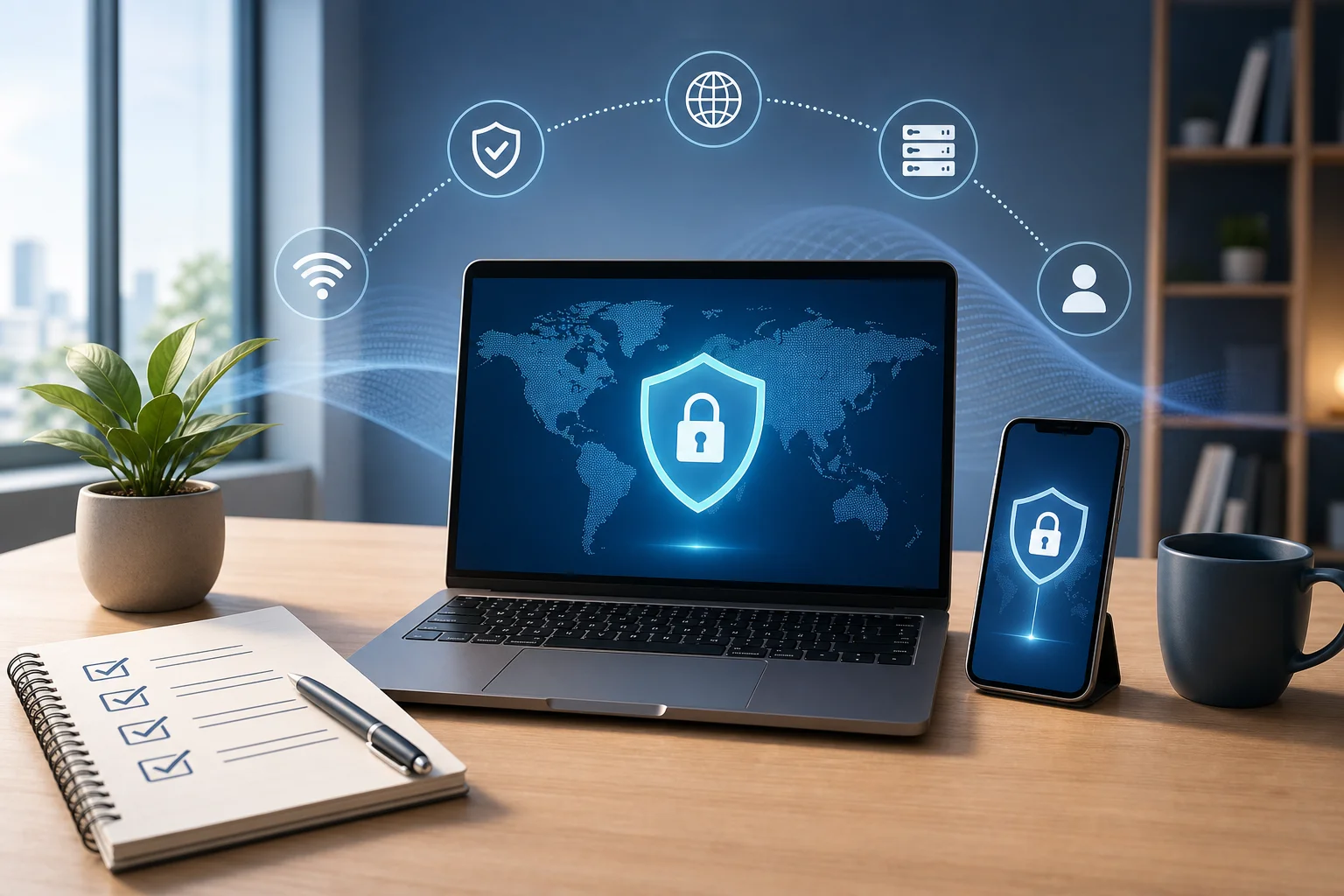
unlimited data vpn setup

Step 4: Improve VPN speed with a few simple habits

Even with a fast VPN, your setup affects performance. Use these tips to get a smoother experience:

  • Connect to a nearby VPN location when possible.
  • Close apps that are using heavy background data.
  • Switch networks if public Wi-Fi is overloaded.
  • Restart the VPN connection if speeds suddenly drop.
  • Keep your device and VPN app updated.
  • Avoid running multiple VPN or proxy tools at the same time.

These steps help reduce avoidable slowdowns and keep your connection stable.

Step 5: Test performance based on real tasks

Speed tests can be useful, but real-world use matters more. After connecting, try the activities you actually care about. Open websites, stream a short video, join a call, send files, or use your usual apps.

If browsing feels smooth and the VPN remains connected without asking for payment details or cutting off your data, you have found a more practical solution.

Results and Benefits: Enjoy Fast, Unlimited Browsing with BeFreeVPN

A VPN should support your online life, not interrupt it. With a credit card-free, unlimited data approach, BeFreeVPN addresses the main pain points that push people away from VPNs.

Browse with fewer speed frustrations

When a VPN is easy to connect and built for everyday use, you can keep it on for more of your online routine. That means fewer moments where you disconnect because the service feels too slow or too restrictive.

No VPN can promise identical speed on every network, because your internet provider, Wi-Fi quality, distance to servers, and device all play a role. However, choosing a service that focuses on practical performance can make a major difference in day-to-day comfort.

Use unlimited data for your digital needs

Unlimited data gives you flexibility. You do not have to save your VPN allowance for “important” tasks. You can browse, message, watch, learn, shop, and work with protection active for longer sessions.

This is especially helpful if you:

  • Use public Wi-Fi frequently
  • Stream or watch online lessons
  • Work with cloud-based tools
  • Travel and rely on hotel or airport networks
  • Want a VPN for regular daily browsing

Keep financial details private

Not everyone wants to share a credit card just to test a privacy tool. By choosing a VPN without credit card requirements, you reduce the personal information you provide at the start.

That can offer peace of mind. It also makes VPN access more inclusive for people who do not have a credit card, prefer not to use one online, or simply want to avoid subscription traps.

FAQ: VPN Without Credit Card With Unlimited Data

Can I really use a VPN without a credit card?

Yes. Some VPNs let you connect without entering payment details. BeFreeVPN is positioned for users who want a no credit card VPN experience with minimal setup friction.

Is an unlimited data VPN always fast?

Not always. Unlimited data means you are not restricted by a usage cap, but speed still depends on server load, network quality, distance, and device performance. For best results, use a stable connection and choose optimized VPN options when available.

Why do many free VPNs have data caps?

Data caps help providers control server costs and manage heavy usage. However, caps can make a VPN less useful for everyday browsing. If you want continuous protection, look for an unlimited bandwidth VPN.

Is BeFreeVPN good for public Wi-Fi?

BeFreeVPN can be useful on public Wi-Fi because it helps protect your connection through a VPN tunnel without requiring credit card details first. As always, you should also use secure websites, strong passwords, and multi-factor authentication for important accounts.

Do I need to register before using BeFreeVPN?

BeFreeVPN is designed to remove common barriers such as registration and credit card requirements, making it easier to start browsing privately without a lengthy sign-up process.

Conclusion: Remove the Barriers and Browse With More Freedom

Finding a vpn without credit card with unlimited data should not feel complicated. The right service removes payment friction, avoids restrictive data caps, and focuses on a smoother browsing experience. BeFreeVPN offers a practical path for users who want privacy, simplicity, and unlimited use without handing over financial details first.

Try BeFreeVPN today and enjoy limitless browsing with no registration or credit card required—experience privacy and speed like never before.

The battle of no-credit-card VPNs: myths vs facts

· 12 min read

Tired of signing up and providing credit card details just to protect your online privacy? Explore VPN options that require neither and debunk myths surrounding them. If you are searching for a vpn without credit card without registration, the real challenge is not finding one. It is knowing which services are safe, which are genuinely free, and which hide trade-offs behind friendly marketing.

This comparison takes a myths-versus-facts approach. We will look at security, privacy policies, access barriers, speed, and real-world use cases. The goal is simple: help you choose a no-credit-card VPN that fits your needs without giving away more data than necessary.

vpn without credit card privacy comparison

1. Myth: All No-Credit-Card VPNs Are Unsafe

The myth is understandable. Many people assume that if a VPN does not ask for payment details or registration, it must be cutting corners. In reality, safety depends less on whether a VPN asks for a credit card and more on how it handles encryption, logging, app permissions, and traffic routing.

A VPN can be no-credit-card and still use modern encryption. It can also be paid and still collect too much data. Therefore, the first question should not be “Is it free?” but “What does the provider do with my traffic and metadata?”

What makes a no-credit-card VPN safe?

A safer no-registration VPN usually has several clear traits:

  • Strong encryption: Look for industry-standard protocols and encrypted tunnels that protect traffic on public Wi-Fi and shared networks.
  • Transparent privacy policy: The provider should explain what it collects, why it collects it, and how long it keeps it.
  • Minimal data requirements: A VPN without registration should not demand an email, phone number, billing address, or card details.
  • Limited app permissions: Mobile apps should not ask for unnecessary access to contacts, photos, or location unless there is a clear technical reason.
  • Simple access model: The fewer steps required to connect, the fewer personal identifiers you may need to share.

BeFreeVPN stands out in this category because its core promise is privacy without financial barriers. By offering access without credit card details or mandatory registration, it reduces the amount of personal information needed before you can start using a VPN. That does not mean users should ignore privacy policies. However, it does remove two common data collection points: payment information and account creation.

The real risk is not “free”; it is opacity

Some risky VPNs hide behind vague language. They may say “no logs” but fail to define what logs means. Others may collect device identifiers, browsing metadata, or usage events for analytics. For intermediate users, this is where reading the privacy policy matters.

In short, not all no-credit-card VPNs are unsafe. Some are built to lower access barriers while still protecting traffic. The safer choice is the service that combines easy access with clear privacy practices.

2. Fact Check: Are Free and No-Registration VPNs Actually Free?

“Free” can mean different things in the VPN market. Some services are genuinely free for basic use. Others are free trials that later require a credit card. Some limit access until you create an account. A few may fund the service through advertising, analytics, or partner offers.

So, are free and no-registration VPNs actually free? Sometimes yes. But you need to check what you are paying with if you are not paying with money.

Common hidden costs to watch for

A free VPN may include hidden trade-offs such as:

  1. Mandatory account creation: You may not pay with a card, but you still provide an email and create a profile.
  2. Trial-to-paid billing: Some “free” VPNs ask for payment details upfront and charge later unless you cancel.
  3. Data limits: You may get only a small amount of monthly data before being pushed to upgrade.
  4. Speed restrictions: The free tier may be usable only for light browsing.
  5. Ads or tracking: Some free services rely on advertising models that may involve analytics or user profiling.
  6. Limited server access: You may be restricted to crowded locations, which can affect performance.

BeFreeVPN’s appeal is its straightforward access model: it is positioned as a truly free VPN option without credit card barriers and without mandatory registration. Compared with services that claim to be free but still require an account, this matters. Registration creates a persistent identity. Even if you use a burner email, it adds friction and increases the amount of data linked to your usage.

Free vs no-registration: they are not the same

A VPN can be free but still require registration. A VPN can avoid credit cards but still ask for an email. A VPN can offer no registration but restrict important features. This is why users searching for a VPN with no signup and no payment details should compare the full access process, not just the headline claim.

For privacy-focused users, no-registration access is especially useful when:

  • You are using a temporary device.
  • You want quick protection on public Wi-Fi.
  • You do not want another account to manage.
  • You prefer not to share billing or identity data.

The best free VPN experience is not only about price. It is about reducing unnecessary data exposure while keeping the service practical.

3. Quick Comparison Table: BeFreeVPN vs Competitors

The table below compares BeFreeVPN with two typical market alternatives: VPN X and VPN Y. These are representative competitor profiles, not endorsements or claims about a specific brand. Use the criteria as a checklist when evaluating any no-credit-card VPN.

FeatureBeFreeVPNVPN XVPN Y
Requires credit cardNoNo for free tier, yes for trial upgradeYes for trial access
Requires registrationNo mandatory registrationEmail account requiredAccount and billing profile required
Ease of accessFastest: open and connectModerate: create account firstSlower: signup and payment step
Privacy barrierLow data exposure before useEmail-linked usage possibleBilling identity linked to account
Security focusEncrypted VPN access with privacy-first onboardingDepends on plan and settingsOften strong, but tied to paid account model
Speed expectationSuitable for everyday browsing and light private useMay vary by free server loadOften strong after payment setup
Best forQuick private access without signupUsers willing to register for a free tierUsers who want a paid trial and do not mind card details
Main drawbackAdvanced premium features may be limited compared with paid suitesRegistration reduces anonymityNot ideal for users avoiding credit cards

How to read the comparison

If your priority is the fastest path to private browsing, BeFreeVPN has the advantage because it removes both credit card and registration friction. If you are comfortable creating an account, VPN X-style services may work, but they are not true no-registration VPNs. If you need advanced paid features and do not mind sharing payment information, VPN Y-style options may be acceptable, but they do not match the search intent of users looking for a free VPN without credit card or signup.

4. Which Should You Choose?

The right VPN depends on your threat model, habits, and tolerance for trade-offs. A journalist, remote worker, casual streamer, and coffee-shop browser do not all need the same setup. However, the choice becomes easier when you match the VPN type to the scenario.

Step-by-step: choosing the right no-credit-card VPN

  1. Define your main use case. Are you protecting public Wi-Fi traffic, browsing privately, accessing region-specific content, or testing VPN basics?
  2. Check whether registration is required. If the service asks for an email, it is not fully no-registration.
  3. Look for credit card traps. Avoid “free” trials that require billing details if your goal is no payment data.
  4. Read the privacy policy. Focus on logs, identifiers, analytics, and retention periods.
  5. Test speed with your normal activities. Try browsing, messaging, video calls, or streaming at the quality you actually use.
  6. Review limitations. Free services may have server, speed, or feature limits. Make sure they match your needs.

Best choice by scenario

For anonymous browsing: Choose a VPN that requires no account and no payment details. BeFreeVPN is a strong fit here because it minimizes identity-linked onboarding data.

For public Wi-Fi protection: Prioritize fast connection and simple setup. A VPN you can activate quickly is more useful than one with a long signup flow. BeFreeVPN’s no-registration access helps in airports, hotels, libraries, and cafes.

For streaming: Free VPNs can be hit or miss. Streaming platforms may block VPN traffic, and performance depends on server load and location. If your goal is casual viewing and privacy, BeFreeVPN may be enough. If you need consistent access to specific streaming libraries, a paid specialist may offer more location options.

For remote work: Check company policy first. Some employers require approved VPN tools. A free no-registration VPN can help protect general browsing, but it should not replace a corporate VPN for sensitive internal systems.

For travel: A VPN without credit card and without registration is convenient when you need quick access on unfamiliar networks. It also avoids billing verification problems while abroad.

Overall, BeFreeVPN stands out for most privacy-first everyday cases because it reduces friction while preserving the core benefit users want: encrypted access without handing over card details or creating another account.

no registration vpn selection guide

5. Myth Debunked: Free VPNs Are Slow and Unreliable

Another common claim is that every free VPN is slow, unstable, or unusable. This is too broad. Some free VPNs are overloaded, heavily restricted, or designed mainly to push upgrades. Others are practical for everyday browsing, messaging, and light media use.

Speed depends on several factors:

  • Distance to the VPN server
  • Server load at the time you connect
  • Your original internet connection
  • VPN protocol efficiency
  • Device performance
  • Network restrictions from your ISP, school, office, or public hotspot

Because of these variables, no honest VPN comparison should promise perfect speed for every user. A better question is whether the VPN is reliable enough for your normal tasks.

What users should test

Before judging any free VPN, test it in real conditions:

  1. Connect from your usual network.
  2. Open several websites you use daily.
  3. Test messaging apps or email.
  4. Try a short video stream if that is part of your routine.
  5. Disconnect and reconnect to check stability.
  6. Repeat at different times of day.

This simple process gives you more useful data than generic speed claims. If a VPN connects quickly, keeps pages loading smoothly, and does not drop often, it may be reliable enough for everyday privacy.

BeFreeVPN challenges the “free equals unusable” myth by focusing on easy access and practical browsing protection. It may not replace every premium VPN suite for power users who need dozens of countries, advanced routing, or dedicated IPs. However, for users who want a no-credit-card VPN with no registration for daily privacy, it can be a strong and convenient option.

FAQ: VPN Without Credit Card Without Registration

Is there really a VPN without credit card without registration?

Yes. Some VPNs let you connect without entering payment details or creating an account. BeFreeVPN is designed around that no-credit-card, no-registration experience.

Is a no-registration VPN more private?

It can be. No-registration access means there is no required email-based account linked to your use. Still, you should review the provider’s privacy policy to understand what technical data, if any, is collected.

Are free VPNs safe for banking?

Use caution. A VPN can encrypt your connection on public Wi-Fi, but banking safety also depends on HTTPS, device security, strong passwords, and avoiding phishing. For sensitive tasks, choose a provider with clear security practices and avoid unknown apps.

Do no-credit-card VPNs work for streaming?

Sometimes. Performance and access vary by service, server load, and the streaming platform’s VPN detection. A free no-registration VPN may work for casual use, but dedicated paid streaming VPNs may offer more consistent location choices.

What is the biggest red flag in a free VPN?

The biggest red flag is unclear data handling. If a VPN does not explain its logging, tracking, ownership, or revenue model, be careful. Free is not the issue; lack of transparency is.

Final Verdict: Myths vs Facts

The search for a vpn without credit card without registration is not about avoiding payment alone. It is about reducing unnecessary exposure. Credit card forms, signup pages, and account profiles all create extra links between your identity and your VPN use. In some cases, that may be acceptable. In others, it defeats the purpose.

The myths do not hold up across the board. No-credit-card VPNs are not automatically unsafe. Free VPNs are not always fake-free. No-registration services are not always slow. The facts are more practical: compare encryption, privacy policies, access steps, speed, and limitations before choosing.

Choosing a VPN shouldn't be complicated. Try BeFreeVPN for a truly free, no-registration experience that doesn't compromise your security.

How to use a VPN without a credit card on your computer

· 12 min read

Want to protect your computer's privacy without the hassle of entering credit card details? Discover how simple it is today! If you are looking for a vpn without credit card for computer, this guide walks you through the safest and easiest way to get started. You will learn how to choose a no-card VPN, install it, connect to a server, and fix common issues without creating unnecessary accounts or sharing payment details.

Using a VPN on your computer can make everyday browsing more private, especially on public Wi-Fi or shared networks. Better yet, a credit card-free VPN removes friction. You can install the app, connect, and test whether the service fits your needs before deciding anything else.

vpn without credit card on computer

Before You Start: Understanding VPN Needs

Before downloading any VPN software, take a moment to define what you need it for. This helps you choose a provider that matches your expectations and avoids wasting time on apps that do not support your goals.

Identify why you need a VPN: security, privacy, or access

Most people use a VPN for one or more of these reasons:

  • Security on public Wi-Fi: A VPN helps protect your connection when using networks in cafés, airports, hotels, libraries, or coworking spaces.
  • Everyday privacy: A VPN can reduce exposure of your browsing activity to network operators by routing your traffic through an encrypted tunnel.
  • Access and location flexibility: A VPN may allow you to connect through servers in different locations, which can be useful when accessing region-specific websites or services.
  • Safer remote work: If you work away from the office, a VPN can add a layer of protection while using business tools online.

A VPN is not a magic shield against every online risk. You should still use strong passwords, update your computer, avoid suspicious downloads, and enable multi-factor authentication when available. However, a VPN is a practical privacy tool for daily use.

Ensure your computer meets basic requirements for VPN software

Most VPN apps are lightweight, but it is still smart to check a few basics before installing:

  • Your computer runs a supported operating system, such as Windows, macOS, or Linux.
  • You have permission to install software on the device.
  • Your internet connection is active and stable.
  • Your security settings or firewall allow VPN apps to run.
  • You have enough storage space for the installer and application files.

If you are using a work or school computer, check the rules first. Some organizations restrict VPN use or require their own approved VPN.

Understand the benefits of a credit card-free VPN, like BeFreeVPN

A VPN without credit card registration is useful because it lets you get started with fewer barriers. You do not need to enter payment information just to test basic privacy protection. Services like BeFreeVPN are designed around this kind of low-friction access.

Key benefits include:

  • No payment details required: You can avoid sharing card information during setup.
  • Faster onboarding: You can download, install, and connect with fewer steps.
  • Less account fatigue: Some no-registration VPN options reduce the need to create another login.
  • Easy testing: You can see whether the app works well on your computer before committing to anything.

For many users, this is the simplest path to private browsing on a laptop or desktop.

Step 1: Choose the Right VPN Provider

Choosing the right provider is the most important step. A VPN handles your internet traffic, so you should look for a service that is simple, transparent, and compatible with your computer.

What to look for in a no-credit-card VPN

Use this quick comparison table when reviewing options:

FeatureWhy it mattersWhat to choose
No credit card requiredPrevents unnecessary payment sharingA VPN that lets you start without card details
No registration or simple setupSaves time and reduces frictionApps that connect without lengthy signup forms
Operating system supportEnsures it works on your computerWindows, macOS, or your preferred desktop OS
Clear download sourceReduces risk of fake installersOfficial provider website only
User-friendly designHelps beginners connect quicklySimple app with a clear connect button
Reliable performanceKeeps browsing smoothGood reviews for stability and speed

Look for VPNs that offer free services without registration, like BeFreeVPN. A clean setup process is especially helpful if you only need quick protection while traveling, studying, working remotely, or browsing from public Wi-Fi.

Check online reviews and ratings

Before installing a VPN, search for recent user feedback. Focus on comments about:

  • Ease of installation
  • Connection stability
  • App design
  • Server availability
  • Speed during normal browsing
  • Support resources or help guides

Be careful with reviews that sound too extreme, either overly glowing or overly negative. Instead, look for patterns across several sources. If many users mention that a VPN is easy to install and does not require payment details, that is a good sign for your needs.

Ensure the VPN supports your computer’s operating system

Not every VPN works on every device. Before downloading, confirm that the provider supports your operating system. For example, if you use a Windows computer, download the Windows version. If you use a Mac, choose the macOS version.

Also check whether your system version is supported. Older computers may need updated system software before the VPN app can run correctly.

Step 2: Download and Install the VPN Software

Once you have selected a provider, download the VPN app directly from the official website. This helps you avoid unofficial files, outdated installers, or modified apps.

Step-by-step installation checklist

Follow these steps to install a VPN without credit card input:

  1. Go to the VPN provider’s official website. Avoid third-party download pages when possible.
  2. Find the computer app. Choose the version for your operating system.
  3. Download the installer. A credit card-free VPN should not ask for payment details before download.
  4. Open the installer file. Follow your computer’s prompts.
  5. Approve permissions if needed. VPN apps often need permission to create a secure network connection.
  6. Complete installation. Wait for the app to finish copying files.
  7. Launch the VPN. Open it from your desktop, applications folder, or start menu.

A no-registration VPN should allow you to reach the main app screen without creating an account. If the software asks for a credit card before you can use it, it may not match your goal of using a VPN without payment details.

Verify the installation is correct

After installation, take a minute to confirm everything looks normal:

  • The app opens without errors.
  • You can see a connect button or server list.
  • Your computer does not show security warnings about an unknown app source.
  • The VPN does not force credit card entry before basic use.
  • Your internet connection still works before connecting.

If your computer asks you to allow a VPN configuration, read the prompt carefully. This is common on many systems because the app needs permission to route traffic through the VPN tunnel.

install vpn software on computer

Step 3: Connect to a VPN Server

Now you are ready to connect. Most modern VPN apps are designed for quick use, so this step often takes only a few seconds.

Open the VPN application on your computer

Launch the app and wait for the main screen to load. If you are using a VPN without registration, you should not face a long signup process. The app may show a default server, a location menu, or a simple connect button.

Select a server location based on your needs

Choosing the right server can improve your experience. Here is a simple guide:

  • For speed: Choose a server close to your physical location.
  • For general protection: Use the recommended or automatic server option if available.
  • For content access: Select a server in the location relevant to the website or service you want to use.
  • For travel: Pick a stable nearby server to protect your connection on hotel or airport Wi-Fi.

In general, closer servers tend to feel faster. However, performance also depends on network conditions, server load, and your internet provider.

Initiate the connection with a single button

Click or tap the connect button. The app may show a status such as “connecting” and then “connected.” Once connected, your traffic should route through the VPN server.

To confirm it is working, you can:

  • Open a browser and load a website.
  • Search “what is my IP” to see whether your visible IP location changed.
  • Check the VPN app for a connected status.

If browsing feels slow, try a closer server or reconnect. Small speed changes are normal because VPNs add encryption and route traffic through another server.

Step 4: Troubleshooting Common Connection Issues

Even easy VPN apps can occasionally run into connection problems. Fortunately, most issues are simple to fix.

If the connection fails, check your internet connection strength

Start with the basics. Disconnect the VPN and test your normal internet connection. If websites do not load without the VPN, the issue is likely your network rather than the VPN app.

Try these quick fixes:

  • Restart your Wi-Fi router if you control it.
  • Move closer to the Wi-Fi signal.
  • Switch from public Wi-Fi to a mobile hotspot if available.
  • Restart your computer.
  • Close apps that may be using heavy bandwidth.

Once your internet is stable, open the VPN and try connecting again.

Ensure the software is updated to the latest version

VPN updates often include performance improvements, bug fixes, and compatibility changes. If your VPN will not connect, check whether an update is available.

You can usually update by:

  • Opening the VPN app and checking settings.
  • Visiting the provider’s official website.
  • Downloading the latest installer for your operating system.

Avoid downloading “patched” or modified VPN apps from unofficial sources. They can create security risks.

Access support forums or guides for additional help

If a VPN service faces downtime, you may not be able to fix it from your computer. In that case, look for official guides, status pages, or support forums. Common provider-side issues include temporary server maintenance, overloaded servers, or regional connectivity problems.

You can also try:

  • Switching to another server location.
  • Temporarily disabling conflicting proxy settings.
  • Allowing the VPN through your firewall.
  • Reinstalling the VPN app.
  • Checking whether another VPN or security tool is interfering.

If you are on a restricted network, such as a school, office, or hotel connection, the network may block VPN traffic. Always follow local rules and network policies.

Quick FAQ: VPN Without Credit Card for Computer

Can I use a VPN on my computer without entering a credit card?

Yes. Some VPN providers allow you to download and use their computer app without entering payment details. Look for services that clearly state no credit card or registration is required, such as BeFreeVPN.

Is a free VPN without registration safe to use?

It can be, but you should choose carefully. Download only from the official website, read the provider’s privacy information, and check recent reviews. Avoid unknown apps that make unrealistic promises or require unusual permissions.

Do I need an account to use a VPN on Windows or Mac?

Not always. Some VPNs require accounts, while others offer no-registration access. If your goal is a VPN without credit card for computer use, choose a provider that keeps setup simple and does not force signup before connecting.

Will a VPN make my computer internet faster?

Usually, a VPN is not designed to increase speed. It may slightly reduce speed because of encryption and routing. However, choosing a nearby server and using updated software can help keep browsing smooth.

How do I know my VPN is connected?

Check the VPN app for a “connected” status. You can also visit an IP-checking website to see whether your visible IP address or location has changed after connecting.

Final Tips for Smooth, Private Browsing

A VPN is easiest to use when it becomes part of your normal routine. Before joining public Wi-Fi, open the app and connect. If you travel often, keep the installer updated. If you only need basic protection, choose the recommended server and keep things simple.

For the best experience, remember these habits:

  • Download VPN software only from official sources.
  • Keep your operating system and browser updated.
  • Use strong passwords along with your VPN.
  • Choose nearby servers for better speed.
  • Disconnect and reconnect if performance drops.
  • Avoid entering credit card details if you only want a no-friction VPN setup.

Using a VPN without a credit card on your computer does not have to be complicated. With the right provider, you can install the app, connect to a server, and protect your browsing in minutes. Experience a hassle-free online journey by trying BeFreeVPN today — no credit card or registration required. Stay secure effortlessly!

Understanding VPN without credit card for your phone: a beginner's guide

· 10 min read

Ever wondered how you can boost your phone's security without spending a dime? Discover how VPNs can protect your data without needing a credit card. A vpn without credit card for phone use is a simple way to add privacy when browsing, using public Wi-Fi, or checking apps on the go. In this beginner-friendly guide, you’ll learn why mobile VPNs matter, how to set one up, what privacy benefits to expect, and how to choose a free VPN that does not ask for payment details.

vpn without credit card for phone security

1. Why Use a VPN Without a Credit Card on Your Phone?

Your phone carries a lot of personal information. It may include emails, banking apps, photos, location data, messages, and browser history. Because phones connect to many networks during the day, they can be exposed to more privacy risks than a home computer.

A VPN, or virtual private network, helps by creating an encrypted connection between your phone and the internet. This makes it harder for others on the same network to see what you are doing online.

Key benefits of using a VPN on mobile

Using a VPN on your phone can help with:

  • Safer public Wi-Fi use: Coffee shops, airports, hotels, and libraries often have open Wi-Fi. A VPN helps protect your browsing on these shared networks.
  • More private browsing: Your internet provider or Wi-Fi operator may be able to see some details about your online activity. A VPN can reduce that visibility.
  • Protection from basic snooping: Encryption helps keep your data safer from people trying to monitor unsecured networks.
  • Better control over your online privacy: A VPN can mask your IP address, which may reduce tracking based on your network location.

Why “no credit card” matters

A VPN without a credit card is useful for beginners because it removes friction. You do not need to enter payment information, start a trial, or remember to cancel before a billing date. This makes it easier to test the service and decide if it fits your needs.

It can also be more private. If a VPN does not require credit card details or registration, you share less personal information from the start. For many users, that is the whole point: simple protection without giving away extra data.

Growing concerns about mobile data privacy

Mobile privacy is becoming more important because phones are always connected. Apps may request permissions, public networks may be unsafe, and tracking can happen across websites and services. A VPN is not a complete privacy solution, but it is a strong first step. Combined with safe habits, it can make everyday browsing more secure.

2. How to Set Up a Free VPN on Your Phone

Setting up a free VPN on your phone is usually quick. The exact steps may vary depending on whether you use Android or iPhone, but the process is similar.

Step-by-step setup guide

  1. Choose a trusted free VPN app
    Look for a VPN that clearly says it has a free plan and does not require a credit card. Read the app description, privacy policy, and recent user reviews.

  2. Download it from the official app store
    Use Google Play for Android or the App Store for iPhone. Avoid downloading VPN apps from unknown websites, as they may be unsafe.

  3. Open the app and check the sign-up process
    If the VPN asks for a credit card to start a “free trial,” it may not be the right choice. A true free VPN without payment details should let you connect without entering card information.

  4. Allow VPN permissions
    Your phone will ask if you want to add a VPN configuration. This is normal. It allows the app to route your internet connection through the VPN.

  5. Select a server or use auto-connect
    Beginners can usually choose “fastest” or “nearest” server. This often gives better speed.

  6. Tap connect
    Once connected, you should see a VPN icon in your phone’s status bar or settings area.

  7. Test your connection
    Open a browser and visit a trusted IP-checking site. If your IP location changes or your connection shows the VPN server, it is working.

Tips to avoid VPNs that require credit cards

Before installing, check for these signs:

  • The app listing says free forever, no payment required, or no credit card needed.
  • The app does not force you into a paid trial during setup.
  • The privacy policy is easy to find and understand.
  • The free plan terms are clear, including any speed, data, or server limits.

If you see phrases like “7-day free trial” or “start trial with payment method,” be careful. That often means you must provide card details first.

Basic troubleshooting for setup issues

If your VPN does not connect, try these quick fixes:

  • Switch from Wi-Fi to mobile data, or the other way around.
  • Restart the VPN app.
  • Choose a different server location.
  • Restart your phone.
  • Update the VPN app.
  • Check whether another VPN or security app is already active.

If websites load slowly, connect to a closer server or use the automatic option. Free VPNs can be slower during busy times, so testing more than one server can help.

3. What Privacy Benefits Does a VPN Provide Without a Credit Card?

A VPN protects your connection by encrypting the data that travels between your phone and the VPN server. This is especially helpful on public or shared networks, where other users may be connected to the same router.

How a VPN protects personal data and browsing

A mobile VPN can help protect:

  • Search activity and browsing sessions on unsecured Wi-Fi
  • App data sent over the internet
  • Login sessions when using websites or services
  • Your IP address from websites and some trackers
  • Basic network information from Wi-Fi operators

However, it is important to be realistic. A VPN does not make you anonymous on its own. Websites can still track you if you log in, accept cookies, or use apps linked to your identity. For better privacy, combine a VPN with strong passwords, two-factor authentication, private browser settings, and careful app permissions.

Why no credit card adds another layer of privacy

When a VPN does not require a credit card, you avoid sharing billing information. Some services also avoid registration, which means you may not need to provide your name or email address either.

This matters because every account you create adds another data point. A no-card VPN keeps the process simpler and reduces the amount of personal information tied to your VPN use.

Examples of VPN protection on mobile networks

Here are common situations where a VPN can help:

  • At an airport: You connect to free Wi-Fi before a flight. A VPN helps encrypt your browsing while you check travel details.
  • At a café: You read email or use social media on public Wi-Fi. The VPN makes it harder for others on the network to inspect your traffic.
  • On hotel Wi-Fi: You stream, browse, or work remotely. A VPN adds protection on a network shared by many guests.
  • On mobile data: Your connection is already more controlled than public Wi-Fi, but a VPN can still help mask your IP address and reduce some network-level tracking.

free mobile vpn privacy

4. Which Free VPNs Work Best for Phones Without Credit Cards?

The best free VPN for your phone depends on what you need most: simplicity, speed, privacy, data allowance, or server choice. Beginners should focus on trustworthy apps with clear policies and no forced payment trial.

Free VPN comparison for phones

VPN optionCredit card required?Registration required?Best forThings to check
BeFreeVPNNoNoSimple mobile privacy with quick setupServer availability and performance in your area
Proton VPN FreeNoYesUnlimited data on a reputable free planFree server choices may be limited
Windscribe FreeNoUsually yesFlexible free data allowanceMonthly data limits apply
hide.me FreeNoMay require accountBasic secure browsingSpeed and server limits on free plan
TunnelBear FreeNoYesBeginner-friendly designSmall free data allowance

This table is a starting point. Free VPN features can change, so always confirm current terms before installing.

What to look for in a free mobile VPN

When choosing a free VPN without credit card details, consider:

  • Privacy policy: Does the VPN explain what it collects and why?
  • No forced trial: Can you use it without entering payment information?
  • Ease of use: Is the connect button easy to find?
  • Speed: Does browsing feel normal for basic tasks?
  • Data limits: Is the free data enough for your needs?
  • Device support: Does it work well on Android, iPhone, or both?
  • Security features: Look for encryption, auto-connect, and a kill switch if available.

Matching a VPN to your needs

Choose based on your main use case:

  • For public Wi-Fi protection: Pick a VPN with fast connection times and auto-connect.
  • For basic private browsing: Choose a no-registration option if available.
  • For streaming or heavy use: A free VPN may have limits. Check speed and data rules first.
  • For travel: Look for reliable servers in regions you need.
  • For beginners: Choose the simplest app that does not ask for a credit card or complicated setup.

FAQ: VPN Without Credit Card for Phone

Can I use a VPN on my phone without paying?

Yes. Many VPNs offer free plans for Android and iPhone. Some require an account, while others let you connect without registration. Always check whether the free plan asks for a credit card before you start.

Is a free VPN without a credit card safe?

It can be safe if you choose a trustworthy provider with clear privacy practices. Avoid unknown apps with vague policies, aggressive ads, or requests for unnecessary permissions.

Will a VPN slow down my phone?

A VPN may slow your connection slightly because it encrypts and routes your traffic through a VPN server. For everyday browsing, the difference is often manageable. If it feels slow, try a closer server.

Do I need a VPN on mobile data?

A VPN is most useful on public Wi-Fi, but it can still help on mobile data by masking your IP address and adding privacy from network-level tracking.

What is the easiest VPN setup for beginners?

The easiest setup is a VPN app that requires no credit card, no registration, and has a one-tap connect button. This keeps the process simple and reduces the amount of personal information you share.

Start Protecting Your Phone the Easy Way

Using a vpn without credit card for phone security is one of the simplest ways to improve mobile privacy. It helps protect your connection on public Wi-Fi, reduces exposure of your browsing activity, and lets you get started without sharing payment details. Start securing your phone today with BeFreeVPN, a free service that doesn't require a credit card or registration—ensuring easy and secure browsing.

The ultimate guide to using a VPN without subscription with unlimited data

· 17 min read

Why pay for a VPN when you can get unlimited data without a subscription? Explore BeFreeVPN's offerings in our comprehensive guide. If you are searching for a vpn without subscription with unlimited data, this guide explains what that means, when it makes sense, how to compare options, and what security details to check before you connect.

A VPN can help protect your connection on public Wi-Fi, reduce tracking by masking your IP address, and create a more private browsing experience. However, many VPNs ask you to create an account, choose a plan, and commit to a recurring payment. A subscription-free VPN changes that model. It aims to give you simple access without monthly billing.

In this ultimate guide, you will learn the basics, compare free and paid VPNs, review privacy considerations, and see where BeFreeVPN fits for users who want unlimited data without the friction of a subscription.

1. Introduction to Subscription-Free VPNs with Unlimited Data

A subscription-free VPN is a virtual private network service that does not require a recurring paid plan to start using it. Instead of signing up for a monthly or yearly contract, you can connect through the app and use the VPN without managing renewals, invoices, or cancellation dates.

The key appeal is convenience. Many people do not need a complex business VPN plan. They simply want safer browsing on shared networks, fewer location-based interruptions, and a more private connection during everyday use.

Unlimited data makes the idea much more practical. Some free VPNs limit you to a small amount of data per day or month. That can work for quick email checks, but it falls short for streaming, video calls, downloads, research, gaming updates, and regular mobile browsing. With unlimited data, you can keep the VPN on for longer periods without worrying that your allowance will run out halfway through the day.

Here is what this guide covers:

  • A quick answer on whether you really need a paid VPN
  • Beginner-friendly definitions and core VPN functions
  • How unlimited data changes real-world VPN use
  • Security and privacy checks for no-subscription VPNs
  • A practical comparison of free and paid VPNs
  • FAQs for common search questions
  • Decision tips for choosing the right VPN

vpn without subscription privacy

A VPN without subscription with unlimited data is especially useful if you want privacy tools without adding another recurring cost. Still, not all free VPNs are equal. The best choice depends on transparency, security, usability, data access, and whether the service fits your daily habits.

2. Quick Answer: Do You Really Need a Paid VPN?

In many everyday situations, you do not necessarily need a paid VPN. If your goal is to browse more privately, use public Wi-Fi with more confidence, or avoid strict data caps, a no-cost VPN with unlimited data can be enough.

However, paid VPNs may still be useful for users who need advanced server controls, business features, dedicated IP addresses, multi-hop routing, or specialized support. The right answer depends on your needs rather than the price tag alone.

Quick Answer Box

Quick Answer: You do not always need a paid VPN. A reliable VPN without subscription and unlimited data can cover common needs such as private browsing, public Wi-Fi protection, and everyday app use. Choose a service that is transparent about privacy, uses secure VPN technology, and does not force you into recurring billing.

The main advantages of a no-cost VPN with unlimited data include:

  • No monthly commitment: You avoid subscriptions and cancellation hassle.
  • Unlimited usage: You can stay connected without watching a data meter.
  • Lower barrier to entry: You can try VPN protection without financial risk.
  • Simple setup: Many users prefer an app that works without complex plan selection.
  • Better daily coverage: Unlimited data encourages users to leave protection on when needed.

BeFreeVPN is positioned around this cost-saving approach: premium-style VPN access without a subscription barrier and with unlimited data for regular use. For users who want straightforward protection without paying upfront, that model can be attractive.

3. Beginner's Guide: Understanding Free VPNs Without Subscription

Before choosing a VPN, it helps to understand what a VPN actually does.

A VPN, or virtual private network, creates an encrypted connection between your device and a VPN server. When you browse through that connection, websites and online services see the VPN server’s IP address rather than your direct home, school, office, or mobile network IP address.

What a VPN Does

A VPN can help with several core tasks:

  1. Encrypting network traffic
    The VPN tunnel helps protect data as it travels between your device and the VPN server. This is especially useful on public Wi-Fi networks.

  2. Masking your IP address
    Websites usually see the VPN server IP rather than your original IP. This can reduce direct tracking based on your network identity.

  3. Improving privacy on shared networks
    Airports, hotels, cafes, and libraries often use shared Wi-Fi. A VPN adds another layer of protection.

  4. Reducing location-based exposure
    Your apparent location may be tied to the VPN server rather than your exact connection point.

  5. Supporting safer everyday browsing habits
    A VPN is not a complete security solution, but it can be an important part of a privacy toolkit.

How VPNs Without Subscription Are Different

A typical paid VPN asks you to choose a plan, create an account, and provide payment details. A VPN without subscription removes or reduces that process. Instead of treating privacy as a recurring bill, it makes basic VPN access easier to start.

This difference matters for several groups:

  • Students who need privacy tools but have limited budgets
  • Travelers who want short-term protection on public Wi-Fi
  • Casual users who dislike subscriptions
  • Families looking to reduce recurring software costs
  • First-time VPN users who want to test the concept before paying for anything

Where BeFreeVPN Fits

BeFreeVPN’s unique appeal is built around the phrase many users search for: a VPN with no subscription and unlimited data. Instead of limiting the experience behind a paid plan, BeFreeVPN focuses on giving users access without the usual subscription pressure.

For beginners, that reduces friction. You do not have to compare complicated pricing tiers before learning how a VPN works. You can start with the essentials: open the app, connect, and use the internet through a protected VPN connection.

That said, beginners should still read the app’s privacy details, check requested permissions, and understand what a VPN can and cannot do. A VPN improves privacy, but it does not make you anonymous in every situation. For example, if you log in to a social media account, that platform can still identify you through your account activity.

4. Intermediate Insights: Unlocking Unlimited Data Potential

Unlimited data is one of the most important features in a subscription-free VPN. It changes how you use the service.

With a capped VPN, you may save your data for “important” moments. You might connect only at an airport or while checking a bank account. This stop-start habit weakens the benefit because your connection is protected only some of the time.

With unlimited data, you can use the VPN more naturally. You can keep it on during routine browsing, research, messaging, travel planning, online shopping, and media use.

When Unlimited Data Matters Most

Unlimited VPN data is especially helpful in these scenarios:

  • Remote work from public places: Coffee shops and hotels are convenient, but shared Wi-Fi can be risky.
  • Online learning: Video lessons, research databases, and downloads can consume data quickly.
  • Travel: Airports, rental homes, and public hotspots often require extra caution.
  • Streaming and media browsing: Video content can use large amounts of data in a short time.
  • Mobile browsing: Apps constantly refresh, sync, and send background data.
  • Gaming updates: Downloads and patches can exceed small VPN data limits.
  • Family use: Multiple devices can quickly drain a capped plan.

Practical Examples with BeFreeVPN

Here are simple examples of how unlimited data can improve everyday VPN use with BeFreeVPN:

  1. Public Wi-Fi browsing
    You connect to cafe Wi-Fi, open BeFreeVPN, and keep it running while you check email, read news, and use messaging apps. Because the data is unlimited, you do not need to disconnect after a few minutes.

  2. Travel research
    You compare hotels, routes, maps, and local services from a hotel network. A no-subscription VPN gives you a more private connection without signing up for a paid plan just for one trip.

  3. Study sessions
    You watch educational videos, download PDFs, and use cloud documents. Unlimited data helps you avoid hitting a cap in the middle of a session.

  4. Everyday mobile use
    You use your phone throughout the day for browsing and apps. With an unlimited VPN, you can protect more of that activity without manually calculating usage.

unlimited data vpn use

Step-by-Step: How to Use a No-Subscription VPN Wisely

Use this simple process to get better results from a free VPN with unlimited data:

  1. Download from a trusted source
    Use the official app store or the provider’s official website.

  2. Review permissions
    Make sure the app requests permissions that make sense for VPN operation.

  3. Read the privacy policy
    Look for clear information about data handling, logging, and third-party sharing.

  4. Connect before using public Wi-Fi
    Turn on the VPN before opening sensitive apps or websites.

  5. Check connection status
    Confirm the VPN icon or in-app status shows that you are connected.

  6. Use HTTPS websites
    A VPN helps protect the connection, but secure websites add another layer.

  7. Keep the app updated
    Updates often include stability, compatibility, and security improvements.

  8. Avoid risky behavior
    Do not download suspicious files or ignore browser warnings just because a VPN is on.

This approach helps you get practical value from unlimited data while keeping realistic expectations.

5. Advanced Knowledge: Security and Privacy in Free VPNs

A common question is simple: how can a free VPN provide security without a subscription?

The answer depends on the provider’s model. Some VPNs use ads, freemium upgrades, partnerships, or other funding methods. Others focus on scale and simple access. Because models vary, users should evaluate each service carefully.

Security Measures to Look For

When choosing any VPN, free or paid, look for these basics:

  • Strong encryption: The VPN should protect traffic inside an encrypted tunnel.
  • Modern VPN protocols: Common secure protocols include WireGuard, IKEv2, and OpenVPN, depending on platform support.
  • Clear privacy policy: The provider should explain what it collects and why.
  • No unnecessary permissions: A VPN app should not ask for unrelated access without a clear reason.
  • DNS leak protection: This helps prevent DNS requests from bypassing the VPN tunnel.
  • Kill switch or connection protection: If available, this helps reduce exposure if the VPN disconnects unexpectedly.
  • Regular updates: Active maintenance is a good sign.

Privacy Measures Users Should Check

Privacy is not just about encryption. It is also about data handling. Before relying on a VPN, check whether the provider explains:

  • Whether browsing activity is logged
  • Whether IP addresses are stored
  • Whether diagnostic data is collected
  • Whether data is shared with advertisers or analytics partners
  • How long any data is retained
  • How users can contact support or request information

A trustworthy VPN should make these details easy to find. If a provider makes broad promises but avoids specifics, be cautious.

How BeFreeVPN Builds User Trust

BeFreeVPN’s value proposition is straightforward: no subscription requirement and unlimited data. From a privacy standpoint, the lack of a subscription can also reduce payment-related exposure because users are not necessarily handing over recurring billing details just to use the VPN.

For security, users should look at the current BeFreeVPN app details on their platform, including privacy disclosures, permissions, and available connection features. The most important trust signals are transparency, stable performance, secure VPN tunneling, and a clear explanation of how the service operates.

In short, BeFreeVPN is most compelling for users who want accessible VPN protection without a paid plan. To get the best experience, pair that convenience with smart habits: update the app, use secure websites, and review privacy settings.

6. Comparing Free vs. Paid VPNs: Real-World Implications

Free and paid VPNs can both be useful. The better choice depends on what you need, what you are willing to pay, and how much control you expect.

Free vs. Paid VPN Comparison Table

FeatureVPN Without Subscription and Unlimited DataPaid VPN
CostNo recurring subscriptionMonthly or yearly fee
Data allowanceUnlimited if offered by the providerUsually unlimited
SetupOften simple and fastMay require account and payment setup
Best forEveryday privacy, public Wi-Fi, budget usersPower users, businesses, advanced needs
Advanced controlsMay be limitedOften broader server and protocol options
SupportMay vary by providerOften more structured support
CommitmentLow commitmentOngoing billing commitment
Privacy considerationsMust review policy carefullyMust review policy carefully

The table shows an important point: paid does not automatically mean perfect, and free does not automatically mean unsafe. The details matter.

Cost-Benefit of Using a Free VPN

A free VPN with unlimited data can offer strong practical value because it removes two common barriers: price and usage limits. For many users, those barriers are the reason they never use a VPN at all.

The cost-benefit is strongest when:

  • You do not need advanced enterprise tools
  • You want to avoid recurring payments
  • You use public Wi-Fi often
  • You need enough data for normal daily browsing
  • You prefer simple setup over complex configuration

BeFreeVPN fits this category well because its no-subscription model supports users who want VPN access without turning privacy into another monthly bill.

Potential Limitations of Free VPNs and How to Mitigate Them

Free VPNs may have limitations. These can include fewer server options, ads, variable speeds, limited advanced settings, or less personalized support. However, you can reduce friction with a few practical steps.

  • If speeds vary: Try reconnecting or changing network conditions.
  • If a site blocks VPN traffic: Disconnect temporarily only if the site is trusted and you do not need VPN protection at that moment.
  • If features are limited: Decide whether you truly need advanced controls or only basic protection.
  • If ads are present: Review whether the ad experience is acceptable and check the privacy policy.
  • If support is limited: Use official help resources and app store information.

The goal is not to assume every free VPN is perfect. The goal is to choose carefully and use the service in the situations where it provides real value.

Case-Style Examples: When BeFreeVPN Makes Sense

Rather than relying on exaggerated claims, consider realistic use cases:

The budget-conscious student
A student uses campus and library Wi-Fi daily. A paid VPN may not fit their budget. BeFreeVPN can help them keep a VPN connection active during research, messaging, and online coursework without a subscription.

The frequent traveler
A traveler connects to hotel and airport networks. They want basic VPN protection for browsing and planning, but they do not want a yearly plan. A VPN without subscription and unlimited data is a practical travel companion.

The casual home user
A home user wants to reduce IP-based tracking and add privacy to routine browsing. They do not need advanced business features. BeFreeVPN offers a simple way to start using VPN protection with minimal commitment.

The mobile-first user
A smartphone user relies on apps all day. Data caps can make free VPNs frustrating. Unlimited data allows more consistent protection during normal mobile use.

These examples show the real-world implication: the best VPN is the one you will actually use consistently and responsibly.

FAQ: Common Questions About VPNs Without Subscription and Unlimited Data

Is there really a VPN without subscription with unlimited data?

Yes, some VPN services offer access without a recurring subscription and advertise unlimited data. BeFreeVPN is designed around this idea, making it appealing for users who want VPN access without monthly billing.

Are free unlimited VPNs safe?

Some can be safe, but you should check the provider carefully. Look for clear privacy policies, secure VPN tunneling, sensible app permissions, and regular updates. Avoid services that are vague about logging or data sharing.

Can I use a no-subscription VPN for streaming?

You can use a VPN with unlimited data for data-heavy activities such as streaming, but performance may vary by server, network, and platform rules. If a streaming service restricts VPN traffic, results can differ.

Does a VPN make me anonymous online?

No VPN can guarantee total anonymity. A VPN can mask your IP address and encrypt traffic between your device and the VPN server, but websites can still identify you if you log in, accept cookies, or share personal information.

Why choose BeFreeVPN instead of a paid VPN?

Choose BeFreeVPN if your priority is no subscription, unlimited data, and simple everyday VPN access. A paid VPN may be better if you need specialized features, business tools, or advanced configuration options.

7. Key Takeaways: Choosing the Right VPN for Your Needs

A subscription-free VPN with unlimited data can be a smart choice for many users. It lowers cost, removes billing friction, and makes it easier to keep VPN protection active during everyday browsing.

The main benefits are clear:

  • You avoid recurring VPN payments.
  • You can use the VPN without strict data caps.
  • You get a simpler path to private browsing.
  • You can protect more public Wi-Fi sessions.
  • You can test VPN habits before considering paid tools.

free vpn decision guide

Decision-Making Tips

Use these tips when selecting a VPN:

  1. Start with your main goal
    Do you need public Wi-Fi protection, more private browsing, travel convenience, or advanced controls?

  2. Check data limits
    If you browse often, choose unlimited data rather than a tiny monthly cap.

  3. Avoid unnecessary subscriptions
    If you do not need advanced paid features, a no-subscription VPN may be enough.

  4. Review privacy details
    Read the privacy policy before trusting any VPN with your traffic.

  5. Look for easy setup
    A VPN should be simple enough that you actually use it.

  6. Keep expectations realistic
    A VPN improves privacy, but it does not replace safe browsing, strong passwords, or device security.

  7. Choose a service that fits daily life
    The most useful VPN is one that works for your routine without constant management.

BeFreeVPN stands out for users who want premium-style VPN features at no cost, unlimited data, and no subscription hassle. It is especially relevant for beginners, travelers, students, and anyone who wants to reduce recurring software expenses.

In the end, you do not have to pay for a VPN simply because privacy matters. What matters is choosing a service that is transparent, practical, and easy to use. Discover how BeFreeVPN can provide you with premium VPN features at no cost. Enjoy unlimited data without the hassle of subscription. Download today!

Faq: VPN without subscription for computer

· 9 min read

Looking for a VPN without pesky subscriptions for your computer and family devices? Find answers to common questions here. A vpn without subscription for computer can help households add a layer of privacy, protect shared devices, and make safer browsing easier without monthly bills or complicated sign-ups. In this FAQ, you’ll learn what these VPNs do, why families use them, how they may support children’s online safety, and how to set one up on a desktop or laptop.

What is a VPN without subscription for computer?

A VPN without subscription for computer is a virtual private network service that lets you connect your PC, laptop, or desktop to an encrypted VPN connection without paying an ongoing monthly or yearly fee. Instead of committing to a recurring plan, you can often download an app and use basic VPN features with no payment details.

In simple terms, a VPN creates a secure tunnel between your computer and the internet. This can help reduce exposure on public Wi-Fi, hide your IP address from websites, and make everyday browsing more private. A no-subscription VPN focuses on access without financial commitment.

Common features may include:

  • Basic encrypted browsing for your computer
  • A simple app for Windows, macOS, or other desktop systems
  • No recurring billing or long-term contract
  • Limited or free server access, depending on the provider
  • Quick setup without needing advanced technical skills

This type of VPN is ideal for users who want privacy without adding another household bill. It can also be useful for families that need simple protection on shared computers, school laptops, or home devices used by several people.

However, not every free or no-subscription VPN is the same. Some may limit speed, server locations, or daily data. Others may require account creation. Before installing any VPN, check the provider’s privacy policy, app permissions, and reputation.

vpn without subscription for family computer

Why choose a VPN without subscription for families?

Families often share devices, Wi-Fi networks, streaming accounts, school portals, and online shopping sessions. Because of that, one weak point can affect everyone in the home. A VPN without subscription can help protect your family’s data across multiple devices without adding a financial barrier.

For households, the biggest benefit is accessibility. Parents, teens, grandparents, and guests may all use the same internet connection. A free VPN app that does not require payment details makes it easier to encourage safer habits without asking everyone to manage accounts or credit cards.

Key family benefits

Family needHow a no-subscription VPN can help
Shared computer privacyEncrypts traffic when different family members use the same device
Public Wi-Fi protectionHelps secure browsing at cafes, hotels, airports, or libraries
Children’s safety routinesAdds a privacy layer for schoolwork, research, and supervised browsing
Budget controlAvoids recurring VPN charges for households watching expenses
Simple accessMakes basic protection available without complex setup

A no-subscription VPN is especially helpful when children use a family computer for homework, games, or video calls. It does not replace parental guidance, device rules, or content filters. Still, it can be part of a broader family safety plan.

For example, you might combine a VPN with browser safe-search settings, parental controls, strong passwords, and regular conversations about online risks. Together, these tools create a safer and more predictable digital environment.

How does a VPN without subscription work for children's safety?

A VPN supports children’s online safety mainly by encrypting internet traffic and reducing exposure on unsecured networks. When a child uses a computer on public Wi-Fi, such as at a library or during travel, encryption helps protect browsing activity from people trying to monitor that network.

For kids, this matters because they may not always recognize risky Wi-Fi networks, suspicious pages, or unsafe downloads. A VPN can work quietly in the background, making everyday browsing more secure without asking children to understand the technical details.

Some VPN services or related security tools may also support network-level protections, such as blocking known malicious sites or restricting inappropriate content. These features vary by provider, so parents should check what is included before relying on a VPN for content control.

What parents should know

A VPN can help with:

  • Encrypting internet traffic on shared or public networks
  • Reducing IP address exposure while browsing
  • Adding a safety layer for school research and online learning
  • Making secure browsing easier on family computers

A VPN cannot fully replace:

  • Parental supervision
  • Age-appropriate device rules
  • Browser and operating system parental controls
  • Content filters from your router, school, or safety software
  • Conversations about scams, strangers, and unsafe links

No subscription means setup can be easier for parents who are not comfortable with complicated tech. In many cases, you can install the app, choose a server or quick-connect option, and leave it enabled when children use the computer. For best results, explain to kids that the VPN is one safety tool, not permission to visit unsafe sites.

children online safety with vpn

Is it true that free VPNs are always unsafe?

No. It is a myth that all free VPNs are automatically unsafe. Some reputable free VPNs are designed to provide basic privacy without charging users. However, it is also true that some free VPNs may collect data, show intrusive ads, use weak security, or make unclear promises.

The key is to choose a trusted provider. A VPN without subscription should still be transparent about privacy practices, encryption, app permissions, and any limits. If a provider does not explain how it handles user data, be cautious.

Some free VPNs require registration. Others, such as BeFreeVPN, don’t require registration, which can be convenient for users who want quick access without sharing personal details. Even so, you should still review the provider’s terms and privacy policy before installing the app.

How to evaluate a free VPN before using it

Ask these questions:

  1. Does it require payment details? A true no-subscription option should not force recurring billing.
  2. Does it explain its privacy policy clearly? Look for simple information about data handling.
  3. Does it come from a verified source? Download only from the official website or a trusted app store.
  4. Does it request unnecessary permissions? Be careful with apps that ask for access unrelated to VPN use.
  5. Does it have a simple setup process? A reliable VPN should be easy to enable and disable.
  6. Does it work across family devices? Multi-device support helps protect more of your household.

A free VPN can be useful, but trust matters. Avoid unknown apps that make extreme promises, hide ownership details, or push aggressive ads. For family use, it is better to choose a simple, transparent VPN that balances convenience with responsible privacy.

How can I set up a VPN without subscription on my computer?

Setting up a VPN without subscription on your computer is usually straightforward. Most modern VPN apps are built for beginners, so you do not need to configure complex network settings manually.

Step-by-step setup guide

  1. Choose a trusted free VPN provider. Look for a service with a clear privacy policy and no hidden subscription requirement.
  2. Download the app from a verified source. Use the provider’s official website or a trusted app store for your operating system.
  3. Install the VPN app. Open the installer and follow the on-screen instructions.
  4. Open the app and review the settings. Check whether quick connect, auto-connect, or startup options are available.
  5. Connect to the VPN. Click the connect button or choose an available server.
  6. Confirm that it is working. Make sure the app shows an active connection before browsing.
  7. Repeat on family devices. If supported, install and enable the VPN on other computers, laptops, or shared devices.

For family safety, consider enabling the VPN before children start homework, online classes, or browsing sessions. If your VPN has an auto-connect feature, turning it on can reduce the chance that someone forgets to activate protection.

Also, keep the app updated. Updates can improve stability, fix bugs, and maintain compatibility with your computer’s operating system. If the VPN ever slows your connection, try another available server or restart the app.

Common questions about using a no-subscription VPN at home

Can I use a VPN without subscription on more than one computer?

Often, yes. It depends on the provider. Some free VPNs allow use on multiple devices, while others limit simultaneous connections. Check the app’s terms before installing it across the household.

Will a no-subscription VPN make my internet private from everyone?

A VPN improves privacy by encrypting traffic between your device and the VPN server, but it does not make you invisible. Websites, accounts you log into, browser cookies, and unsafe downloads can still affect privacy.

Is a free VPN enough for children’s online safety?

It can help, but it should be one part of a larger safety plan. Use parental controls, safe-search tools, content filters, and clear family rules alongside the VPN.

Do I need technical skills to use one?

Usually not. Most VPN apps are designed for quick setup. Download, install, connect, and keep the app updated.

A VPN without subscription for computer can be a practical way to improve privacy for the whole household without ongoing fees. It is especially useful for shared computers, children’s browsing routines, and family devices used on public Wi-Fi. Explore BeFreeVPN to keep your entire family's internet activity secure on all devices without a subscription or registration. Enjoy peace of mind today!

VPN without subscription with no ads: a secure choice for remote work

· 10 min read

Are endless subscriptions and constant ads bogging down your quest for online security? Discover a VPN solution tailor-made for seamless remote work without the hassle. If you want a vpn without subscription with no ads, this guide explains what to look for, why it matters for home offices, and how beginners can protect everyday work tasks without complicated setup or recurring fees.

Remote work is convenient, but it also moves sensitive activity outside the traditional office network. Emails, video calls, cloud files, project tools, and client dashboards may all pass through your home Wi-Fi or public hotspots. A simple, ad-free VPN can add a practical layer of privacy without turning security into another monthly bill.

What Is a VPN and Why Remote Workers Need One

A VPN, or virtual private network, creates an encrypted connection between your device and a VPN server. In simple terms, it works like a private tunnel for your internet traffic. Instead of your data traveling openly through your internet provider, router, or public Wi-Fi network, the VPN helps shield it from casual snooping.

For beginners, the key idea is this: a VPN does not make you invisible or magically stop every threat. However, it can make your connection more private, especially when you are using networks you do not fully control.

Remote workers often face risks such as:

  • Unsecured Wi-Fi: Coffee shops, airports, hotels, and shared workspaces may expose traffic to others on the same network.
  • Home router weaknesses: Old passwords, outdated firmware, or shared household devices can increase risk.
  • Phishing and fake sites: Remote workers often rely on email and cloud tools, making them targets for credential theft.
  • Location and IP exposure: Websites and services can see your IP address, which may reveal your approximate location and internet provider.
  • Client confidentiality concerns: Freelancers and employees may handle private documents, contracts, or internal tools.

A VPN is especially useful when working from home because it gives you a more consistent privacy baseline. Whether you are sending files, joining calls, or logging into work platforms, your traffic is encrypted between your device and the VPN endpoint.

vpn for remote work security

The Drawbacks of Subscription-Based VPNs

Many popular VPN services use monthly or yearly subscription models. You create an account, enter payment details, choose a plan, and continue paying as long as you want access. For some users, this is fine. For beginners or occasional remote workers, it can feel like too much commitment.

Think of it like renting an apartment perpetually. You may only need a safe place to work for certain days or trips, but the bill keeps coming every month. Over time, even a small recurring fee can become annoying, especially if you only use the VPN on public Wi-Fi or during travel.

Common subscription pitfalls include:

IssueWhy It Matters for Beginners
Recurring chargesYou may forget to cancel after occasional use.
Account creationMore personal data may be required before you can connect.
Long plan discountsThe cheapest price often requires paying for one or two years upfront.
Feature overloadBeginners may not need advanced settings, yet still pay for them.
Trial confusion“Free” trials can turn into paid plans if you miss the deadline.

Ads create another problem. Some free VPN tools display pop-ups, banners, or forced screens before connection. This complicates the user experience and can make a privacy tool feel distracting. Worse, ads often rely on tracking systems, third-party scripts, or ad networks. That does not automatically mean every ad-supported VPN is unsafe, but it does add another layer of data handling to consider.

For remote work, simplicity matters. When you are about to join a meeting or send a time-sensitive file, you do not want to close ads, manage billing reminders, or wonder what data is being used to serve promotions.

How a Non-Subscription VPN Works

A non-subscription VPN removes the recurring payment step. Depending on the provider, you may be able to download an app, open it, and connect without choosing a paid plan. Some services operate with optional upgrades, donations, limited server choices, or other funding models. Others focus on keeping the experience simple for people who need quick private access.

Technically, the core VPN process is similar whether the service is paid monthly or not:

  1. You open the VPN app or VPN connection tool.
  2. Your device requests a secure connection to a VPN server.
  3. The VPN uses encryption to protect traffic between your device and that server.
  4. Websites see the VPN server’s IP address instead of your home or public network IP.
  5. Your work apps continue to run through the protected connection.

A real-world example is simple. Imagine you are working from a hotel lobby before a client call. You need to open your email, check a shared document, and message your team. Instead of using the hotel Wi-Fi directly, you connect to a free VPN first. This helps reduce exposure on that shared network while you complete your work.

The best no-subscription experience is also ad-free. That means you can focus on the task, not the tool. No ad screens before connecting. No banners taking up space. No confusing prompts that look like system warnings. For beginners, this is a major advantage because the VPN becomes part of a clean, repeatable work routine.

Step-by-Step: How to Choose a VPN Without a Subscription

Use this quick checklist before installing any free or no-subscription VPN:

  1. Check whether registration is required. Less account friction can mean less personal information shared.
  2. Look for an ad-free interface. Ads can distract and may introduce tracking concerns.
  3. Read the privacy basics. Avoid services that are vague about data handling.
  4. Confirm device support. Make sure it works on your phone, laptop, or tablet.
  5. Test speed with normal tasks. Try email, video calls, and file uploads before relying on it.
  6. Avoid suspicious promises. No VPN can guarantee total anonymity or perfect protection.

This simple process helps you find a practical VPN without subscription fees while avoiding tools that add more risk than value.

Ensuring Security and Privacy: The Ad-Free Advantage

Ads may seem harmless, but they can be intrusive in privacy products. Ad networks often use data signals to decide what to show. In some cases, ads can also be abused for malicious redirects or deceptive download buttons. Even when ads are legitimate, they can make a security app feel less trustworthy.

An ad-free VPN experience is cleaner. It is like having a conversation without eavesdroppers. You open the app, connect, and get back to work without extra screens competing for your attention.

For remote workers, an ad-free VPN can improve digital safety in several ways:

  • Fewer distractions: You are less likely to click a misleading ad when rushing between tasks.
  • Cleaner workflow: The connection process is faster and easier to remember.
  • Reduced third-party exposure: No ad placements can mean fewer outside systems involved in the app experience.
  • Better trust signals: A simple interface helps beginners understand what is happening.

Of course, ad-free does not automatically mean secure. You should still use strong passwords, enable multi-factor authentication, update your devices, and avoid suspicious links. A VPN is one layer in a broader security routine. However, when the VPN has no ads and no subscription hassle, it is easier to use consistently.

ad-free vpn privacy

Using BeFreeVPN: The Easy Solution for Remote Work

BeFreeVPN is designed for people who want a simple VPN without subscription fees, ads, or registration. That makes it a beginner-friendly option for remote workers who need quick protection without creating another account.

Here is a general setup flow you can follow on common devices:

On a Windows or Mac Laptop

  1. Go to the official BeFreeVPN source for your device.
  2. Download and install the app.
  3. Open BeFreeVPN.
  4. Choose the available connection option.
  5. Connect before opening work email, cloud storage, or team chat tools.

On a Smartphone or Tablet

  1. Install BeFreeVPN from the appropriate official app source.
  2. Open the app.
  3. Allow the VPN configuration if your device asks for permission.
  4. Tap connect.
  5. Keep the VPN on while using public Wi-Fi or work apps.

For a Home Office Routine

  1. Start your computer.
  2. Connect to your home Wi-Fi.
  3. Turn on BeFreeVPN before work begins.
  4. Log in to your work tools.
  5. Disconnect only when you no longer need the private tunnel.

Specific remote work use cases include:

  • Checking email from a shared or public network.
  • Accessing cloud documents while traveling.
  • Joining work chats from coworking spaces.
  • Protecting everyday browsing during client research.
  • Reducing IP exposure when managing online accounts.

The biggest benefit is that BeFreeVPN keeps the process simple. No registration means fewer steps. No subscription means no recurring bill. No ads means fewer interruptions. For beginners, that combination can make VPN use feel less technical and more like a normal part of starting the workday.

FAQ: VPN Without Subscription With No Ads

Is a free VPN without ads safe for remote work?

It can be safe if the provider is transparent, easy to use, and does not rely on intrusive ads. Still, you should combine any VPN with strong passwords, software updates, and multi-factor authentication.

Do I need a VPN when working from home?

Yes, it can help. Your home network is usually safer than public Wi-Fi, but a VPN adds encryption and reduces direct IP exposure. It is useful for remote workers who handle sensitive files or use cloud tools often.

Will an ad-free VPN make me anonymous?

No VPN can promise complete anonymity. An ad-free VPN can improve privacy and reduce distractions, but websites, accounts, browser settings, and cookies can still identify you.

Why choose a VPN with no registration?

A no-registration VPN is faster to start and may require less personal information. For beginners, it also removes the friction of creating and managing another account.

Conclusion: Make Remote Work Security Easier

A VPN without subscription with no ads is a practical choice for beginners who want privacy without extra complexity. It helps protect remote work sessions, especially on public Wi-Fi, while avoiding recurring payments and ad-filled screens. The goal is not to chase perfect security. It is to build a simple habit that makes everyday work safer.

Ready to enhance your remote work security effortlessly? Try BeFreeVPN today for a free, no-registration experience that keeps your connection private and ad-free.

How BeFreeVPN helps jane use a VPN without subscription without registration

· 12 min read

What if you could access your favorite international shows without any subscriptions or registrations? Meet Jane, who cracked the code. In this case study, we look at how she uses a vpn without subscription without registration to reduce friction, switch regions quickly, and enjoy a simpler path to global streaming with BeFreeVPN.

Jane is not trying to build a complex privacy lab or manage a long list of paid tools. She wants something practical. She wants to open an app, connect, and get back to watching the films, series, documentaries, and live cultural programming she already cares about. That simple goal is what makes her story useful for other viewers who value access, speed, and convenience.

Before we begin, one important note: streaming availability can depend on platform terms, licensing rules, and local laws. A VPN can help protect a connection and change the network location seen by websites, but access may vary by service. Jane’s experience is best understood as a practical case study in reducing barriers, not as a guarantee for every platform.

Meet Jane: An Avid Streaming Enthusiast

Jane lives in a large city, works in digital marketing, and spends much of her free time exploring television and film from around the world. Her watchlist is broad. One week she might be watching a Nordic crime series. The next, she may want a Korean variety show, a French documentary, or an independent film from Latin America.

Because she follows international media closely, Jane often discovers new shows before they become widely available in her region. She reads reviews, follows creators on social platforms, and swaps recommendations with friends abroad. However, the excitement often fades when she opens a streaming app and sees a familiar problem: the title is not available where she is.

That frustration is not just about missing one show. It interrupts her whole viewing routine. Jane may spend 20 minutes finding a recommendation, checking reviews, and confirming where it streams, only to hit a regional restriction at the final step. For someone who enjoys global content, that feels like a dead end.

streaming with vpn without registration

Jane also has limited patience for tedious onboarding. She understands technology well enough to compare apps, read permissions, and adjust settings. Still, she does not want to create another account, verify another email address, enter payment details, or remember another password just to test a tool.

For Jane, the ideal streaming helper has three traits:

  • No subscription barrier: She does not want to commit before she knows whether the tool fits her routine.
  • No registration requirement: She prefers not to hand over personal details for a basic connection.
  • Fast setup: She wants to connect in minutes, not troubleshoot for an evening.

This is why the idea of a free VPN without account creation appealed to her. It matched her personality: technically aware, privacy-conscious, and impatient with unnecessary steps.

The Challenge: Facing Geo-restricted Content

Jane’s main challenge was not a lack of options. In fact, the VPN market gave her too many choices. Many apps claimed to be simple, but the details told a different story. Some required an email address before download. Others pushed a free trial that asked for payment information. A few buried basic connection options behind confusing menus.

For Jane, geo-restricted content created three recurring problems.

1. Region-based streaming libraries changed what she could watch

Streaming catalogs are often shaped by licensing agreements. A show available in one country may be absent in another. Jane found this especially frustrating when friends abroad recommended content she could not even preview from her location.

She did not need a complicated workaround. She needed a straightforward way to connect through another region and check whether the content was available to her account and platform.

2. Registration added friction before she could test anything

Jane had tried tools that advertised quick access but required several steps before the first connection. The process usually looked like this:

  1. Download the app.
  2. Create an account.
  3. Verify an email address.
  4. Choose a plan or start a trial.
  5. Decline upsells.
  6. Finally connect.

Each step made the tool feel less immediate. Worse, Jane could not always tell whether the service would work for her streaming needs until after she had shared data or entered payment details.

3. Subscriptions felt excessive for casual, flexible viewing

Jane did not object to paying for tools that clearly delivered value. However, she did not want another recurring subscription for occasional viewing checks, travel, or quick access needs. She wanted flexibility first.

In short, Jane needed a VPN with no registration and no subscription that still felt usable for an intermediate user. She did not want a mysterious tool. She wanted a clear interface, fast connection, and enough simplicity to avoid wasting time.

What Jane needed from a no-registration VPN

NeedWhy it mattered to JaneWhat a good solution should do
No account creationReduces personal data sharing and setup timeLet her connect without email verification
No subscriptionAvoids recurring costs for casual useOffer free access without forcing payment details
Simple region selectionHelps test international availabilityMake server choice clear and quick
Fast connectionKeeps the focus on streamingConnect with minimal configuration
Practical privacyProtects traffic on public or shared networksEncrypt the connection and avoid needless onboarding

This comparison helped Jane define the problem more clearly. She was not looking for the most feature-heavy VPN. She was looking for the least obstructive path to global content.

The Solution: Discovering BeFreeVPN

Jane discovered BeFreeVPN while searching for a practical VPN without subscription or registration. What stood out was the promise of immediate use. Instead of building the entire experience around account creation, BeFreeVPN positioned itself as a free solution that could be opened and used without the usual formalities.

For Jane, that was the key difference. She did not have to pause and decide whether to share an email address. She did not have to compare monthly and annual plans. She did not have to start a trial that might renew later. She could simply install the app, choose a connection, and test whether it suited her streaming workflow.

Jane’s setup process, step by step

Jane’s first session with BeFreeVPN was intentionally simple:

  1. She installed BeFreeVPN on her device.
    She chose the version that matched her platform and completed the installation.

  2. She opened the app without creating an account.
    There was no long profile form, no email verification, and no payment page blocking the first use.

  3. She selected a VPN location.
    Jane picked a region relevant to the content she wanted to access.

  4. She connected to the VPN.
    Once connected, her traffic routed through the selected VPN server.

  5. She opened her streaming service.
    She checked the title availability and tested playback quality where access was permitted.

  6. She adjusted if needed.
    If a platform behaved differently than expected, she tried another available location or returned to her normal connection.

This process gave Jane something she had been missing: control without delay. BeFreeVPN did not require her to make a commitment before she could see whether the tool fit the job.

Why BeFreeVPN matched Jane’s technical comfort level

Jane is an intermediate user. She understands that a VPN is not magic. It creates an encrypted tunnel between her device and a VPN server, and websites may see the VPN server’s location rather than her original network location. She also knows that some streaming platforms detect or restrict VPN traffic.

Even with that knowledge, she values simplicity. BeFreeVPN helped because it removed non-technical barriers rather than overwhelming her with advanced controls. She could focus on the outcome: connecting quickly, testing access, and returning to her content.

That balance mattered. A beginner might appreciate the lack of setup. An advanced user might want more configuration. Jane sat in the middle. She wanted enough control to choose a location, but not so many settings that streaming became a network administration task.

The Results: Unlimited Access, Streamlined Experience

After adopting BeFreeVPN, Jane’s viewing routine became smoother. The biggest change was psychological as much as technical. She no longer felt blocked by the first hurdle. When she found a show from another region, she had a quick method to test access rather than abandoning the idea.

The no-registration model also made the experience feel lighter. Jane did not have to manage another account in her password manager. She did not have to worry about a trial expiring. She did not have to evaluate whether a monthly subscription made sense for a single show.

befreevpn global streaming access

What improved in Jane’s streaming workflow

Before BeFreeVPN, Jane’s process was slow and uncertain. After using it, her workflow became more direct:

  • Discovery stayed exciting. When she found a foreign-language series, she could act on the recommendation quickly.
  • Testing was faster. She could connect to a location and check availability without signing up first.
  • Privacy felt more intentional. No registration meant fewer details shared during setup.
  • Costs stayed predictable. With no subscription required, there was no recurring VPN bill to track.
  • Her routine became more flexible. She could use the VPN when needed rather than building her streaming habits around a paid plan.

Jane’s satisfaction came from removing small obstacles that used to pile up. None of those obstacles was impossible on its own. But together, registrations, trials, payment forms, and region blocks made global streaming feel harder than it needed to be.

A realistic view of “unlimited access”

The phrase “unlimited access” can sound absolute, so Jane treats it carefully. For her, it means fewer borders in her everyday discovery process and more chances to reach the content she is interested in. It does not mean every streaming service will always work in every country or that licensing rules disappear.

This realistic mindset helped her avoid disappointment. BeFreeVPN gave her a faster path and more options. It did not replace the need to follow platform terms or respect local regulations.

Takeaways: BeFreeVPN's Impact on Streaming Without Borders

Jane’s case shows why a VPN without subscription without registration can be valuable for people who want fewer barriers. The benefit is not only about cost. It is also about time, attention, and control.

For streaming fans, every extra step matters. If a tool asks for registration before proving its usefulness, many users will leave. If it requires payment details for a trial, cautious users may hesitate. If it hides basic connection features behind a complex interface, even technically capable users may lose interest.

BeFreeVPN’s impact on Jane’s routine came from reducing that friction.

Key benefits Jane found

  • Immediate access: She could start without waiting for account approval or email verification.
  • No subscription pressure: She did not have to commit to a recurring plan for casual streaming needs.
  • Simpler privacy posture: No registration meant less personal information at the start.
  • Better global discovery: She had a practical way to explore content availability across regions.
  • Lower cognitive load: The tool supported her goal instead of distracting from it.

Who is this approach best for?

Jane’s experience is especially relevant for users who:

  • Watch international shows, films, or documentaries.
  • Travel and want a quick VPN option on shared networks.
  • Prefer not to create accounts for every utility app.
  • Want to test a free VPN before considering more complex tools.
  • Value speed and convenience over advanced configuration.

However, users with highly specific needs may still compare options. For example, someone who needs dedicated IP addresses, enterprise controls, or detailed protocol settings may want a more advanced VPN setup. Jane’s goal was different. She wanted hassle-free access and fewer formalities.

Quick FAQ: VPN Without Subscription or Registration

Can I really use a VPN without registration?

Yes, some VPN apps are designed to work without account creation. In Jane’s case, BeFreeVPN helped her connect without email verification, profile setup, or a traditional sign-up flow.

Is a free VPN without subscription useful for streaming?

It can be useful for testing access and reducing setup friction. However, streaming results may vary by platform, region, and VPN detection systems. Always follow the terms of the services you use.

Does no registration mean better privacy?

No registration can reduce the amount of personal information you provide during setup. Still, privacy also depends on the VPN provider’s policies, technical design, and how you use the service.

Why would an intermediate user choose BeFreeVPN?

An intermediate user like Jane may understand VPN basics but still prefer a fast, lightweight tool. BeFreeVPN fits that need by focusing on immediate access without subscription or registration barriers.

What should I check before using any VPN for global content?

Check local laws, streaming platform terms, connection quality, available regions, and the provider’s privacy information. A VPN is most useful when it fits both your technical needs and your legal responsibilities.

Conclusion: A Simpler Path to Global Streaming

Jane’s story highlights a clear lesson: convenience can be the deciding factor. She did not need another complicated app, another subscription, or another account. She needed a simple way to explore global content with fewer delays. BeFreeVPN gave her that option by combining free access, no registration, and a streamlined connection experience.

If you're like Jane and want immediate access to your favorite shows across borders, try BeFreeVPN—it's free, requires no registration, and opens up a world of content effortlessly.