106 posts tagged with "vpn"

View All Tags

The ultimate guide to using an online VPN without registration

· 18 min read

Why pay for a VPN when you can access reliable, secure browsing with BeFreeVPN—absolutely free and without registration? If you are looking for an online VPN without registration, this guide explains how VPNs work, why no-sign-up access matters, what to expect from a free VPN service, and how BeFreeVPN can help you browse more privately without adding cost or complexity.

Online privacy is no longer a niche concern. Whether you check email on public Wi-Fi, compare prices while shopping, stream content abroad, or simply want to reduce tracking, a VPN can be a practical privacy tool. However, many VPN services require an account, payment details, apps, long setup steps, or recurring subscriptions. A no-registration VPN removes much of that friction.

In this ultimate guide, you will learn what a VPN does, when a free online VPN is enough, what limitations to watch for, and how to use BeFreeVPN in a safer and smarter way.
online vpn without registration privacy

1. Understanding VPN: What Is It and How Does It Work?​

A VPN, or Virtual Private Network, is a service that creates a protected connection between your device and the internet. Instead of your traffic going directly from your browser or app to a website, it first passes through a VPN server. The website then sees the VPN server’s IP address rather than your original IP address.

In simple terms, a VPN helps separate your online activity from your direct internet connection. This can improve privacy, reduce exposure on unsecured networks, and allow access to websites or services that may appear differently depending on location.

What Is the Main Purpose of a VPN?​

The main purpose of a VPN is to make your internet connection more private and secure. It does this by:

  • Masking your real IP address from websites and online services.
  • Encrypting internet traffic between your device and the VPN server.
  • Helping protect your activity on public Wi-Fi networks.
  • Reducing direct tracking based on your network location.
  • Allowing you to connect through servers in different regions, where available.

A VPN is not a magic shield against every online threat. It will not make unsafe downloads safe, stop all browser tracking, or replace good password habits. Still, it is one of the most useful tools for everyday privacy.

How VPNs Encrypt Your Internet Traffic​

Encryption turns readable data into scrambled data that cannot be easily understood by outsiders. When you connect to a VPN, your device and the VPN server create an encrypted tunnel. Your internet traffic travels through this tunnel before reaching the open web.

This matters most when you are using networks you do not control, such as:

  • Airport Wi-Fi
  • Hotel Wi-Fi
  • Café networks
  • School or campus networks
  • Shared office connections
  • Public hotspots

Without a VPN, someone controlling or monitoring a network may be able to see metadata about your activity and, in some cases, unprotected traffic. With a VPN, your connection to the VPN server is encrypted, which makes casual monitoring much harder.

Most modern websites also use HTTPS encryption. A VPN adds another layer by protecting the connection between your device and the VPN server. This layered approach is one reason VPNs remain useful even though HTTPS is now common.

Benefits of Using a VPN for Online Privacy​

Using a VPN can support your privacy in several practical ways:

  1. IP address masking: Websites see the VPN server’s IP address instead of your direct connection.
  2. Safer public Wi-Fi use: Encryption helps reduce risk on shared networks.
  3. Location flexibility: Some VPNs let you route traffic through different regions.
  4. Less exposure to network-level tracking: Your internet provider or network administrator may see that you are connected to a VPN, but not the same level of browsing detail.
  5. Added confidence while browsing: A VPN can make daily tasks feel less exposed, especially when away from home.

For people who want quick privacy without contracts or accounts, an online VPN without registration can be especially appealing.

2. Why Choose an Online VPN Without Registration?​

Many VPN services ask for an email address, password, payment method, app installation, or identity-related information before you can start. For some users, that is acceptable. For others, it creates unnecessary friction.

An online VPN without registration offers a simpler path. You can connect faster, avoid creating another account, and reduce the personal information shared with a service before browsing.

Convenience Without Sign-Up Hurdles​

The biggest advantage is convenience. A no-registration VPN is designed to reduce the steps between you and a protected connection.

Instead of this process:

  1. Choose a subscription.
  2. Create an account.
  3. Verify your email.
  4. Add payment details.
  5. Download and install software.
  6. Sign in.
  7. Configure settings.
  8. Connect.

You can often do something closer to this:

  1. Open the VPN service.
  2. Select a location or connection option.
  3. Start browsing.

That difference matters. If you only need a VPN for a quick session, a one-time task, or safer browsing on public Wi-Fi, registration can feel like an obstacle.

Privacy Advantages of No Registration​

No registration can also improve privacy by reducing data collection at the account level. If a service does not require your name, email address, phone number, or payment details to start, there is less personal account information connected to your VPN use.

This is especially useful if your goal is basic privacy rather than long-term account management. For example, you may not want to provide an email address just to check a website while traveling or browse from a shared network.

However, it is important to understand the difference between no registration and complete anonymity. A VPN can improve privacy, but anonymity depends on many factors, including browser settings, cookies, device fingerprinting, login behavior, and the VPN provider’s policies.

For better privacy, combine a no-registration VPN with sensible habits:

  • Avoid logging into personal accounts when privacy is the goal.
  • Clear cookies or use a private browsing window.
  • Keep your browser and operating system updated.
  • Do not download files from untrusted sources.
  • Review the VPN provider’s privacy policy when available.

Instant Access and Ease of Use​

A good online VPN should be easy for beginners. You should not need networking knowledge to use it. The interface should make it clear when you are connected and, where possible, which server location you are using.

BeFreeVPN fits this use case by focusing on free access without registration. That makes it attractive for users who want a fast route to more private browsing without dealing with subscription pages or account dashboards.
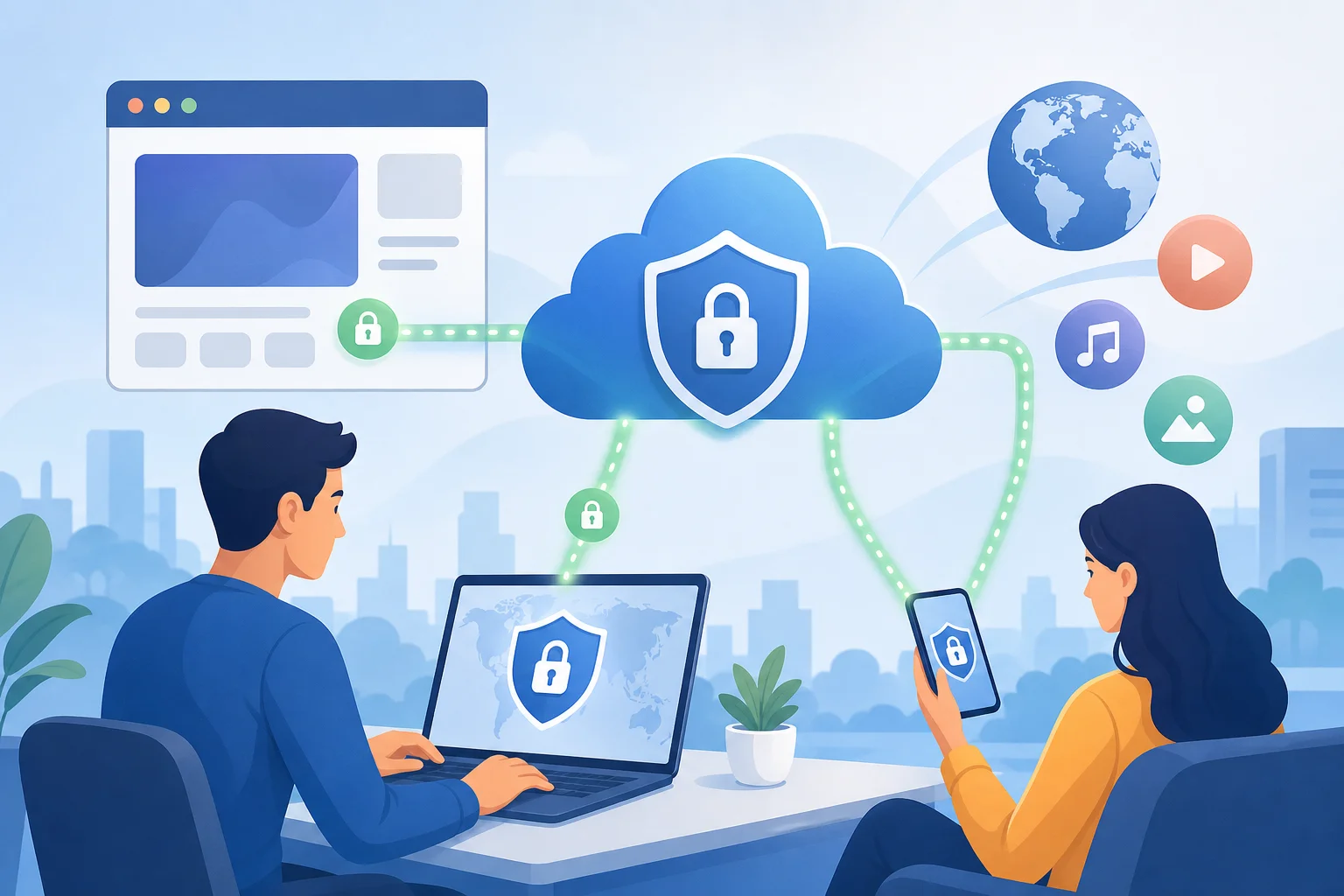
free vpn no registration access

3. Cost-Effective Alternatives: Why Paying for a VPN Might Not be Necessary​

Paid VPNs can be valuable. They often provide more server locations, advanced apps, customer support, specialty streaming servers, and extra security features. But not everyone needs those features.

If your needs are simple, a free VPN like BeFreeVPN may be enough. The key is to match the VPN to your use case rather than assume a paid plan is always required.

Free VPN vs Paid VPN: Practical Comparison​

FeatureFree online VPN without registrationTypical paid VPN
Upfront costFreeMonthly or yearly fee
Account requiredOften noUsually yes
Payment detailsNot neededUsually required
Setup speedFastVaries by provider
Server choicesMay be limitedUsually broader
BandwidthMay have limitsOften higher or unlimited
SpeedCan varyOften more consistent
Advanced settingsBasicMore extensive
Best forQuick privacy, casual browsing, public Wi-FiHeavy streaming, frequent travel, advanced privacy needs

This comparison does not mean free is always better. It means free can be the better fit when you need quick, low-friction protection.

When a Free VPN May Be Enough​

A free VPN may work well if you want to:

  • Browse more privately on public Wi-Fi.
  • Check websites without exposing your direct IP address.
  • Avoid creating a VPN account.
  • Use a VPN occasionally rather than every day.
  • Test whether VPN browsing fits your needs.
  • Access a simple web-based VPN experience.

For these scenarios, paying for a VPN might be unnecessary. BeFreeVPN is positioned as a cost-effective option because it removes both the subscription fee and the registration step.

Risks Associated With Premium VPNs​

Paid VPNs are not automatically risk-free. Some premium services use aggressive marketing, confusing renewal terms, or long contracts. Others may advertise broad privacy claims that users do not fully verify.

Potential drawbacks of paid VPNs include:

  • Recurring billing: Annual plans can renew unexpectedly if you forget to cancel.
  • Overbuying features: You may pay for advanced tools you never use.
  • Account data exposure: Your email and payment details are tied to the service.
  • Platform lock-in: Some services work best only through their apps.
  • False sense of security: Paying does not replace safe browsing habits.

That said, reputable paid VPNs can be a strong choice for heavy users. The point is not that paid VPNs are bad. The point is that a free VPN without registration can be more practical for many everyday situations.

Feature Breakdown: What You Can Get With a Free VPN Like BeFreeVPN​

A free online VPN should focus on the essentials. With BeFreeVPN, the key value is straightforward: secure browsing access without cost and without registration.

Useful features to look for include:

  • No account creation: Start without sharing an email address.
  • Free access: Avoid subscription fees.
  • Simple connection flow: Use the VPN without technical setup.
  • Browser-friendly access: Helpful when you want a quick online VPN experience.
  • Privacy-focused browsing: Hide your direct IP address from visited sites.
  • Public Wi-Fi protection: Add encryption when connected through shared networks.

For advanced needs, you should still check details such as available servers, speed, supported platforms, and privacy policy. But for many users, the core benefit is immediate, no-cost protection.

4. How to Easily Access BeFreeVPN Online​

Getting started with BeFreeVPN should be simple, especially if you are looking for an online VPN without registration. The process is designed for users who do not want to manage accounts, install complicated software, or commit to a subscription.

Step-by-Step Guide to Using BeFreeVPN​

Follow these steps for a smooth first session:

  1. Open BeFreeVPN
    Go to the BeFreeVPN website or access point from your browser.

  2. Review the available connection options
    If server locations or modes are available, choose the option that best matches your browsing goal.

  3. Start the VPN connection
    Select the connect option and wait until the service shows that the VPN is active.

  4. Open the website or service you want to use
    Browse as usual. Your traffic should now route through the VPN connection.

  5. Avoid logging into unnecessary accounts
    If your goal is privacy, reduce account-based tracking by staying logged out where possible.

  6. Disconnect when finished
    When you no longer need VPN protection, disconnect cleanly.

  7. Clear browser data if needed
    For added privacy, clear cookies, cache, or use a private window during the session.

This workflow is useful because it keeps VPN access simple. You do not need to remember another password, confirm an email, or enter payment details.

Device Compatibility: Works on Various Platforms​

An online VPN is most useful when it works across common devices. Many users switch between laptops, tablets, and phones throughout the day. A simple browser-based or web-accessible VPN experience can help reduce setup barriers.

Depending on how you access BeFreeVPN, you may be able to use it on:

  • Windows laptops and desktops
  • macOS devices
  • Linux computers
  • Android phones and tablets
  • iPhones and iPads
  • Chromebooks
  • Shared or temporary devices where installation is not ideal

Before relying on any VPN for sensitive activity, confirm that it works correctly on your device and browser. You can also check your visible IP address before and after connecting to confirm that the VPN route is active.

User-Friendly Interface Designed for All Levels​

A VPN should not feel intimidating. The best tools use clear buttons, obvious connection status, and simple language. This is especially important for people who are new to online privacy.

Look for an interface that answers three questions quickly:

  1. Am I connected?
  2. Which location or server am I using?
  3. How do I disconnect?

If a VPN makes those answers easy, it is more likely to be used correctly. BeFreeVPN’s no-registration approach supports that goal by keeping the experience direct and accessible.

Quick Safety Checklist Before You Browse​

Before using any free VPN, take a moment to check the basics:

  • Make sure you are on the correct BeFreeVPN site or trusted access point.
  • Use HTTPS websites whenever possible.
  • Keep your browser updated.
  • Do not enter sensitive information on suspicious pages.
  • Avoid installing unknown extensions or downloads.
  • Read privacy information if available.

A VPN improves the connection layer, but your choices still matter. Safe browsing and VPN use work best together.

5. FAQs About Online VPNs Without Registration​

What Are the Risks of Using a Free VPN?​

Free VPNs can vary widely in quality. Some may have slower speeds, fewer server options, bandwidth limits, or less advanced support. In the worst cases, untrustworthy free VPNs may collect more data than users expect.

To reduce risk, use a service that is clear about its terms, avoid unknown downloads, and do not assume that “free” automatically means private. BeFreeVPN’s main advantage is that it removes registration and payment barriers, but you should still use good privacy habits.

Can I Use a Free VPN for Streaming?​

You may be able to use a free VPN for streaming, but results can vary. Streaming platforms often detect and restrict VPN traffic. Free VPNs may also have speed or bandwidth limits that affect video quality.

If you only need occasional access, BeFreeVPN may be worth trying. For frequent HD or 4K streaming, a paid VPN with dedicated streaming support may be more consistent.

Is My Data Safe With an Online VPN Without Registration?​

A VPN without registration can reduce the personal information you share during setup. It can also encrypt your traffic between your device and the VPN server. However, data safety also depends on the provider’s technology, policies, and your browsing behavior.

For safer use, avoid suspicious websites, use HTTPS, keep your software updated, and do not treat any VPN as complete protection against phishing, malware, or account tracking.

Do I Need to Install Software to Use an Online VPN?​

Not always. Some online VPN services are designed to work through a browser or web interface. This can be helpful on shared devices or when you do not want to install apps.

However, app-based VPNs may offer deeper device-wide protection. Choose the format that matches your needs. If you want fast access without setup, an online VPN like BeFreeVPN is a practical place to start.

In many places, using a VPN is legal. However, laws and platform rules differ by country and service. A VPN does not make illegal activity legal, and websites may have their own terms about VPN access.

Use VPNs responsibly. If you are unsure about local rules, check the regulations that apply in your location.

6. Advanced Features to Look For in a Free VPN​

Even if you choose a free VPN, it helps to know which features matter. Some advanced features may not be available in every free service, but understanding them helps you compare options and set realistic expectations.
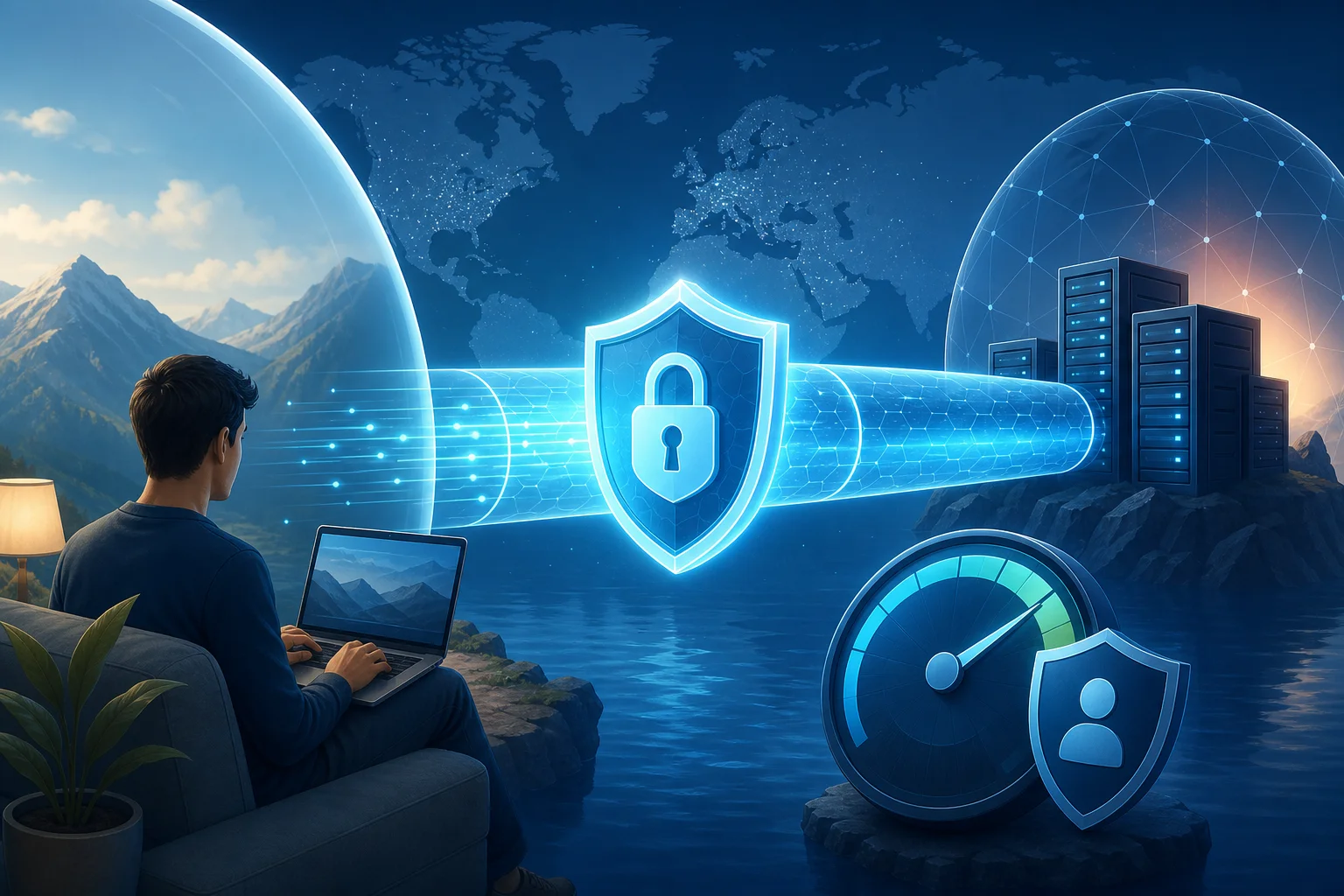
free vpn security features

Security Protocols to Consider​

VPN protocols are the technologies that manage the encrypted connection. Common modern protocols include WireGuard, OpenVPN, and IKEv2/IPsec. Each has strengths.

  • WireGuard is known for simplicity and strong performance.
  • OpenVPN is widely trusted and flexible.
  • IKEv2/IPsec can be useful on mobile devices because it handles network changes well.

For an online VPN, you may not always choose the protocol manually. Still, it is helpful when a provider explains how it protects your connection.

Speed and Bandwidth Limitations​

Free VPNs can be slower than paid services because server resources are shared among many users. Some also limit daily or monthly data. This does not make them useless, but it affects what they are best for.

A free VPN is usually fine for:

  • Reading websites
  • Checking email
  • Using public Wi-Fi more safely
  • Light browsing
  • Basic research

It may be less ideal for:

  • Large downloads
  • High-resolution streaming
  • Competitive gaming
  • Long video calls
  • Heavy cloud backups

Before you decide whether to pay for a VPN, test your real usage. If BeFreeVPN handles your daily browsing well, you may not need a premium plan.

Accessing Geo-Restricted Content Effectively​

A VPN can sometimes help you access content that changes by region. This can include news sites, local services, search results, or streaming libraries. However, access is not guaranteed.

For better results:

  1. Choose the most relevant VPN server location, if available.
  2. Clear cookies that may reveal your previous region.
  3. Use a private browser window.
  4. Refresh the service after connecting.
  5. Respect the terms of the website or platform you use.

Geo-access is one reason many people search for a free VPN. But privacy and security should remain the main focus.

Kill Switch and Leak Protection​

Some VPNs include a kill switch. This feature blocks internet traffic if the VPN connection drops. It helps prevent your real IP address from being exposed during a connection failure.

Leak protection is also important. DNS leaks, for example, can reveal which websites you request even while using a VPN. Advanced users should look for DNS leak protection, WebRTC leak guidance, and clear connection indicators.

If a free online VPN does not include all advanced controls, use it for lower-risk browsing and avoid highly sensitive tasks.

Clear Privacy Policy​

A privacy policy is not exciting, but it matters. A trustworthy VPN should explain what it collects, why it collects it, and how long it keeps it.

When reviewing any VPN, look for plain answers to these questions:

  • Does the service require an account?
  • What connection data is collected?
  • Are browsing activities logged?
  • Are third-party tools used?
  • How is abuse or misuse handled?
  • How can users contact support?

No-registration access is a strong privacy-friendly feature, but clear policy language gives you more confidence.

7. Key Takeaways: Maximizing Your Online Privacy with BeFreeVPN​

An online VPN without registration is a practical choice for users who want more private browsing without cost, contracts, or complicated setup. It lowers the barrier to using a VPN and helps make privacy tools accessible to more people.

BeFreeVPN stands out because it focuses on the essentials: free access, no registration, and a simple path to secure browsing. For everyday use, that can be enough. You can protect your connection on public Wi-Fi, mask your direct IP address, and browse with more confidence.

At the same time, it is important to use any VPN wisely. A VPN does not replace safe passwords, browser updates, HTTPS, or careful judgment. It is one layer in a broader privacy strategy.

Final Checklist for Better Privacy​

To get the most from BeFreeVPN:

  • Use it on public or untrusted Wi-Fi.
  • Keep your browser and device updated.
  • Avoid suspicious links and downloads.
  • Stay logged out of accounts when you want more privacy.
  • Clear cookies or use private browsing when needed.
  • Check your visible IP address after connecting.
  • Understand that free VPNs may have limits.

Choosing a VPN should not be complicated. If you want fast, free, no-sign-up access, BeFreeVPN offers a simple way to begin.

Discover the freedom of secure browsing with BeFreeVPN—no registration needed and totally free!
How to choose a reliable VPN for internet access without registration

· 12 min read

Looking for a reliable VPN without the hassle of registration and payment? We've got you covered with easy steps to secure your internet access. In this guide, you’ll learn how to choose a reliable VPN for internet use at home, on your phone, and on your computer—especially if you want a simple option that does not ask for an account, email address, or personal details.

A virtual private network can help protect your connection on public Wi-Fi, reduce exposure to trackers, and keep your browsing more private from local network observers. However, not every free VPN is dependable. Some are slow, unstable, or unclear about how they handle data. The goal is to find a service that is easy to use, transparent, and stable enough for everyday browsing.

reliable vpn for internet privacy

Before You Start: Understand What Makes a VPN Reliable​

Before you install anything, it helps to know what “reliable” really means. A reliable VPN for internet access is not just one that connects. It should protect your connection consistently, work across your devices, and explain its privacy practices clearly.

Check the privacy policy and reputation​

Start with the VPN provider’s privacy policy. Look for plain language about what data is collected, how long it is kept, and whether it is shared. Be cautious if the policy is vague or hard to find.

User reviews can also help. Look for repeated comments about connection drops, confusing permissions, aggressive ads, or slow speeds. A few negative reviews are normal, but repeated complaints about the same issue are a warning sign.

Evaluate speed and stability​

Speed matters because a VPN routes your traffic through an encrypted tunnel. Some slowdown is normal, but the connection should still be usable for browsing, messaging, email, streaming at modest quality, and video calls when your base connection supports them.

Stability is just as important. A VPN that disconnects often can leave your traffic exposed unless it has features like auto-connect or a kill switch. For daily use, consistent performance is better than one fast server that only works sometimes.

Confirm device compatibility​

A reliable VPN for home should work on the devices you use most. That may include Windows or macOS computers, Android phones, iPhones, tablets, and sometimes routers. If you want one service for your whole household, check whether the VPN supports multiple device connections.

Here is a quick checklist before you begin:

Reliability factorWhat to look forWhy it matters
Privacy policyClear data handling termsHelps you avoid hidden tracking
No registrationNo email or account requiredReduces personal data shared upfront
SpeedSmooth browsing and stable downloadsKeeps daily internet use practical
StabilityFew drops, auto-reconnect optionsMaintains protection over time
CompatibilityApps for phone and computerMakes setup easier across devices
BandwidthNo restrictive daily limits if possibleBetter for home and regular use

Step 1: Choose a VPN With No Registration Required​

A reliable VPN without registration is useful when you want privacy with fewer steps. Instead of creating an account, verifying an email, or entering payment details, you can install the app and connect.

Identify no-account VPN options​

When comparing VPNs, look for phrases such as “no registration required,” “no account needed,” or “start without sign-up.” Then verify this during installation. If the app asks for an email before you can connect, it is not truly registration-free.

Also check whether the free version is functional. Some VPNs advertise free access but lock key features behind sign-up screens or payment prompts. A user-friendly VPN should make its limits clear before you install it.

Understand the privacy advantage​

Using a VPN without registration can reduce the amount of personal information connected to your VPN use. You are not handing over an email address, name, or payment data just to start a session. This does not make you anonymous in every possible way, but it is a practical privacy improvement for many users.

Still, registration-free does not automatically mean trustworthy. Always combine this feature with a clear privacy policy, secure app source, and stable performance.

Check operating system support​

If you need a reliable VPN for phone use, confirm that the app supports your mobile operating system. For Android, use the official app store or the provider’s verified website. For iPhone, use the App Store. For a reliable VPN for computer use, check support for Windows, macOS, or Linux if needed.

A good no-registration VPN should be easy for beginners. Ideally, you should be able to:

  1. Download the app from a trusted source.
  2. Open it without creating an account.
  3. Choose a server or use automatic selection.
  4. Tap or click connect.
  5. Confirm the VPN icon appears on your device.

Step 2: Test the VPN for Consistent Speed and Stability​

After choosing a VPN, test it before relying on it for daily browsing. Free VPN options can vary widely in performance, so a short test helps you avoid frustration later.

Use free versions or trial periods wisely​

If the VPN is free and registration-free, test it for normal tasks first. Open websites, send messages, load maps, check email, and stream a short video. If it struggles with basic browsing, it may not be reliable enough.

If a VPN offers a trial, read the terms carefully. Some trials require payment information or renewal cancellation. If your goal is a reliable VPN without registration, a trial that requires billing details may not fit your needs.

Test during peak usage times​

VPN speed can change depending on server load and time of day. Test the connection in the evening or whenever your network is usually busiest. If the VPN stays stable during peak times, it is more likely to work well when you need it.

You can also compare performance with the VPN on and off. You do not need advanced tools. Ask simple questions:

  • Do pages load quickly enough?
  • Does the connection drop?
  • Can video calls stay connected?
  • Does the app reconnect after switching Wi-Fi networks?
  • Is battery drain reasonable on your phone?

Compare with other free VPN options​

Testing two or three VPNs can show which one is most reliable for your location and devices. Use the same Wi-Fi network and test similar tasks. Do not judge only by top speed. A slightly slower VPN that remains connected is often better than a faster one that drops every few minutes.

Step 3: Secure Your Home Network with the VPN​

A reliable VPN for home use should protect the devices you use most often. There are two main approaches: install the VPN directly on each device, or set it up on a compatible router if the service supports that option.

Install on computers for direct protection​

The simplest method is installing the VPN app on your main computer. This works well if you mostly browse, shop, stream, or work from one laptop or desktop. It also lets you control settings per device.

For shared computers, make sure everyone knows when the VPN is connected. If the app has auto-connect, turn it on so protection starts when the computer connects to the internet.

Consider router setup carefully​

Some VPNs support router installation. This can protect multiple devices on your home Wi-Fi, including smart TVs or devices that do not support VPN apps. However, router setup is usually more technical. It may also reduce speed if your router has weak hardware.

Before using router setup, check the VPN provider’s instructions and confirm your router model is supported. If the guide looks too complex, device-by-device installation may be safer and easier.

Look for multiple connections and fair bandwidth​

For home use, multiple simultaneous connections are helpful. This allows you to protect a phone, computer, and tablet at the same time. Also review bandwidth limits. A very small daily cap may be fine for occasional browsing but frustrating for a household.

reliable vpn for home devices

Step 4: Optimize Your Phone for Reliable VPN Use​

A reliable VPN for phone use should be simple, secure, and low-maintenance. Since phones move between mobile data, home Wi-Fi, and public networks, auto-connect settings are especially useful.

Install only from trusted sources​

Download the VPN app from the official app store or the provider’s verified website. Avoid random APK files, unofficial mirrors, or links from pop-up ads. This reduces the risk of installing a fake or modified app.

After installation, review permissions. A VPN app needs permission to create a VPN connection, but it should not request unrelated access without a clear reason.

Keep the app updated​

Updates often include security patches, compatibility fixes, and stability improvements. Turn on automatic updates if you are comfortable with that. If not, check for updates regularly, especially after major operating system updates.

Configure automatic protection​

Many VPN apps include settings such as auto-connect on public Wi-Fi, reconnect after signal loss, or connect when the phone starts. These settings help maintain consistent protection without forcing you to remember every time.

For best phone reliability:

  1. Enable auto-connect for unknown Wi-Fi networks.
  2. Choose the nearest or fastest server when available.
  3. Turn on reconnect features.
  4. Avoid battery-saving settings that force the VPN app to sleep.
  5. Test the VPN on both Wi-Fi and mobile data.

Troubleshooting: Resolving Common VPN Connection Issues​

Even a reliable VPN can run into problems. The good news is that most common issues are easy to check.

Slow speeds​

If your VPN is slow, switch to a nearby server or use the app’s “fastest location” option. Restart the app, reconnect to Wi-Fi, or test mobile data. If only one server is slow, the issue may be server load rather than your device.

Connection drops​

Connection drops can happen when your phone switches networks or your Wi-Fi signal is weak. Enable auto-reconnect if available. On a computer, restart the VPN app and check whether another security tool is blocking the connection.

DNS leaks or privacy concerns​

A DNS leak can expose website lookup requests outside the VPN tunnel. Some VPN apps include DNS leak protection. If yours does, turn it on. You can also use reputable DNS leak test websites to confirm whether your VPN is routing DNS correctly.

App diagnostic tools​

Many VPN apps include built-in diagnostics, connection logs, or support checks. Use these tools before uninstalling. They may show whether the problem is server-related, network-related, or caused by device settings.

If problems continue, try these quick fixes:

  • Switch servers.
  • Restart the app.
  • Restart your device.
  • Update the VPN app.
  • Change from Wi-Fi to mobile data, or vice versa.
  • Reinstall the app from a trusted source.

FAQ: Common Questions About a Reliable VPN for Internet Use​

Can I use a reliable VPN without registration?​

Yes. Some VPNs allow you to connect without creating an account. This is helpful if you want fewer steps and less personal information shared upfront. Still, check the privacy policy and app reputation before using it.

Is a free VPN reliable enough for home internet?​

It can be, depending on your needs. A free VPN may work well for browsing, messaging, and basic privacy. However, check speed, bandwidth limits, server stability, and support for multiple devices before using it as your main reliable VPN for home access.

What is the best way to use a VPN on a computer?​

Install the official desktop app, connect to a nearby or recommended server, and enable auto-connect if available. For a reliable VPN for computer use, keep the app updated and test it during your normal work or browsing hours.

Should my phone VPN stay on all the time?​

For stronger protection, keeping the VPN on is useful, especially on public Wi-Fi. If battery life or app compatibility becomes a problem, use auto-connect rules so the VPN turns on when you need it most.

Does no registration mean no tracking?​

Not automatically. No registration means you do not need to create an account, but the VPN’s privacy policy still matters. Choose a provider that clearly explains what it collects and why.

Final Thoughts​

Choosing a reliable VPN for internet access does not have to be complicated. Start with privacy, avoid unnecessary registration, test real-world speed, and make sure the VPN works on your home devices, phone, and computer. A good VPN should be simple enough to use every day and stable enough that you do not have to think about it constantly.

Ready to secure your online activities seamlessly and for free? Try BeFreeVPN and enjoy reliable protection without registration, whether you're at home, on your phone, or using your computer.

VPN for internet: a beginner's guide to privacy and protection

· 11 min read

Curious about how a VPN can protect your personal data online? You're not alone. A vpn for internet use is one of the simplest tools beginners can choose to make everyday browsing more private and secure. Whether you connect from home, use public Wi-Fi, check email on your phone, or shop from your computer, a VPN helps protect your connection without requiring deep technical knowledge.

In this beginner-friendly guide, you’ll learn what a VPN does, why it matters across devices, how to choose a VPN service without registration, and how to set up a secure VPN for home use.

vpn for internet privacy

1. What is a VPN and How Does it Protect Your Internet?​

A VPN, short for Virtual Private Network, is a tool that creates an encrypted connection between your device and the internet. In simple terms, it helps turn your normal internet connection into a more private one.

When you use a VPN for internet browsing, your data travels through a protected tunnel. This makes it harder for other people on the same network, such as public Wi-Fi users, network snoops, or malicious actors, to view what you are doing.

A VPN encrypts your internet connection​

Encryption is the main reason people use VPN software for internet privacy. It scrambles your data so that it is not easy to read if someone tries to intercept it. This is especially helpful when you are:

  • Logging into email or banking websites
  • Entering passwords
  • Shopping online
  • Using airport, hotel, café, or school Wi-Fi
  • Working remotely from a shared network

Even at home, a VPN service for internet use can add another layer of protection. It does not replace good passwords or safe browsing habits, but it can help reduce exposure.

A VPN hides your IP address​

Your IP address is like a return address for your internet connection. Websites, apps, and online services may use it to estimate your location or identify your network. A private VPN for internet use masks your real IP address and routes your traffic through a VPN server instead.

This helps keep your online activities more private. It can also reduce some forms of tracking based on your network identity. However, a VPN is not a magic invisibility cloak. Websites may still use cookies, account logins, browser fingerprinting, or app permissions to recognize you.

A VPN protects data on public Wi-Fi and at home​

Public Wi-Fi is convenient, but it is often less controlled than your home network. A secure VPN for internet access is especially useful in these places because you do not always know who else is connected.

At home, a vpn for home setup can help protect devices connected to your household network. This is useful if you work from home, share Wi-Fi with family, or use multiple devices daily.

2. Why Use a VPN for Internet on Your Phone and Computer?​

Most people do not use only one device anymore. You may browse on a laptop, message on a phone, stream on a tablet, and shop from a desktop computer. That is why it helps to think about VPN protection across all your devices.

A vpn for phone and a vpn for computer both serve the same basic purpose: they help protect your connection and improve privacy. The difference is mostly how you install and use the app.

VPN for phone: privacy while you move​

Your phone connects to many networks during the day. You may switch between mobile data, home Wi-Fi, office Wi-Fi, and public hotspots. A vpn app for phone use helps protect your connection as you move between these networks.

A secure VPN for phone browsing is useful when you:

  • Use public Wi-Fi in cafés, malls, hotels, or airports
  • Open work documents or personal files on the go
  • Log into banking, shopping, or email apps
  • Want to reduce exposure to network-based tracking

A private VPN for phone use is also easy to turn on and off when needed. For beginners, the best option is usually a simple app with a clear connect button.

VPN for computer: safer browsing and work​

A vpn for computer use is helpful because computers often handle more sensitive tasks. You may use your laptop or desktop for work, taxes, banking, file sharing, or storing personal documents.

A vpn app for computer or vpn software for computer can help protect sensitive information such as passwords, credit card numbers, and private messages from people trying to spy on insecure networks.

It also supports a more secure browsing experience on both personal and public networks. For example, if you bring your laptop to a library or coworking space, using a secure VPN for computer access can make browsing safer.

Quick comparison: VPN on phone vs computer​

DeviceWhy use a VPN?Best forBeginner tip
PhoneProtects browsing on mobile data and Wi-FiTravel, messaging, shopping, emailChoose a simple vpn app for phone use
ComputerSecures work, browsing, and online accountsRemote work, banking, downloadsUse trusted vpn software for computer protection
Home networkAdds protection across daily browsingFamilies, remote workers, shared devicesPick a vpn service for home with multi-device support

In short, using a VPN on both phones and computers helps keep privacy consistent. If you protect only one device, the others may still expose your data on unsafe networks.

3. How to Choose the Right VPN Service Without Registration?​

Not everyone wants to create another account just to protect their internet connection. That is why many beginners look for a vpn without registration. This type of VPN can be useful if you want a fast, simple, and more private start.

A vpn service without registration may reduce the amount of personal information you share during setup. For privacy-minded users, that can be a major benefit.

What to look for in a no-registration VPN​

When comparing a vpn app without registration or vpn software without registration, focus on simple, practical features:

  1. No complicated sign-up
    Look for a VPN that lets you start without long forms or unnecessary personal details.

  2. Device compatibility
    Make sure the vpn app for internet use works on your phone and computer. If you need a vpn app for home, check whether it supports multiple devices.

  3. Clear connection controls
    Beginners should not need to adjust advanced settings. A simple connect button is often enough.

  4. Basic security features
    Choose a secure VPN without registration that uses encrypted connections and explains its privacy approach clearly.

  5. Reliable performance
    A VPN should protect you without making everyday browsing frustrating. Test it with websites, apps, and video calls you use often.

Free VPN services and BeFreeVPN​

Free VPN services can be appealing, especially for beginners who want to try VPN protection before committing to anything. BeFreeVPN is an example of a free option that provides protection without complicated sign-ups.

If your goal is a private VPN without registration, choose a service that is easy to understand and works across the devices you actually use. For example, if you need a vpn service for phone and a vpn service for computer, check both before relying on it every day.

Registration-free does not mean careless​

A vpn service without registration can support privacy, but you should still be careful. Always download VPN software from official sources. Avoid unknown apps that make extreme promises, request unnecessary permissions, or hide basic information about how they work.

The best vpn app without registration is one that balances convenience, security, and transparency.

vpn for home setup

4. Tips for Setting Up a VPN for Home Use​

A vpn for home use is a smart choice if you want privacy protection during daily browsing. Home networks may feel safe, but your devices still connect to websites, apps, cloud services, and online accounts every day.

The good news is that setup is usually simple. You do not need to understand networking terms to start using a secure VPN for home protection.

Step-by-step: how to set up a VPN at home​

  1. Choose VPN software that supports your devices
    Pick a vpn software for home use that works on your phone, computer, and any other devices you want to protect.

  2. Download the official app
    Install the VPN from the provider’s official website or trusted app store. This helps avoid fake or unsafe downloads.

  3. Open the app and connect
    Most beginner-friendly VPN apps have a main connect button. Tap or click it to start the secure connection.

  4. Check that it is working
    After connecting, open your browser and confirm your internet still works. Some VPN apps also show a connected status.

  5. Use it on public Wi-Fi too
    Once you are comfortable at home, use the same VPN when connecting from cafés, airports, hotels, and other shared networks.

Choose support for multiple devices​

If you live with family or use several gadgets, choose a vpn service for home that supports more than one device. This is helpful if you want a secure VPN for computer use while also protecting a phone or tablet.

A vpn app for home should be easy enough for everyday use. If the app is too confusing, you may forget to turn it on when you need it most.

Test your connection regularly​

After installation, test your VPN from time to time. Make sure websites load, apps work, and your connection remains stable. If something does not work, disconnect and reconnect, switch server locations if available, or check the VPN provider’s help guide.

A private VPN for home use should make protection simple, not stressful.

FAQ: Common Questions About VPN for Internet Use​

Do I need a VPN for internet browsing at home?​

You do not always need one, but a VPN for internet browsing at home can improve privacy and add protection. It is especially useful if you work remotely, share a network, or want to reduce exposure to tracking based on your IP address.

Is a VPN for phone different from a VPN for computer?​

The purpose is the same: encrypt your connection and help protect your privacy. The main difference is the app. A vpn app for phone is designed for mobile use, while vpn software for computer is built for desktop or laptop systems.

Can I use a VPN without registration?​

Yes. Some services offer a vpn without registration, which means you can start using protection without creating a full account. This can be useful for beginners who want a simple and more private setup.

Does a VPN protect passwords and credit card numbers?​

A secure VPN for internet use helps protect data while it travels across the network, especially on public Wi-Fi. However, you should still use trusted websites, strong passwords, two-factor authentication, and updated devices.

What is the easiest VPN option for beginners?​

The easiest option is usually a vpn app for internet use with a simple interface, no complicated settings, and support for both phones and computers. If privacy during setup matters to you, consider a vpn service without registration.

Conclusion: Make Everyday Browsing More Private​

A VPN is a practical way to protect your personal data across the devices you use every day. It encrypts your connection, hides your IP address, and adds privacy whether you are at home, on your phone, or using a computer on public Wi-Fi. Start protecting your personal data today with BeFreeVPN — it's free, requires no registration, and works seamlessly across your devices.

Myths vs facts: the most reliable VPNs for your computer

· 11 min read

Many users are misled by myths surrounding VPN reliability. Let's separate fact from fiction to empower your decision. If you are looking for a reliable VPN for computer use, the best choice is not always the most expensive, the most advertised, or the one with the longest feature list. Reliability depends on speed, privacy, security, ease of use, server quality, and how well the VPN fits your daily habits.

In this comparison, we will debunk common VPN myths and compare practical options, including BeFreeVPN, so you can choose a secure VPN for your laptop or desktop with more confidence.

reliable VPN for computer privacy

Discover a reliable VPN without registration for speed and performance

· 8 min read

Are you frustrated by the slow speeds and cumbersome sign-ups of most VPN services? You’re not alone—many users are looking for a straightforward, fast solution. A reliable VPN without registration can help you protect your privacy, browse freely, and stay productive without handing over personal details before you even connect. In this guide, we’ll look at why many VPNs feel slow or difficult to use, and how BeFreeVPN offers a simpler path to private, high-performance browsing.

reliable VPN without registration

What is a reliable VPN for internet privacy?

· 9 min read

Did you know that your online activity is being tracked more than you think? A reliable VPN for internet privacy could be the key to protecting your personal data. Whether you are checking email, shopping online, using public Wi-Fi, or streaming on your phone, a VPN helps make your connection more private and secure. In this beginner-friendly guide, you will learn what a VPN does, why reliability matters, which features to look for, and how to get started without stress.

Why you need a private VPN for phone security: securing your home office connections

· 8 min read

Are you working from home and worried about the security of your phone? Here’s why using a private VPN can be a game changer for your remote work setup. A private VPN for phone use helps protect your mobile connection when you check email, join work chats, open cloud files, or connect from cafés, airports, and shared networks. In simple terms, it adds a safer layer between your phone and the internet, helping keep sensitive work data away from prying eyes.

Remote work is not only about laptops anymore. Many people approve documents, answer clients, use collaboration apps, and access company systems from a smartphone. That convenience is useful, but it also creates risk. Let’s break down what a mobile VPN does, why it matters, and how to get started without making security complicated.

The ultimate guide to VPN software without registration: save money with free solutions

· 15 min read

Why spend money on VPNs when BeFreeVPN offers a secure, no-registration alternative for free? If you are searching for VPN software without registration, you likely want privacy, fast setup, and fewer barriers before you can browse safely. This guide explains how VPNs work, why many people pay for them, when free no-sign-up VPNs make sense, and how to compare options such as BeFreeVPN before choosing the right tool for your device.